


Latest Version
Latest
August 30, 2026
BUSINESS
Android
102
Free
com.linkedin.android
Report a Problem
More About LinkedIn: Community & Network – Professional Connections
What is LinkedIn: Community & Network?
LinkedIn: Community & Network is the official mobile client for the LinkedIn professional platform. It lets users maintain a digital résumé, follow companies, join discussions, and explore career opportunities directly from an Android device.
Main features
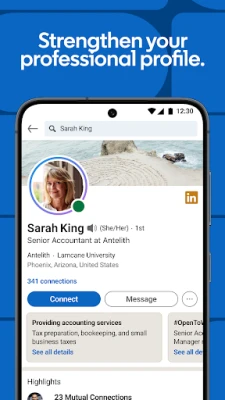
- Profile management – Edit your headline, experience, education, and skills; add media such as presentations or project links.
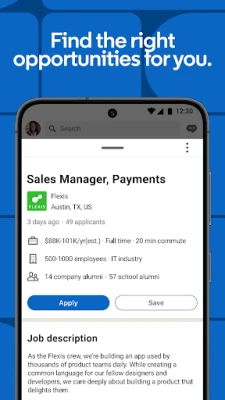
- Job search – Browse listings, filter by location, industry or experience level, and apply using your LinkedIn profile.
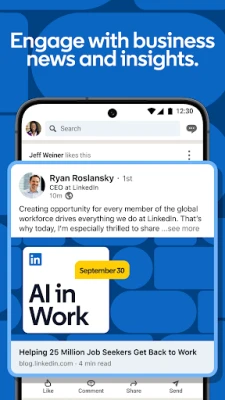
- News feed – See updates from your connections, industry influencers, and companies you follow.
- Messaging – Send direct messages, share files, and schedule brief video calls.
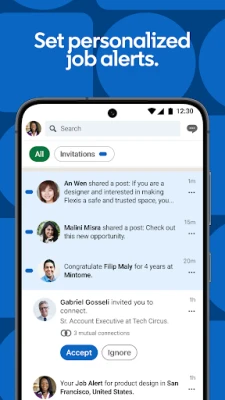
- Notifications – Get alerts when someone views your profile, when a connection posts, or when a relevant job is posted.
How it works
After installing the app, sign in with your LinkedIn credentials or create a new account. The home screen presents a personalized feed based on your network and interests. Use the search bar to find people, companies, or jobs. The navigation drawer provides quick access to your profile, notifications, messaging, and settings.
Practical uses
- Stay updated on industry trends by following relevant hashtags and company pages.
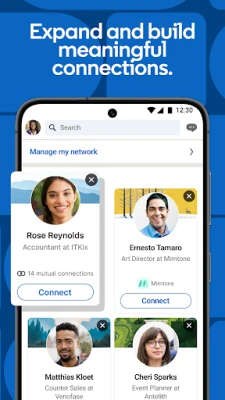
- Expand your professional network by sending connection requests with a brief, personalized note.
- Research potential employers before interviews using company insights and employee posts.
- Share articles, achievements, or project updates to increase visibility among peers.
Installation information
The app is available for free from the Google Play Store. Download and install it like any other Android application. No additional fees are required for basic functionality.
Things to know before installing
- The app requires an internet connection for most features, including feed updates and messaging.
- Some advanced tools, such as LinkedIn Learning courses or InMail, are part of LinkedIn’s paid Premium plans and are not included in the free version.
- Privacy settings can be adjusted within the app to control who sees your profile information and activity.
Who may find it useful?
Professionals seeking to maintain an online presence, job seekers looking for new opportunities, recruiters searching for talent, and anyone interested in industry news can benefit from the app.
Frequently asked questions
Is a LinkedIn account required?
Yes. You need an existing LinkedIn account or must create one to use the app.
Can I apply for jobs without a résumé?
Yes. The app allows you to apply using the information stored in your LinkedIn profile, which serves as a résumé.
Is the app available in languages other than English?
The app supports multiple languages; the list is shown in the device’s language settings.
Rate the App
User Reviews















Popular Apps










 Games
 Entertainment
 Communication
 E-mail
 Security
 Tools
 Media
 Internet
 Finance
 Design
 Education
 Android Firmwares
 Travel & Local
 Android
 Windows
 Linux