

Latest Version
September 13, 2026
Less Annoying CRM
BUSINESS
Android
1
Free
com.lessannoyingcrm.lacrm
Report a Problem
More About Less Annoying CRM – Simple Contact and Task Management
What is Less Annoying CRM?
Less Annoying CRM is a cloud‑based customer‑relationship management service aimed at small businesses and solo entrepreneurs. The Android app provides a mobile window into the same data you see on the web, allowing you to stay organized without needing a full‑featured desktop client.
Main features
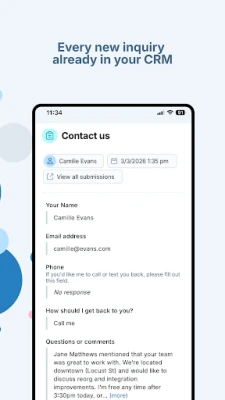
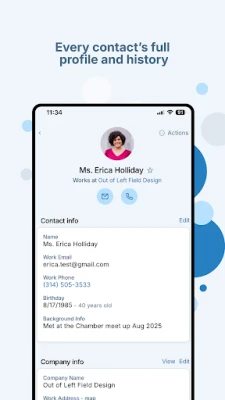
- Contact overview – Browse individual contact records, see phone numbers, email addresses and any notes you have attached.
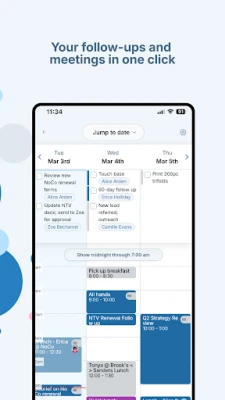
- Task and event list – View today’s tasks and upcoming calendar events, mark items as complete, and add new items directly from the device.
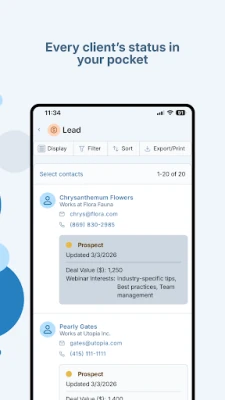
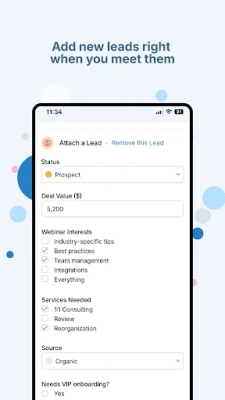
- Lead and pipeline visibility – Check the status of leads, see which stage each opportunity is in, and move items between stages when needed.
- Quick communication – Initiate a phone call, send a text message, or compose an email to a contact using the device’s native apps.
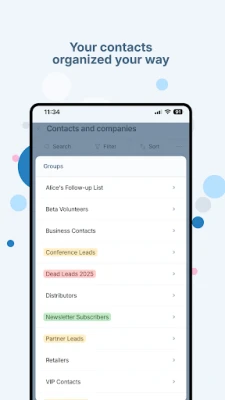
- Search and filtering – Find contacts by name, recent activity, or assigned group, making it easy to locate the right record in a busy day.
How it works
The app connects to your existing Less Annoying CRM account via a secure HTTPS connection. After logging in with your credentials, the client synchronizes the latest contacts, tasks and pipeline data. All actions you take—adding a note, completing a task, or updating a lead—are sent back to the server so the web interface reflects the same information.
Practical uses
Whether you are heading into a client meeting, returning a missed call, or reviewing your daily agenda, the app lets you pull up the relevant record without opening a laptop. Salespeople can check lead status before a call, service technicians can read past notes while on a job site, and freelancers can keep a running list of follow‑up actions.
Installation information
Search for “Less Annoying CRM” in the Google Play Store, tap Install, and grant the permissions the app requests for network access and phone functions. After installation, open the app, sign in with the email address you use for your Less Annoying CRM account, and allow the initial data sync.
Things to know before installing
- The app requires an active internet connection for initial login and for any data updates.
- All data is stored in the cloud; the mobile client does not retain a permanent local copy beyond the current session.
- Push notifications, caller‑ID integration and biometric login are planned for future releases, but are not available in the current version.
Who may find it useful?
Small‑business owners, independent consultants, sales representatives, and anyone who needs quick access to their CRM data while away from a desk will benefit from this lightweight Android client.
Frequently asked questions
Do I need a separate subscription for the mobile app?
No. The app uses the same subscription you have for the web version of Less Annoying CRM.
Can I edit contact information from the phone?
Yes. You can add or modify notes, change phone numbers or email addresses, and update lead status directly within the app.
Is my data encrypted?
All communication between the app and the Less Annoying CRM servers is encrypted using standard HTTPS protocols.
What Android versions are supported?
The app runs on devices that meet the minimum version requirements listed in the Play Store entry. If your device can install the app, it is compatible.
Rate the App
User Reviews













Popular Apps










 Games
Games Entertainment
 Communication
 E-mail
 Security
 Tools
Tools Media
Media Internet
 Finance
 Design
 Education
 IT Tools
 Travel & Local
 Android
 Windows
 Linux
Linux