Latest Version
August 21, 2026
Socio Labs LLC
BUSINESS
Android
136
Free
events.socio.leadretrieval
Report a Problem
More About Lead Retrieval by Webex Events – Capture and Manage Event Leads
What is Lead Retrieval by Webex Events?
Lead Retrieval by Webex Events is a mobile application designed for exhibitors and event staff who need to collect contact information from attendees quickly and accurately. Developed by Socio Labs LLC, the app turns a smartphone or tablet into a badge‑scanning device, allowing you to gather leads without additional hardware.
Main Features
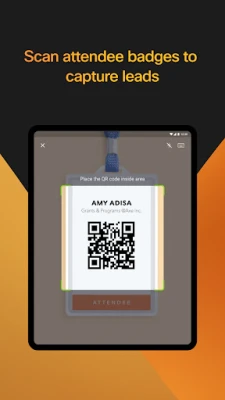
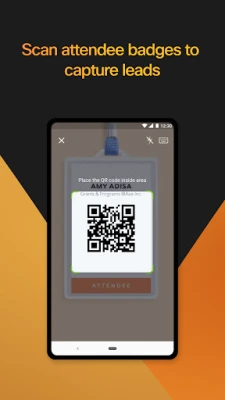
- Badge scanning: Use the device camera to read attendee badges and automatically pull contact details.
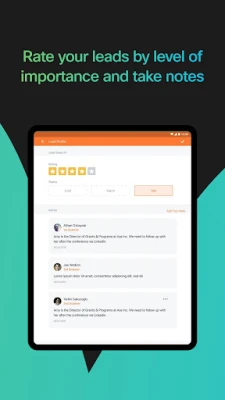
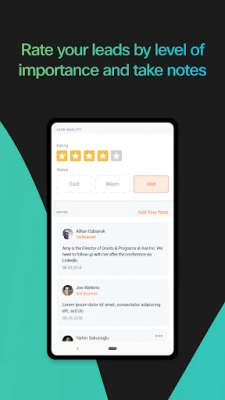
- Lead rating and notes: Assign a rating to each lead and add collaborative notes directly within the app.
- Offline capability: Capture leads even when you are out of network range; data syncs when connectivity returns.
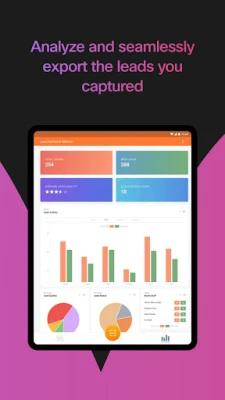
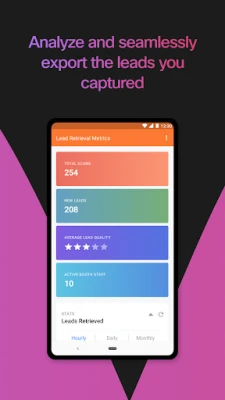
- Export options: Export collected leads to common formats for follow‑up after the event.
- Team collaboration: Multiple users can work on the same lead list, seeing each other's ratings and comments.
How It Works
After installing the app, you log in with the credentials provided by the event organizer. Once authenticated, the app presents a simple scanning interface. Point the camera at a printed badge or QR code, and the app extracts the attendee’s name, company, and other pre‑loaded fields. You can then assign a priority level, add a quick note, and move on to the next badge. All entries are stored locally until the device reconnects to the internet, at which point the data is uploaded to the event’s central lead database.
Practical Uses
The application is useful in a variety of event settings:
- Trade shows: Booth staff can capture dozens of prospects per hour without manual data entry.
- Conferences: Speakers and sponsors can follow up with interested attendees after sessions.
- Corporate expos: Internal teams can track internal stakeholder interest for product demos.
Installation Information
Lead Retrieval by Webex Events is available as a free download from the Google Play Store. The installation process follows the standard Android app installation steps: tap “Install,” grant any required permissions for camera access, and launch the app.
Things to Know Before Installing
- The app requires camera access to read badges.
- Internet connectivity is needed for initial login and for syncing data, but the core scanning function works offline.
- Event organizers control which exhibitors have access, so you will need credentials from the event host.
Who May Find It Useful?
Anyone who participates in face‑to‑face events and needs to collect qualified leads will benefit. This includes sales teams, marketing professionals, booth staff, and event planners who want a streamlined way to gather and manage attendee information.
Frequently Asked Questions
Do I need special hardware to scan badges?
No. The app uses the device’s built‑in camera, so any modern Android phone or tablet is sufficient.
Can I export my leads to a spreadsheet?
Yes. The app provides an export function that creates a CSV file compatible with most spreadsheet programs.
Is the app secure?
Lead data is stored locally on the device until it is synced to the event’s secure server. Access to the app is protected by the login credentials supplied by the event organizer.
What happens if I lose internet connectivity during an event?
You can continue scanning and rating leads offline. The app will automatically upload the collected data once a network connection is restored.
Rate the App
User Reviews















Popular Apps










 Games
 Entertainment
 Communication
 E-mail
 Security
 Tools
 Media
 Internet
 Finance
 Design
 Education
 Android Firmwares
 Travel & Local
 Android
 Windows
 Linux