
Latest Version
Latest
September 06, 2026
LARK TECHNOLOGIES PTE. LTD.
BUSINESS
Android
11
Free
com.larksuite.suite
Report a Problem
More About Lark – Team Collaboration
What is Lark?
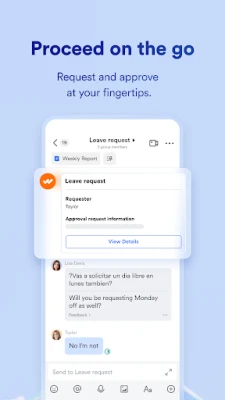
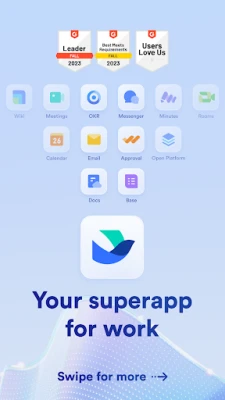
Lark is a unified workspace designed for teams that need to communicate, schedule, create documents, and hold video calls without juggling multiple applications. Developed by LARK TECHNOLOGIES PTE. LTD., the app is offered free of charge and aims to streamline everyday collaboration.
Main features
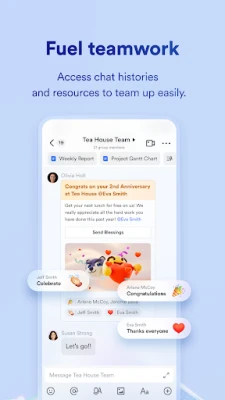
- Integrated chat – Real‑time messaging with support for file sharing and threaded conversations.
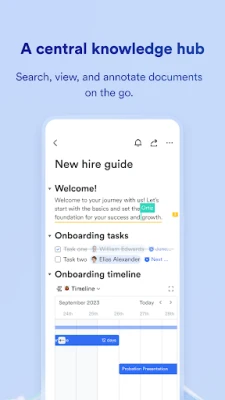
- Document editor – Create and edit text documents directly in the app, with built‑in templates for quick start.
- Calendar – Schedule meetings, set reminders, and view team availability in a shared calendar.
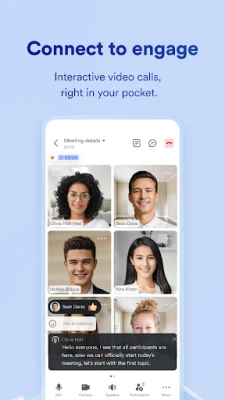
- Video meetings – Start or join video calls from within the app, reducing the need for separate conferencing tools.
- File sharing – Upload, organize, and share files securely with team members.
How it works
After installing Lark, you create a workspace for your team. Within the workspace you can open a chat channel, start a document, or set up a meeting. All items are linked, so a conversation can reference a document or a calendar event, and participants can join a video call directly from a chat thread.
Practical uses
- Remote teams can keep conversations, schedules, and files together, reducing context switching.
- Project groups can draft proposals in the document editor while discussing changes in chat.
- Managers can view team calendars to plan meetings that fit everyone’s availability.
Installation information
Lark is available through the Google Play Store. Search for "Lark – Team Collaboration" or use the package name com.larksuite.suite. The download and installation follow the standard Android process.
Compatibility
The app runs on Android devices that meet the platform requirements defined by Google Play. Specific version numbers are not disclosed, but the Play Store will prevent installation on unsupported devices.
Things to know before installing
- Because Lark consolidates several functions, you may need to grant permissions for microphone, camera, and storage to enable video calls and file handling.
- All core features are free; additional premium options may be offered within the app for larger organizations.
Who may find Lark useful?
Small businesses, startups, and distributed teams that prefer a single app for communication, document creation, and scheduling will benefit most from Lark. It is also suitable for project‑based groups that need quick access to shared files and real‑time discussions.
Frequently asked questions
Do I need an account to use Lark?
Yes, you create an account during the onboarding process. The account ties your workspace to your email address.
Can I use Lark on multiple devices?
Yes, the same account can be signed in on several Android devices, and data syncs across them.
Is my data stored securely?
Lark follows standard security practices for data transmission and storage, but detailed policies are provided within the app’s settings.
Rate the App
User Reviews








Popular Apps










 Games
Games Entertainment
 Communication
 E-mail
 Security
 Tools
Tools Media
Media Internet
 Finance
 Design
 Education
 IT Tools
 Travel & Local
 Android
 Windows
 Linux
Linux