

Latest Version
Latest
September 05, 2026
GTI TECHNOLOGIES L.L.C
BUSINESS
Android
9
Free
com.katonmeet
Report a Problem
More About Katon Meet: Meetings & Calls – Free Video Conferencing
What is Katon Meet?
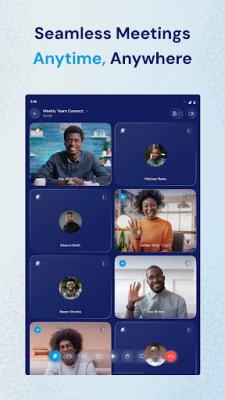
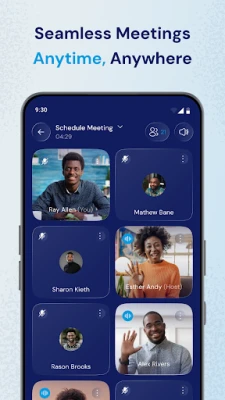
Katon Meet is a free Android app that provides high‑definition video calling and online meeting capabilities. Developed by GTI TECHNOLOGIES L.L.C, it focuses on delivering clear audio‑video streams, screen sharing, and in‑meeting chat without requiring a paid subscription.
Main Features
- HD video and audio – Supports crisp, real‑time video for individuals or small groups.
- Screen sharing – Present documents, slides, or apps directly from your device.
- In‑meeting chat – Exchange text messages while the call is active.
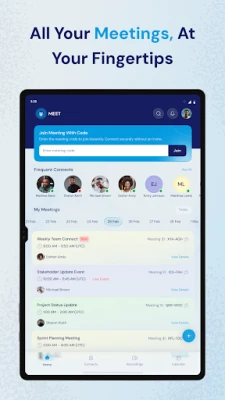
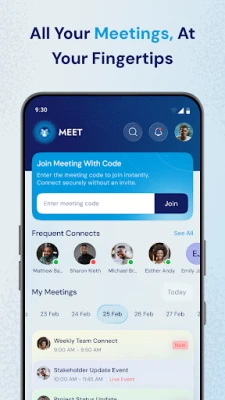
- Meeting links – Generate simple URLs that participants can tap to join.
- Cross‑device access – Use the same account on Android phones, tablets, or desktop browsers.
How It Works
After installing Katon Meet, you create a meeting by tapping the “New Meeting” button. The app generates a unique link that you can copy and share via any messaging platform. Participants open the link, and the app automatically connects them to the session. During the call you can toggle your camera, mute the microphone, or start screen sharing from the toolbar.
Practical Uses
The app is suited for a range of everyday scenarios:
- Remote work – Hold team check‑ins, project reviews, or client presentations without leaving your desk.
- Online learning – Teachers can host virtual classrooms, share slides, and answer student questions in real time.
- Personal catch‑ups – Stay in touch with family and friends through reliable video calls.
Installation Information
Katon Meet is available as a free download from the Google Play Store. Search for the package name com.katonmeet or the app title, then tap “Install.” The download size and required Android version are not listed, so ensure your device has sufficient storage and runs a recent Android release.
Things to Know Before Installing
- Because the app does not list specific permissions, review the permission request screen carefully during installation.
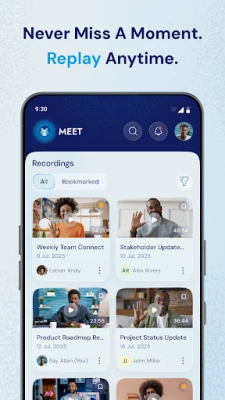
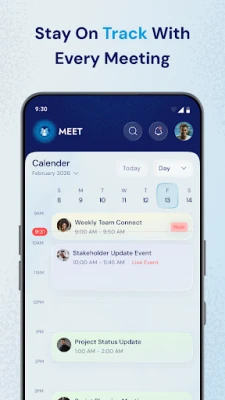
- Meeting recordings and advanced scheduling features are not mentioned, so the current version may focus on live calls only.
- Internet connectivity is essential for HD video; a stable Wi‑Fi or cellular connection will provide the best experience.
Who May Find Katon Meet Useful?
Anyone who needs a straightforward way to start video calls from an Android device can benefit. This includes freelancers, small business teams, educators, students, and anyone looking for a free alternative to larger conferencing platforms.
Frequently Asked Questions
Do I need an account to use Katon Meet?
The app generates meeting links without requiring a sign‑up, but creating an account may provide additional features such as meeting history.
Can I join a Katon Meet session from a desktop?
Yes. The meeting link works in web browsers, allowing participants on Windows, macOS, or Linux to join without installing the Android app.
Is the video call encrypted?
The description mentions end‑to‑end encryption, indicating that the data transmitted between participants is protected.
Rate the App
User Reviews














Popular Apps










 Games
Games Entertainment
 Communication
 E-mail
 Security
 Tools
Tools Media
Media Internet
 Finance
 Design
 Education
 IT Tools
 Travel & Local
 Android
 Windows
 Linux
Linux