

Latest Version
Latest
August 15, 2026
Jio Platforms Limited
BUSINESS
Android
198
Free
com.jio.rilconferences
Report a Problem
More About JioMeet – Secure Video Conferencing for Android
What is JioMeet?
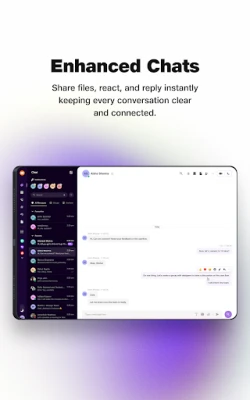
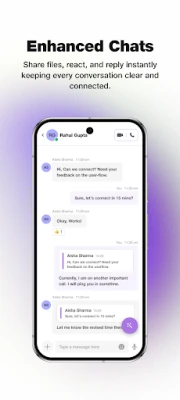
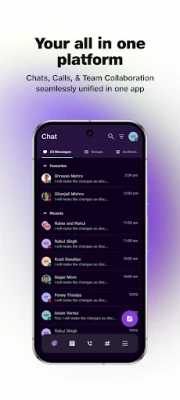
JioMeet is a video‑conferencing application developed by Jio Platforms Limited for Android devices. It provides a platform for individuals and teams to connect face‑to‑face over the internet, supporting both personal chats and professional meetings.
Main Features
- HD video and audio – Clear picture and sound for a natural conversation experience.
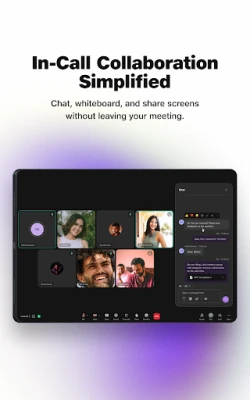
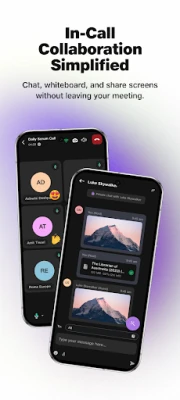
- Screen sharing – Present slides, documents, or any on‑screen content to participants.
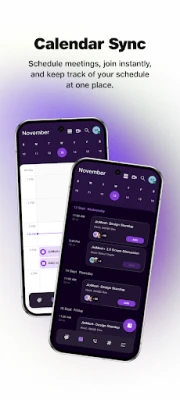
- Meeting scheduling – Create a meeting link in advance and share it with attendees.
- In‑call reactions – Quick emoji responses without interrupting the speaker.
- Virtual backgrounds – Choose an image or blur the background for privacy.
- Multi‑device support – Join the same meeting from up to five devices, switching seamlessly.
- Password‑protected rooms – Add a meeting password for extra control.
How It Works
After installing the app, users sign in with a mobile number or email address. Once logged in, they can start an instant meeting or schedule one for later. A unique meeting ID is generated, which can be shared via messaging apps or email. Participants join by entering the ID or clicking the shared link. During the call, hosts can manage participants, enable or disable video, and use the waiting‑room feature to admit guests selectively.
Practical Uses
JioMeet is suitable for a range of scenarios:
- Remote work – Teams can hold daily stand‑ups, project reviews, or client presentations.
- Education – Teachers can conduct virtual classes, share screens for lessons, and record sessions for later review.
- Family and friends – Stay connected with high‑quality video calls, even on limited bandwidth.
- Small businesses – Conduct interviews, sales calls, or internal briefings without needing separate conference hardware.
Installation Information
The app is distributed through the Google Play Store. Search for “JioMeet” or use the package name com.jio.rilconferences. Tap “Install” and wait for the download to complete. The installation size and Android version requirements are not publicly listed, so ensure your device has sufficient storage and runs a recent version of Android.
Things to Know Before Installing
- JioMeet requires an internet connection; performance depends on network speed.
- The app is free to download and use, but data charges may apply based on your mobile plan.
- Only Indian mobile numbers are accepted for the initial sign‑up process.
- For enterprise‑level features, a separate JioMeet Enterprise offering exists, but those capabilities are not part of the standard free app.
Who May Find JioMeet Useful?
Anyone who needs reliable video communication on Android can benefit from JioMeet. This includes remote workers, educators, students, freelancers, and families who prefer a locally supported solution.
Frequently Asked Questions
Is JioMeet free?
Yes, the core application can be downloaded and used without a purchase.
Can I record meetings?
The standard Android version includes a recording option for hosts, subject to device storage availability.
What languages are supported?
JioMeet offers multilingual support, allowing users to navigate the interface in several Indian languages.
How many participants can join a single meeting?
The app supports large meetings, though the exact participant limit is not publicly disclosed.
Do I need a Jio account?
No. While the developer is Jio Platforms, the app works with any valid mobile number or email address.
Rate the App
User Reviews















Popular Apps










 Games
Games Entertainment
 Communication
 E-mail
 Security
 Tools
Tools Media
Media Internet
 Finance
 Design
 Education
 Android Firmwares
 Travel & Local
 Android
 Windows
 Linux
Linux