

Latest Version
Latest
September 06, 2026
Invoice Simple
BUSINESS
Android
9
Free
com.aadhk.woinvoice
Report a Problem
More About Invoice Simple: Invoice Maker – Create and Send Invoices on Android
What is Invoice Simple?
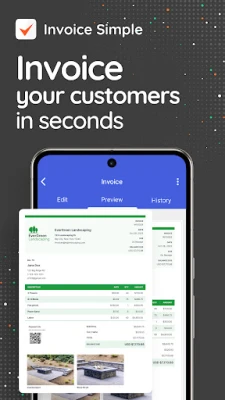
Invoice Simple is a free Android application designed for individuals and small businesses that need a straightforward way to produce invoices, estimates, and digital receipts. The app focuses on speed and ease of use, allowing you to create billing documents while you are on the go.
Main features
- Instant invoice creation – Build a complete invoice in a few taps without navigating complex menus.
- Estimates and receipts – Generate estimates for prospective work and issue receipts for payments received.
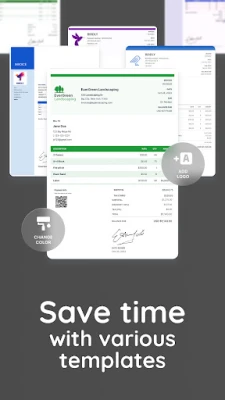
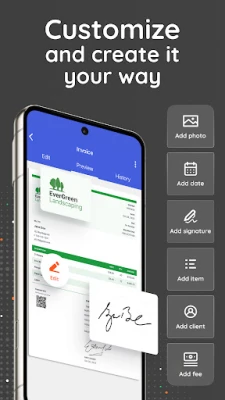
- Customizable templates – Add your logo, business name, and contact details to give each document a professional look.
- Client management – Store client information within the app or import contacts directly from your phone.
- Tax and discount options – Apply tax rates and optional discounts to reflect accurate totals.
- Record keeping – All invoices, estimates, and receipts are saved locally, making it easy to retrieve past documents for reference or tax purposes.
How it works
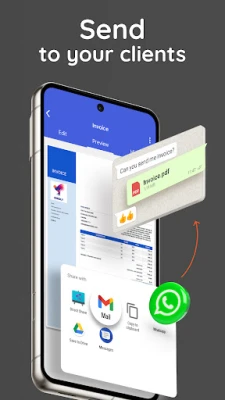
After installing the app, you start by setting up your business profile – entering your name, address, and optional banking details. When you need to bill a client, select the type of document (invoice, estimate, or receipt), fill in the line items, adjust taxes or discounts if needed, and tap to generate the final document. The finished file can be shared via email, messaging apps, or saved as a PDF for later use.
Practical uses
Invoice Simple is useful in a variety of everyday scenarios:
- Freelancers who need to bill hourly or project‑based work without a desktop computer.
- Service providers such as landscapers, electricians, or tutors who often create on‑site estimates.
- Small retailers that issue receipts for cash or card transactions.
- Side‑gig operators who want a simple way to keep their finances organized.
Installation information
The app is available through the standard Android marketplace. Installation follows the usual process: tap “Install,” wait for the download to complete, and open the app to begin configuration. No additional files or external downloads are required.
Things to know before installing
- The app does not require root access or special permissions beyond standard storage access for saving documents.
- All data is stored locally on the device; there is no cloud sync unless you manually back up files.
- Because the app is free, it may display non‑intrusive ads, but these do not interfere with core functionality.
Who may find it useful?
Anyone who needs to issue professional‑looking billing documents without a full‑scale accounting system will benefit from Invoice Simple. This includes solo entrepreneurs, small‑team startups, and hobbyists who charge for their services.
Frequently asked questions
Can I edit an invoice after it is created?
Yes. Open the saved document from the app’s list, make the necessary changes, and re‑export the updated version.
Is there a way to export multiple invoices at once?
The current version supports exporting one document at a time. For bulk handling, you can select multiple files from the device’s file manager and share them together.
Does the app support multiple currencies?
Currency selection is limited to the default system setting. You can manually adjust amounts to reflect other currencies if needed.
Rate the App
User Reviews















Popular Apps










 Games
Games Entertainment
 Communication
 E-mail
 Security
 Tools
Tools Media
Media Internet
 Finance
 Design
 Education
 IT Tools
 Travel & Local
 Android
 Windows
 Linux
Linux