

Latest Version
Latest
September 16, 2026
Zoho Corporation
BUSINESS
Android
7
Free
com.zoho.inventory
Report a Problem
More About Zoho Inventory Management App – Free Android Tool
What is Zoho Inventory?
Zoho Inventory is a mobile extension of Zoho’s cloud‑based inventory platform. It lets business owners and staff keep an eye on product quantities, process sales and purchase orders, and stay organized while on the go.
Main features
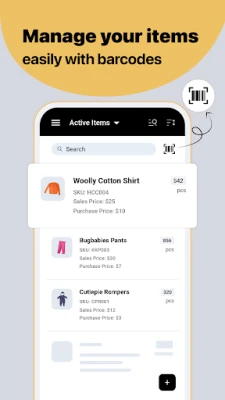
- Item catalog – Add products, attach photos, group items into categories and define bundles.
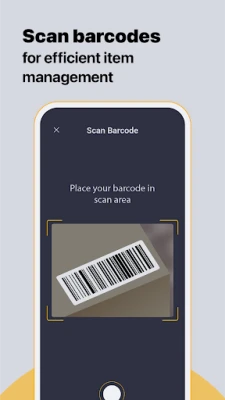
- Barcode support – Use the phone’s camera or an external scanner to read barcodes, speeding up picking and receiving.
- Serial and batch tracking – Record serial numbers or batch codes to follow items through their lifecycle, including expiration dates when needed.
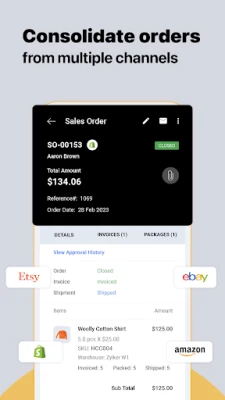
- Order creation – Generate sales or purchase orders by selecting contacts and items, then send them directly to customers or suppliers.
- Multi‑channel sync – Connect to popular e‑commerce platforms so stock levels stay consistent across online stores.
- Payment recording – Log payments received through common gateways such as Stripe or PayPal.
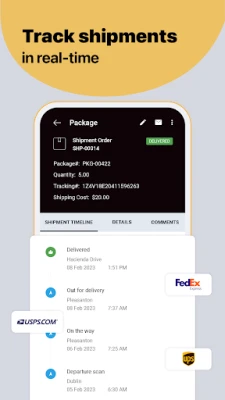
- Shipping assistance – Produce packing slips, create shipping labels and share real‑time tracking updates.
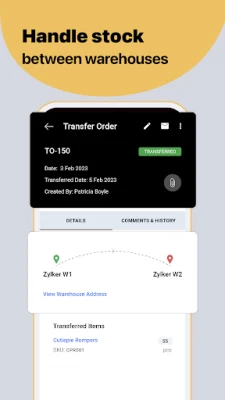
- Warehouse management – Track inventory across multiple locations and see stock balances per warehouse.
How it works
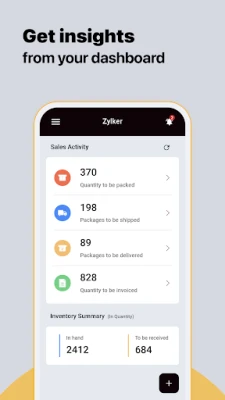
After installing the app, you sign in with your Zoho account. The dashboard presents a snapshot of key metrics – total stock value, pending orders and recent activity. From there you can navigate to the item list to add new products or edit existing ones. When a sale occurs, scan the product’s barcode, select the customer, and the app creates a sales order that can be sent instantly. Purchase orders follow a similar flow, allowing you to reorder low‑stock items directly from suppliers.
Practical uses
- Retail shops that need to check inventory while assisting customers.
- Warehouse staff who pick items for shipments using barcode scanning.
- Field sales teams that create quotes and orders without returning to the office.
- Small manufacturers tracking batch numbers and expiration dates.
Installation information
The app is available for free on the Google Play Store. Search for “Inventory Management App -Zoho” or use the package name com.zoho.inventory. Installation follows the standard Android process – tap Install, grant the requested permissions, and launch the app.
Things to know before installing
- The app requires an active internet connection for syncing data with Zoho’s cloud service.
- A Zoho account is necessary; the free tier provides basic inventory functions, while paid plans add advanced automation.
- Permissions may include camera access for barcode scanning and storage access for attaching product images.
Who may find it useful?
Entrepreneurs, small‑to‑medium retailers, e‑commerce sellers, and anyone who needs a portable way to keep inventory accurate will benefit from Zoho Inventory’s Android client.
Frequently asked questions
Is the app completely free?
The Android client can be downloaded at no cost, but full functionality depends on the Zoho subscription you choose.
Can I use the app offline?
Basic data entry is possible offline, but synchronization with the cloud occurs once a network connection is available.
Does it integrate with my existing Zoho account?
Yes. The app logs into the same Zoho organization you use on the web, ensuring all data stays consistent.
Rate the App
User Reviews















Popular Apps










 Games
Games Entertainment
 Communication
 E-mail
 Security
 Tools
Tools Media
Media Internet
 Finance
 Design
 Education
 IT Tools
 Travel & Local
 Android
 Windows
 Linux
Linux