
Latest Version
August 29, 2026
Google LLC
BUSINESS
Android
116
Free
com.google.android.apps.adwords
Report a Problem
More About Google Ads – Manage Your Campaigns from Android
What is Google Ads for Android?
The Google Ads app is a mobile companion for advertisers who use Google’s advertising platform. It lets you keep an eye on the health of your campaigns, make quick adjustments, and respond to important notifications without needing a desktop browser.
Main features
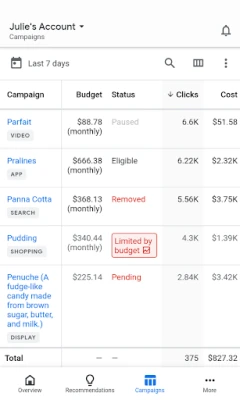
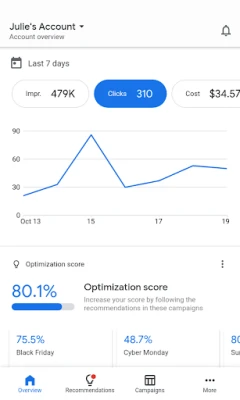
- Real‑time performance data – View key metrics such as impressions, clicks, conversions and spend at a glance.
- Quick edits – Change bids, budgets, ad copy or keywords directly from the app.
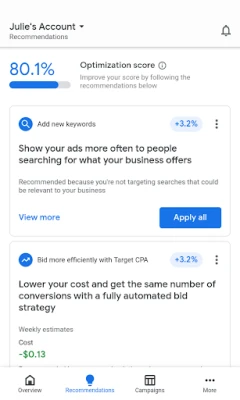
- Optimization insights – See your account’s optimization score and get actionable recommendations.
- Push notifications – Get alerts for significant changes, disapproved ads or budget limits.
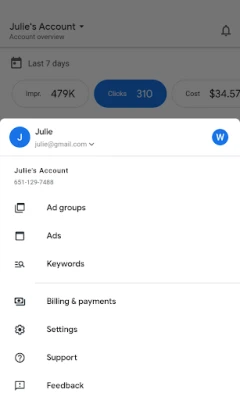
- Support access – Initiate a chat or call with a Google Ads specialist when you need help.
How it works
After signing in with the Google account linked to your Ads account, the app syncs with your existing campaigns. The dashboard presents a summary of recent activity, and you can drill down into individual campaigns or ad groups. Any change you make is applied to your online account instantly, so the desktop view reflects the same data.
Practical uses
Whether you’re traveling for business, managing multiple accounts, or simply prefer a lightweight interface, the app helps you:
- Check daily spend against your budget to avoid overspending.
- Pause under‑performing ads while on the move.
- Respond to policy alerts before they affect delivery.
- Apply recommended bid adjustments to improve ROI.
Installation information
The app is available through the Google Play Store. Search for “Google Ads” by Google LLC, then tap Install. The download size is modest, and the app requires a standard Android device with a Google Play Services framework.
Things to know before installing
- You must have an active Google Ads account; the app does not create new accounts.
- All changes made in the app affect your live campaigns, so use caution when adjusting bids or budgets.
- Push notifications can be customized in the app settings to suit your monitoring preferences.
Who may find it useful?
Small business owners, digital marketers, agency managers, and anyone who runs paid search or display campaigns on Google can benefit from the convenience of managing ads on a smartphone.
Frequently asked questions
Do I need a separate login for the app?
No. The app uses the same Google credentials you use for the web interface.
Can I manage multiple accounts?
Yes. After signing in, you can switch between any accounts linked to your Google profile.
Is there a limit to the number of notifications?
The app respects the notification settings you configure; you can enable or disable specific alerts.
Will using the app affect my ad performance?
The app only reflects the actions you take. Making thoughtful adjustments can improve performance, while accidental changes could have the opposite effect.
Rate the App
User Reviews















Popular Apps










 Games
 Entertainment
 Communication
 E-mail
 Security
 Tools
 Media
 Internet
 Finance
 Design
 Education
 Android Firmwares
 Travel & Local
 Android
 Windows
 Linux