

Latest Version
Latest
August 25, 2026
ContactOut Limited
BUSINESS
Android
109
Free
com.contactout.mobile
Report a Problem
More About Find B2B Emails | Phone Dialer – ContactOut
What is Find B2B Emails | Phone Dialer?
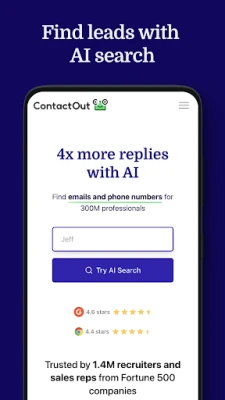
Find B2B Emails | Phone Dialer, developed by ContactOut Limited, is an Android tool that combines a contact‑search database with a built‑in phone dialer. It is designed for professionals who need to locate business email addresses and phone numbers and reach those contacts without leaving the app.
Main features
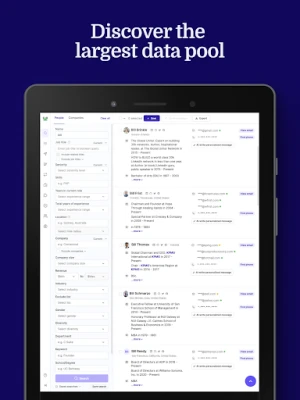
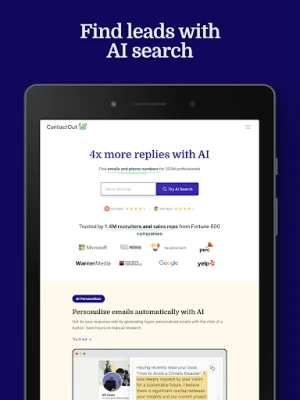
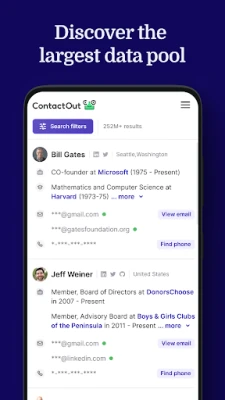
- Contact search – Enter a name, company, or domain to retrieve email addresses and direct phone numbers associated with that professional profile.
- Integrated dialer – Once a phone number is displayed, tap to start a call instantly. The call continues even if you switch to another app or lock the screen.
- Filtering options – Narrow results by job title, industry, seniority level, location and other criteria that are commonly used in sales prospecting.
- In‑app call management – Calls are placed without needing to add the number to your contacts first, keeping your address book clean.
How it works
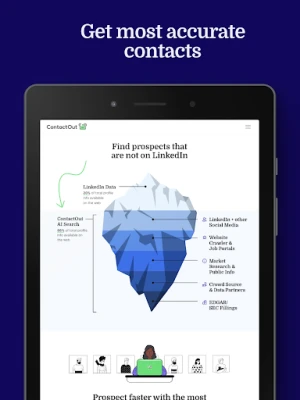
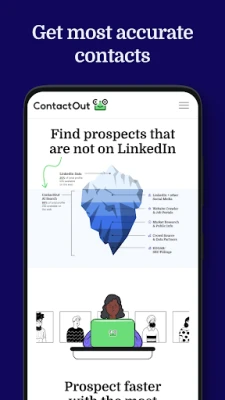
The app accesses a database of publicly available business contact information. When you type a query, the service returns the most relevant email and phone entries. Selecting a phone number launches the built‑in dialer, which operates like the standard Android dialer but stays active across other apps and screen states. The email address can be copied or shared directly from the result screen.
Practical uses
- Sales outreach – Build a list of prospects, verify their contact details, and call them without extra steps.
- Recruiting – Locate hiring managers or recruiters and reach out quickly.
- Networking – Find direct contact information for industry peers when attending events or conferences.
Installation information
The app is offered as a free download from the Google Play Store. Installation follows the standard Android process: tap Install, grant any required permissions, and the app will appear in your app drawer.
Things to know before installing
- The app may request permission to access the phone’s call function and to read/write contacts if you choose to save a number.
- Because the service relies on an external database, an internet connection is required for searches and call initiation.
- All data displayed is sourced from publicly available information; the app does not store personal data beyond what is needed for its operation.
Who may find it useful?
Business development representatives, sales development reps (SDRs), recruiters, and anyone who regularly contacts professionals for outreach will benefit from the combined search and dialer workflow.
Frequently asked questions
Is the app free to use?
Yes, the core search and dialing functions are provided at no cost.
Do I need to create an account?
An account is not required for basic searches, but advanced filtering may prompt you to sign in.
Can I record calls?
The app does not include a built‑in call‑recording feature; any recording would need to be handled by the device’s native capabilities, subject to local laws.
What Android versions are supported?
The Play Store listing specifies the minimum Android version required; you can view this information on the app’s store page before installing.
Rate the App
User Reviews















Popular Apps










 Games
 Entertainment
 Communication
 E-mail
 Security
 Tools
 Media
 Internet
 Finance
 Design
 Education
 Android Firmwares
 Travel & Local
 Android
 Windows
 Linux