

Latest Version
Latest
September 12, 2026
eVoice
BUSINESS
Android
5
Free
com.j2.evoicenew
Report a Problem
More About eVoice – Business Phone System for Android
What is eVoice?
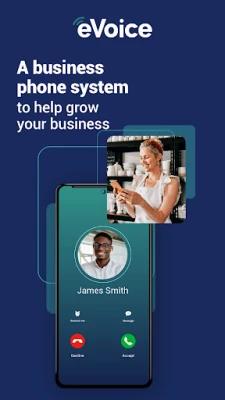
eVoice is a virtual phone solution that runs on Android devices. It lets you manage business calls, texts and voicemail without needing separate hardware. By using the app, you can present a professional phone presence while staying on the device you already carry.
Main features
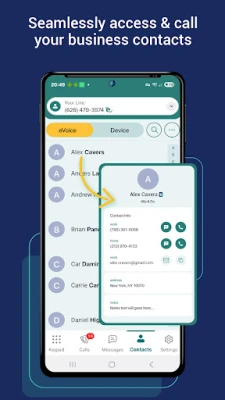
- Multiple numbers and extensions – Assign local, toll‑free or vanity numbers to your team and create extensions for direct routing.
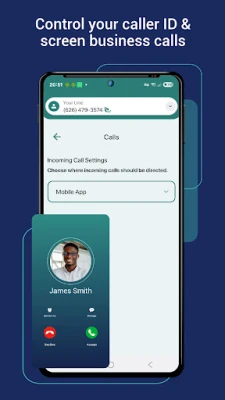
- Call routing options – Forward calls to the app, to another phone, or to voicemail based on your preferences or a schedule.
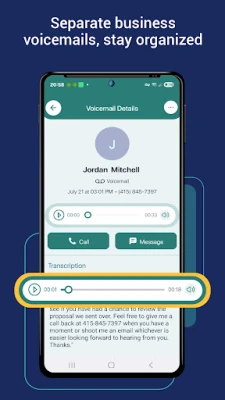
- Voicemail transcription – Incoming voicemails are delivered as text, making it easy to scan messages quickly.
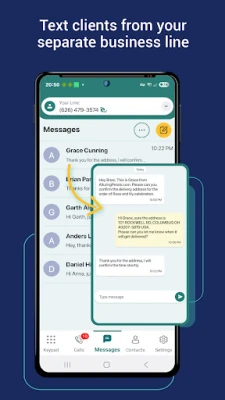
- Wi‑Fi calling – Calls and texts are sent over the internet, reducing reliance on cellular minutes.
- Simple administration – Numbers, extensions and routing rules can be adjusted from within the app, without external portals.
How it works
After installing eVoice, you choose a business number from the available pool or port an existing number. The app registers that number with the service’s VoIP infrastructure. When a call arrives, the system follows the routing rules you set – delivering it to the app, forwarding it, or sending it to voicemail. Outgoing calls are placed through the same internet connection, and the recipient sees the business number you selected.
Practical uses
- Small businesses that need a professional phone presence without a separate PBX.
- Remote teams that want a shared set of numbers accessible from any Android device.
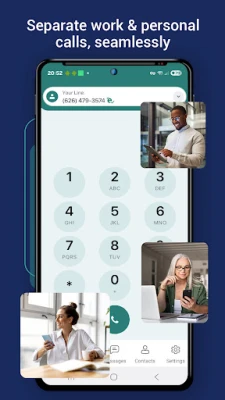
- Freelancers who wish to keep personal and business calls separate.
- Companies expanding into new regions and needing local numbers quickly.
Installation information
Search for eVoice – Business Phone System in the Google Play Store, tap Install, and follow the on‑screen prompts. The app will request permission to access the microphone and contacts, which are required for call handling and caller ID features.
Things to know before installing
- The app relies on an internet connection (Wi‑Fi or mobile data) for call quality.
- Some features, such as additional numbers or advanced routing, may require a subscription within the app.
- Because it uses VoIP, call quality can vary with network conditions.
Who may find eVoice useful?
Entrepreneurs, small‑to‑medium enterprises, sales teams, and any professional who wants a dedicated business line without purchasing extra hardware will benefit from eVoice’s flexible approach.
Frequently asked questions
Do I need a separate SIM card?
No. All calls are made over the internet, so the app works with the device’s existing connectivity.
Can I keep my existing business number?
Yes. eVoice supports number porting, allowing you to transfer an existing number into the service.
Is voicemail stored in the cloud?
Voicemails are delivered to the app and transcribed locally; the app does not require a separate cloud storage account.
What devices are supported?
Any Android device that can run the Play Store version of eVoice. Specific OS version requirements are listed in the store listing.
Rate the App
User Reviews














Popular Apps










 Games
Games Entertainment
 Communication
 E-mail
 Security
 Tools
Tools Media
Media Internet
 Finance
 Design
 Education
 IT Tools
 Travel & Local
 Android
 Windows
 Linux
Linux