

Latest Version
Latest
August 21, 2026
Etsy, Inc
BUSINESS
Android
215
Free
com.etsy.butter.sell_on_etsy
Report a Problem
More About Etsy Seller: Manage Your Shop
What is Etsy Seller?
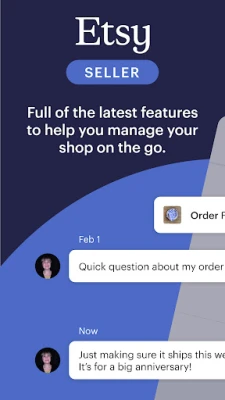
Etsy Seller is the mobile companion for creators who run an Etsy shop. It lets you stay connected to your business while you’re away from a computer, handling everyday tasks such as responding to buyer messages, updating listings, and checking sales performance.
Main features
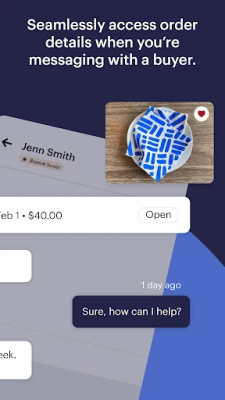
- Messaging and customer service – Read and reply to buyer inquiries directly from the app, keeping communication fast and personal.
- Listing management – Create new listings, edit titles, descriptions, prices, and inventory, and add photos or videos captured on your phone.
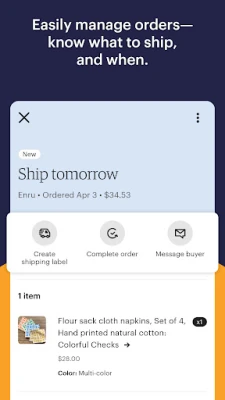
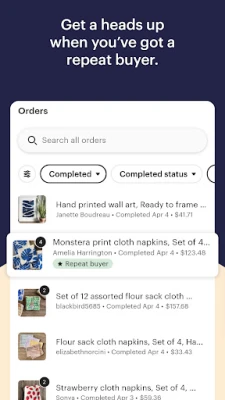
- Order overview – View pending orders, see shipping details, and mark items as shipped or cancelled.
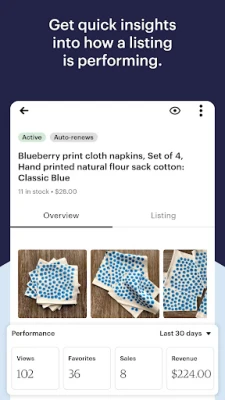
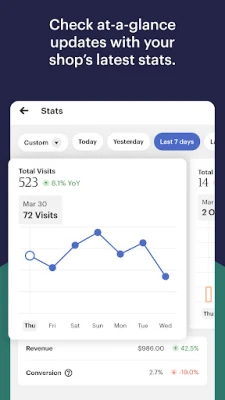
- Shop analytics – Access key metrics such as views, favorites, sales and revenue for individual listings and for the shop overall.
- Notifications – Receive alerts for new orders, messages, and important shop updates.
How it works
After installing the app, sign in with the same Etsy account you use for your shop. The dashboard presents a snapshot of recent activity, including recent messages and order status. From there you can navigate to dedicated sections for listings, orders, and analytics. All changes sync automatically with the Etsy website, so your shop stays consistent across devices.
Practical uses
Whether you’re at a craft fair, traveling, or simply away from your desk, Etsy Seller lets you:
- Answer buyer questions quickly, which can improve conversion rates.
- Update inventory levels after a workshop or a sale.
- Upload fresh photos of a new product without needing a computer.
- Check daily sales trends to decide on promotions or restocking.
Installation information
The app is available for free on the Google Play Store. Search for the package name com.etsy.butter.sell_on_etsy or the title “Etsy Seller: Manage Your Shop” to locate it. Tap “Install” and wait for the download to complete. No additional files are required.
Things to know before installing
- You must already have an active Etsy shop; the app does not create a shop for you.
- An internet connection is required for syncing data and receiving notifications.
- All actions performed in the app affect your live shop, so review changes before confirming them.
Who may find it useful?
Handmade artists, vintage collectors, and any seller who relies on Etsy to reach customers will benefit from the mobile app. It is especially handy for those who attend markets, manage multiple sales channels, or need to stay responsive outside regular office hours.
Frequently asked questions
Do I need a separate Etsy account for the app?
No. Use the same credentials you already use on the Etsy website.
Can I process refunds from the app?
Refunds can be initiated through the order details screen, following the same steps as on the desktop site.
Is there a limit to how many photos I can add to a listing?
The app follows Etsy’s standard listing limits, which are the same as on the website.
Will the app work on older Android devices?
Compatibility depends on the Android version required by Etsy’s current release. Check the Play Store listing for the minimum OS version.
Rate the App
User Reviews















Popular Apps










 Games
 Entertainment
 Communication
 E-mail
 Security
 Tools
 Media
 Internet
 Finance
 Design
 Education
 Android Firmwares
 Travel & Local
 Android
 Windows
 Linux