

Latest Version
Latest
September 06, 2026
TalkU International Inc.
BUSINESS
Android
9
Free
me.easyline.call.text
Report a Problem
More About EasyLine Business Phone Number – Separate Work Calls on One Device
What is EasyLine Business Phone Number?
EasyLine Business Phone Number is a free Android app that lets you obtain a second, dedicated phone number for business use. The app runs alongside your regular mobile line, so you can receive and send calls, SMS messages and voicemails without mixing them with personal contacts.
Main features
- Dedicated business number – Choose a local number that is displayed to customers and partners.
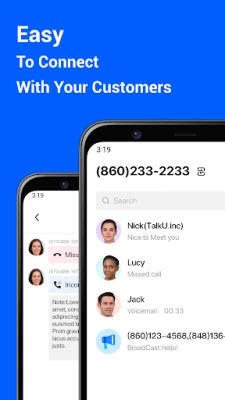
- Separate inbox – Calls, texts and voicemails appear in a distinct interface, keeping work communication organized.
- Auto‑reply – Set up automatic text responses for missed calls or when you are unavailable.
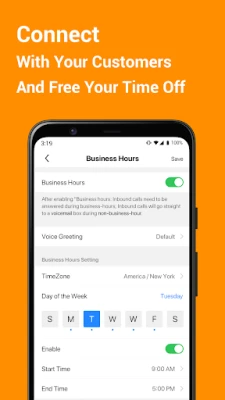
- Business hour routing – Forward calls to your office during working hours and send after‑hour calls to voicemail.
- Caller ID for business calls – Identify incoming business calls before answering, helping you decide how to respond.
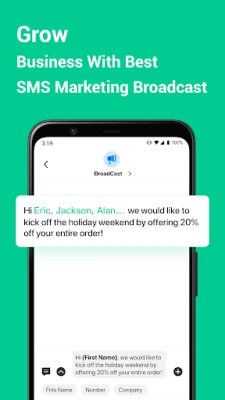
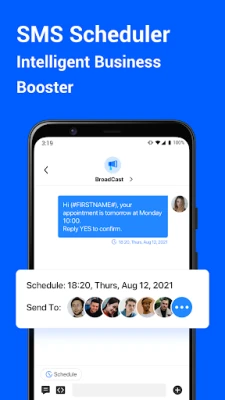
- SMS scheduling – Draft messages and schedule them to be sent at a later date and time.
How it works
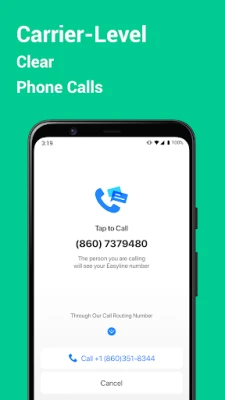
After installing the app, you request a local business number from the available options. Once assigned, the number is linked to your device through your carrier network, not via VoIP, which means call quality relies on your existing mobile connection. All business contacts are stored separately within the app, so they do not appear in your regular contacts list.
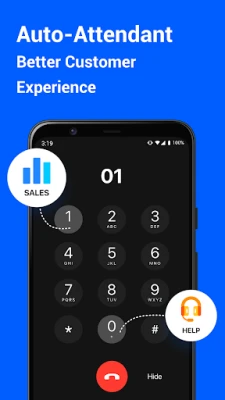
When a call arrives on the business line, the app shows a custom caller ID label. You can answer, forward, or send the call to voicemail based on the settings you define for business hours. Text messages can be sent directly from the app, and you can create reusable snippets to speed up common replies.
Practical uses
- Freelancers who need a professional number without buying a second SIM.
- Small businesses that want to keep customer inquiries separate from personal calls.
- Sales teams that wish to track business communication metrics.
- Anyone who wants to maintain a clear boundary between work and personal life.
Installation information
Search for EasyLine Business Phone Number in the Google Play Store, tap Install, and follow the on‑screen prompts to grant the required permissions for calls and SMS. The initial setup includes choosing a business number and configuring basic preferences such as business hours and auto‑reply messages.
Things to know before installing
- The app requires access to your phone’s call and SMS functions to operate correctly.
- Business numbers are provided by the service; availability may vary by region.
- Standard carrier charges apply for calls and texts sent from the business line.
Who may find it useful?
Entrepreneurs, consultants, real‑estate agents, and any professional who communicates with clients via phone will benefit from a dedicated line that keeps work interactions organized and separate from personal life.
Frequently asked questions
Do I need a second SIM card?
No. EasyLine uses your existing carrier connection and assigns a virtual number that works within the same device.
Can I use the app on multiple devices?
The app is designed for a single Android device at a time. Switching devices requires re‑installing and re‑configuring the business number.
Is there a cost for the business number?
The app itself is free, but the business number may involve a subscription or usage fees set by the provider. Check the in‑app pricing details for your region.
Rate the App
User Reviews















Popular Apps










 Games
Games Entertainment
 Communication
 E-mail
 Security
 Tools
Tools Media
Media Internet
 Finance
 Design
 Education
 IT Tools
 Travel & Local
 Android
 Windows
 Linux
Linux