Latest Version
Latest
September 08, 2026
Cvent
BUSINESS
Android
12
Free
com.cvent.leadcap
Report a Problem
More About Cvent LeadCapture – Mobile Lead Scanning for Events
What is Cvent LeadCapture?
Cvent LeadCapture is a mobile utility designed for event professionals who need to collect and organize attendee information during on‑site activities. Built to work with Cvent’s broader OnSite Solutions ecosystem, the app turns a standard Android device into a portable lead‑capture station.
Main Features
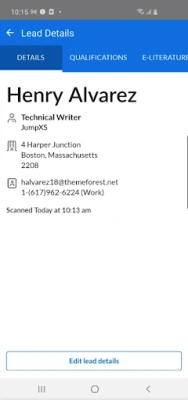
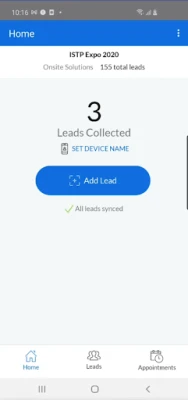
- Instant badge scanning – Use the device’s camera to read attendee badges and pull contact details directly into the app.
- Manual entry – When a badge is unavailable, you can type in lead information quickly.
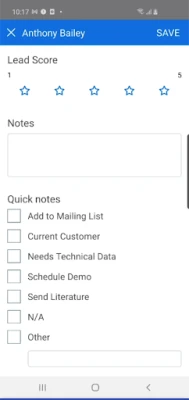
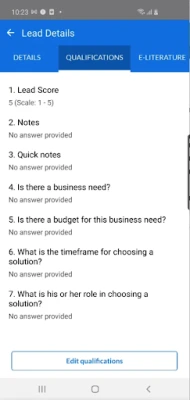
- Rating system – Assign a simple 1‑to‑5 rating to each lead to prioritize follow‑up.
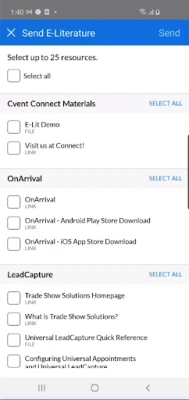
- Document and link sharing – Send PDFs, presentations, or web links to captured leads without leaving the app.
- Note taking – Add free‑form notes to each record for context such as conversation points or next steps.
How It Works
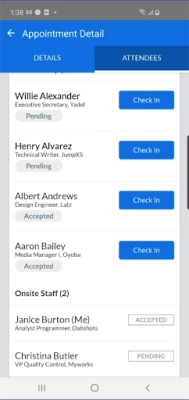
After installing the app, you launch it and enter the access code provided by the event organizer. The code links your device to the specific event’s lead database. From there, you can start scanning badges or entering data manually. All captured information syncs with Cvent’s cloud platform, making it available to the event team for post‑event follow‑up.
Practical Uses
Event staff can use Cvent LeadCapture at trade shows, conferences, or networking sessions to:
- Gather contact details without paper forms.
- Prioritize high‑value prospects using the rating feature.
- Distribute promotional material instantly.
- Record conversation highlights for personalized outreach later.
Installation Information
The app is offered free of charge through the Google Play Store. Search for Cvent LeadCapture or use the package name com.cvent.leadcap to locate it. Installation follows the standard Android process: tap Install, grant any required permissions (camera for scanning, storage for document sharing), and open the app.
Things to Know Before Installing
- The app requires a functional camera for badge scanning.
- Internet connectivity is needed to sync leads with Cvent’s backend.
- An access code from the event organizer is essential; the app cannot operate in a stand‑alone mode.
Who May Find It Useful?
Anyone involved in event marketing or sales can benefit, including:
- Trade show exhibitors looking to capture qualified prospects.
- Conference organizers who need a streamlined way to collect attendee information.
- Business development teams that attend networking events and want to record leads efficiently.
Frequently Asked Questions
Do I need a Cvent account to use the app?
Yes. The app works in conjunction with a Cvent event account, and the access code links your device to that specific event.
Can I export the captured leads?
Leads sync to the Cvent platform, where they can be exported or integrated with other CRM systems as needed.
Is the app compatible with all Android versions?
The Play Store listing provides the minimum Android version required. Ensure your device meets that requirement before installing.
What happens if I lose internet connectivity during an event?
Captured data is stored locally and will sync automatically once a connection is restored.
Rate the App
User Reviews











Popular Apps










 Games
Games Entertainment
 Communication
 E-mail
 Security
 Tools
Tools Media
Media Internet
 Finance
 Design
 Education
 IT Tools
 Travel & Local
 Android
 Windows
 Linux
Linux