

Latest Version
Latest
September 02, 2026
Connecteam Inc.
BUSINESS
Android
3
Free
com.connecteamco.Connecteam.app
Report a Problem
More About Connecteam Team Management App – Simple Mobile Workforce Tools
What is Connecteam?
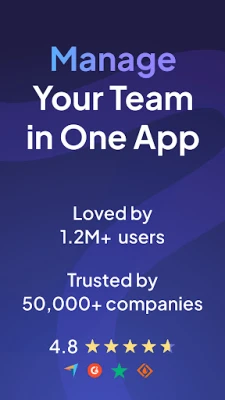
Connecteam is a mobile‑first solution designed for businesses that need to coordinate employees who work outside a traditional office setting. The app brings scheduling, time‑tracking and internal communication together in a single, easy‑to‑use interface.
Main features
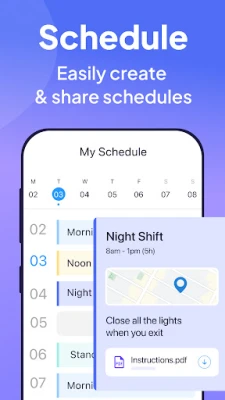
- Shift scheduling – Create single or recurring shifts, assign staff to specific jobs and share the details instantly.
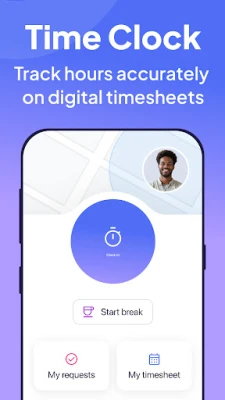
- Time clock – Employees can clock in and out with GPS verification, add notes or attach files to each entry, and view their own timesheets.
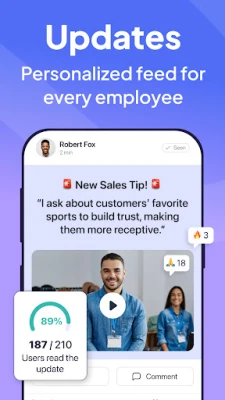
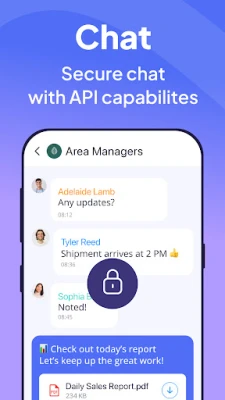
- In‑app messaging – Send announcements, share documents or chat with team members without leaving the app.
- Job details – Attach locations, instructions, photos or PDFs to a shift so workers have everything they need on the go.
- Push notifications – Automatic reminders for upcoming shifts, missed clock‑ins or important updates keep everyone informed.
How it works
After installing Connecteam, a manager creates an account and invites staff via email or a simple link. Once logged in, each user sees a personalized dashboard that highlights upcoming shifts, pending messages and recent time‑clock activity. Scheduling is handled through a calendar view where managers can drag‑and‑drop shifts, copy patterns across weeks, or let the app suggest optimal assignments based on availability.
When it’s time to start work, employees open the app, tap the clock‑in button, and the app records their location. After the shift, they clock out, optionally adding notes about the job. All entries are stored in the cloud, allowing managers to export reports or integrate with payroll systems if needed.
Practical uses
- Retail chains can keep store staff aligned on opening hours, break times and special promotions.
- Field service teams receive job locations, customer notes and required equipment directly on their device.
- Healthcare facilities use the scheduling view to balance shift coverage while ensuring compliance with labor regulations.
- Construction crews benefit from real‑time updates on site assignments and the ability to attach safety documents to each shift.
Installation information
The app is available for free on the Google Play Store. Search for “Connecteam Team Management App” or use the package name com.connecteamco.Connecteam.app. Installation follows the standard Android process: tap Install, grant the requested permissions, and launch the app to begin setup.
Things to know before installing
- The app requires an internet connection for initial account creation and for syncing data.
- Permissions typically include location (for GPS‑based clock‑in) and storage (to save attached files).
- While the core features are free, additional modules may be offered through a subscription; those details are managed within the app or on the developer’s website.
Who may find it useful?
Connecteam is suited for small to medium‑size businesses that rely on hourly or mobile workers—retail, hospitality, field services, healthcare, and construction are common examples. Managers who need a quick way to publish schedules, track attendance and keep the team informed will appreciate the all‑in‑one approach.
Frequently asked questions
Is Connecteam only for Android?
No. The service also offers iOS and web versions, allowing managers to oversee operations from a desktop while employees use Android devices on the field.
Can I export timesheet data?
Yes. The app provides options to download CSV reports or integrate with popular payroll platforms, depending on the subscription level.
How is employee privacy handled?
Location data is captured only when an employee clocks in or out, and the information is stored securely in the cloud. Users can review the app’s privacy policy for details on data retention.
Rate the App
User Reviews














Popular Apps










 Games
Games Entertainment
 Communication
 E-mail
 Security
 Tools
Tools Media
Media Internet
 Finance
 Design
 Education
 IT Tools
 Travel & Local
 Android
 Windows
 Linux
Linux