
Latest Version
Latest
September 13, 2026
CM Systems, LLC
BUSINESS
Android
6
Free
com.orderite.pan
Report a Problem
More About ComplianceMate – Food Safety Checklist App
What is ComplianceMate?
ComplianceMate is a free Android tool designed for restaurants, cafeterias, and other food‑service operations that need to keep food‑safety records up to date. Developed by CM Systems, LLC, the app replaces paper forms with a digital workflow, allowing staff to record temperature readings, cleaning tasks, and other compliance items directly on a mobile device.
Main features
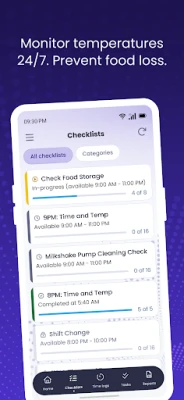
- Customizable checklists – Create or edit any type of checklist, from temperature logs to cleaning schedules.
- Simple data entry – Input numeric values, select yes/no options, or add brief notes with a few taps.
- Photo attachment – Capture images to document conditions, equipment settings, or completed tasks.
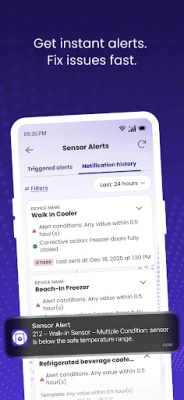
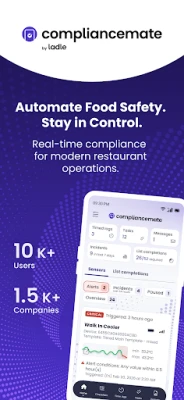
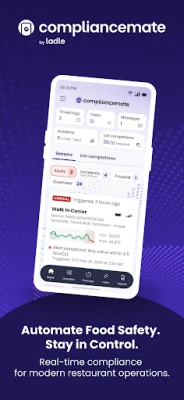
- Instant alerts – The app can flag entries that fall outside preset limits, helping managers act quickly.
- Role‑based visibility – Managers can view data across the whole operation, while supervisors can drill down to individual stations or staff members.
How it works
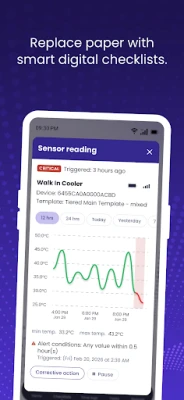
After installing the app, users log in with credentials provided by their organization. The main screen lists the active checklists assigned to the user’s location. Selecting a checklist opens a clean, step‑by‑step form. Each item can be answered with a temperature reading, a yes/no toggle, or a short text entry. When a temperature exceeds the safe range, the app highlights the field and can generate a notification for the shift supervisor.
All completed checklists are stored locally and synchronized to the central server when an internet connection is available. This offline capability ensures that staff can continue working during service hours even if connectivity is intermittent.
Practical uses
- Daily temperature monitoring of refrigerators, freezers, and hot holding units.
- Pre‑shift and post‑shift cleaning verification for kitchen equipment.
- HACCP‑related checks required by regulatory agencies.
- Self‑audits for internal quality programs.
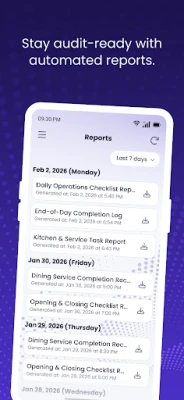
- Documentation for health‑department inspections.
Installation information
Search for "ComplianceMate" in the Google Play Store, then tap Install. The app is free to download and use. After installation, open the app and follow the on‑screen prompts to sign in or create an account as directed by your organization.
Things to know before installing
- The app requires an Android device capable of running the version specified by your organization’s IT policy.
- Data synchronization depends on an internet connection; however, offline entry is supported.
- Access to the full set of features may be controlled by the administrator who manages user permissions.
Who may find it useful?
ComplianceMate is suited for kitchen managers, quality‑assurance staff, and frontline employees who need to record safety‑related information quickly. It also benefits corporate food‑service teams that require consistent reporting across multiple locations.
Frequently asked questions
Is any training required?
Because the interface is designed for quick entry, most staff can start using the app after a brief walkthrough. Organizations often provide a short onboarding session to explain custom checklist layouts.
Can I export the data?
Export options are typically managed by the system administrator. Exported reports may be generated from the central dashboard rather than directly from the mobile app.
What happens if the device loses power during a shift?
All entries are saved locally until the app can sync with the server. Once power is restored and the device reconnects to the internet, the data is uploaded automatically.
Rate the App
User Reviews













Popular Apps










 Games
Games Entertainment
 Communication
 E-mail
 Security
 Tools
Tools Media
Media Internet
 Finance
 Design
 Education
 IT Tools
 Travel & Local
 Android
 Windows
 Linux
Linux