
Latest Version
Latest
August 17, 2026
ClickMeeting Sp. z o.o.
BUSINESS
Android
196
Free
air.com.implix.clickmeetingmobile
Report a Problem
More About ClickMeeting Webinar App – Join and Host Online Events on Android
What is ClickMeeting Webinar App?
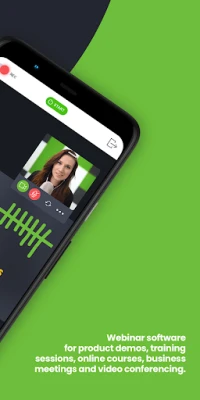
ClickMeeting Webinar App is a mobile client for the ClickMeeting web‑based platform. It lets users participate in live webinars, virtual classrooms and online meetings directly from an Android phone or tablet, without needing a desktop browser.
Main features
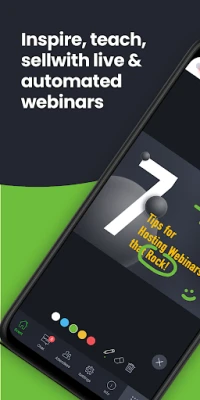
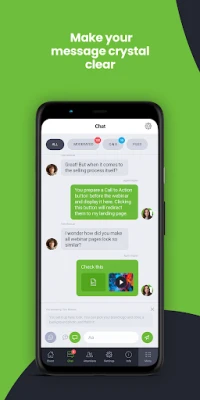
- One‑screen view – presentations, video of the presenter and chat are displayed together, so you don’t have to switch screens.
- Background operation – the session continues if you switch to another app or let the screen idle.
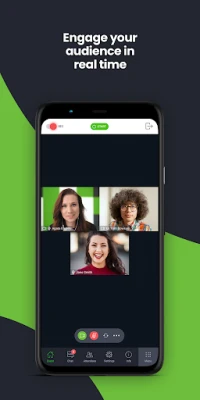
- Real‑time interaction – use the built‑in Q&A and chat to ask questions or respond to polls.
- File access – open files shared during a session from popular cloud services.
- Live streaming support – organizers can broadcast the webinar to external platforms such as Facebook or YouTube.
How it works
After installing the app, you sign in with the credentials provided by the webinar host or your ClickMeeting account. A link or meeting ID supplied by the organizer opens the session automatically. Once inside, you can watch the video feed, view shared slides, and type messages in the chat panel. Organizers have additional controls for managing participants, launching polls, and sharing files.
Practical uses
- Professional training – attend remote workshops or certify skills while commuting.
- Marketing webinars – join product demos and ask questions in real time.
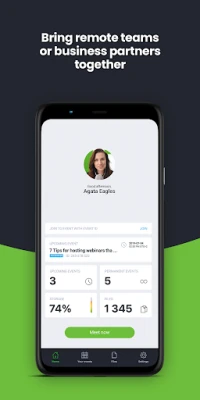
- Team meetings – collaborate with colleagues across locations without needing a laptop.
- Education – students can follow virtual classroom sessions and interact with teachers.
Installation information
The app is available for free on the Google Play Store. Search for "ClickMeeting Webinar App" or use the package name air.com.implix.clickmeetingmobile. Installation follows the standard Android process; no additional permissions beyond network access and audio/video are required for basic participation.
Things to know before installing
- The app requires an internet connection with sufficient bandwidth for video streaming.
- Audio and video quality depend on the host’s stream settings and your network speed.
- All webinar content is controlled by the organizer; the app does not store recordings locally unless the host provides a download link.
Who may find it useful?
Anyone who needs to join or run online events on the go – marketers, sales teams, educators, remote workers, and conference attendees – can benefit from the ClickMeeting mobile client.
Frequently asked questions
Do I need a ClickMeeting account to join a webinar?
Not necessarily. If the organizer sends a direct join link or meeting ID, you can enter as a guest. An account is required for hosting or accessing premium features.
Can I record a session on my device?
Recording is controlled by the host. If the host enables download, you can save the provided file; the app itself does not offer a built‑in recorder.
What languages are supported?
The interface follows the language settings of your Android device. Content language depends on the presenter.
Rate the App
User Reviews















Popular Apps










 Games
Games Entertainment
 Communication
 E-mail
 Security
 Tools
Tools Media
Media Internet
 Finance
 Design
 Education
 Android Firmwares
 Travel & Local
 Android
 Windows
 Linux
Linux