

Latest Version
Latest
September 14, 2026
44pixels
BUSINESS
Android
81
Free
ai.forty4pixels.karen
Report a Problem
More About Clara – AI Receptionist for Small Businesses
What is Clara?
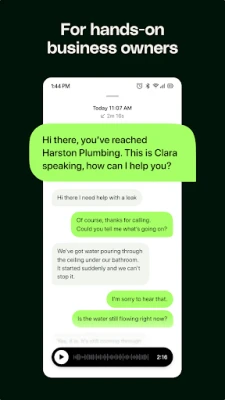
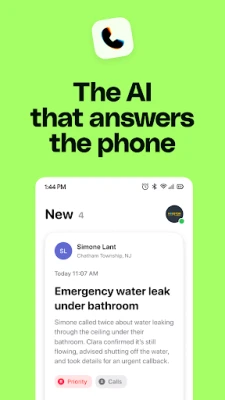
Clara is a virtual receptionist designed to handle incoming phone calls on behalf of small businesses, freelancers and solo entrepreneurs. Built by 44pixels, the app uses conversational AI to answer, converse and manage calls, allowing you to stay productive while staying reachable.
Main capabilities
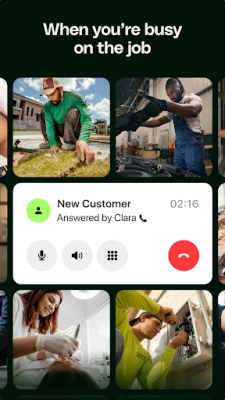
- Automatic call answering – Calls are picked up instantly, even when you are in a meeting or away from the desk.
- Natural dialogue – Clara speaks in a clear, human‑like voice and can respond to common questions about services, pricing or policies.
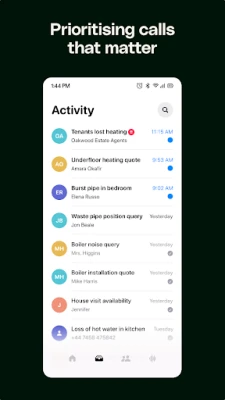
- Call summarisation – After each conversation, Clara creates a brief note that can be reviewed later.
- Escalation handling – When a call requires personal attention, Clara can forward it to you or another designated contact.
- Follow‑up messaging – The app can send a short text after the call with links, booking details or pricing information.
- Spam filtering – Unwanted or suspicious numbers are identified and blocked automatically.
How it works
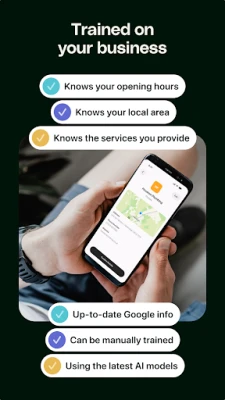
When you install Clara, you grant it permission to access your phone’s call function. The app then runs in the background, listening for incoming calls to your business line. Using a trained language model, Clara interprets the caller’s intent, matches it against the information you have provided (such as service descriptions or pricing tables), and replies accordingly. Each interaction is logged, and you can review the notes or adjust preferences from the app’s settings.
Practical uses
- Busy professionals – Keep client conversations flowing while you are on a video call or preparing a presentation.
- Solo service providers – Ensure every appointment request is acknowledged and scheduled without manual phone time.
- Small teams – Reduce interruptions for staff members while still providing a responsive front‑line.
Installation & setup
Download Clara from the Google Play Store, install the APK, and follow the on‑screen wizard. You will be asked to:
- Enter basic business details (service list, typical pricing, operating hours).
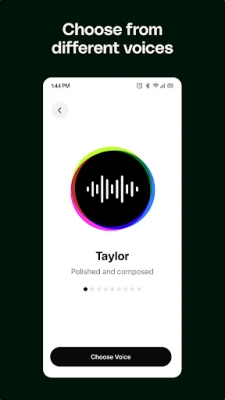
- Choose a preferred voice and language.
- Set up optional follow‑up messages or links.
After the initial configuration, Clara begins handling calls immediately. Settings can be edited at any time.
Things to consider before installing
- Clara requires permission to manage phone calls and send SMS messages for follow‑up.
- The app works best with a stable internet connection, as the AI processing occurs in the cloud.
- Because the service is free, occasional in‑app prompts may appear offering optional upgrades or additional features.
Who might benefit?
Anyone who needs a reliable front‑desk presence without hiring a full‑time receptionist – independent consultants, boutique agencies, home‑based service providers, and small retail operations.
Frequently asked questions
Is my customer data private?
Clara processes call content only for the purpose of generating responses and summaries. Data is transmitted securely and is not shared with third parties beyond what is required for the service.
Can I customize the script?
Yes. The app includes a simple editor where you can add or modify typical answers, pricing statements and follow‑up text.
What happens if the AI cannot understand a caller?
Clara will politely ask the caller to repeat or will transfer the call to the number you designate.
Rate the App
User Reviews















Popular Apps










 Games
 Entertainment
 Communication
 E-mail
 Security
 Tools
 Media
 Internet
 Finance
 Design
 Education
 Android Firmwares
 Travel & Local
 Android
 Windows
 Linux