

Latest Version
Latest
September 02, 2026
Cisco Systems, Inc.
BUSINESS
Android
8
Free
com.cisco.events.app5420798655332352
Report a Problem
More About Cisco Events App – Stay Updated on Cisco Global Events
What is the Cisco Events App?
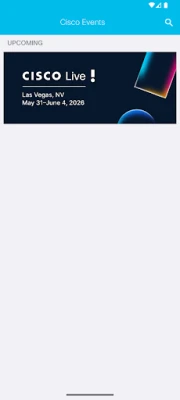
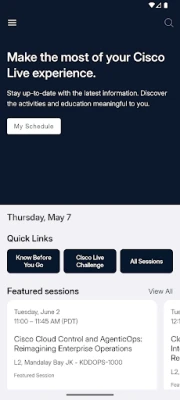
The Cisco Events App is a mobile companion for Cisco’s global conferences and community gatherings. It aggregates information about upcoming events, session agendas, speaker bios, and venue details, allowing users to plan their participation from a single place.
Main Features
- Event calendar – Browse dates, locations, and themes for Cisco‑hosted conferences worldwide.
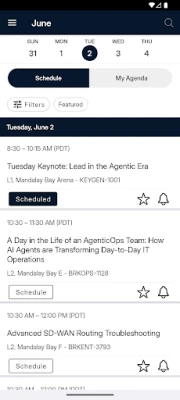
- Session agendas – View detailed program tracks, filter by topic or speaker, and bookmark sessions you want to attend.
- Venue maps – Interactive floor plans help you locate conference rooms, exhibitor halls, and networking zones.
- Personal schedule – Add sessions to a personalized agenda and receive reminders before they start.
- Networking tools – Access a built‑in directory of registered attendees, exchange contact information, and join discussion groups.
- Social integration – Share highlights or photos from the event through your preferred social platforms.
How It Works
After installing the app, you can explore the list of upcoming Cisco events without an internet connection; basic details such as dates, locations, and session titles are cached for offline use. When you are online, the app synchronizes the latest agenda changes, speaker updates, and real‑time announcements. Features that rely on live data—such as messaging or social feeds—use your mobile data or Wi‑Fi connection, so be aware of any carrier charges.
Practical Uses
- Plan your conference day by selecting sessions that match your interests.
- Navigate large venues quickly with the built‑in maps.
- Connect with fellow attendees before, during, and after the event.
- Stay informed about last‑minute schedule changes or special announcements.
Installation Information
The app is offered free of charge through the Google Play Store. Search for "Cisco Events App" or use the package name com.cisco.events.app5420798655332352 to locate it. The download size is modest, and the app does not require additional plug‑ins.
Compatibility
While specific Android version requirements are not listed, the app follows standard Android distribution practices and should run on devices that support recent versions of the operating system. Users with very old Android releases may experience limited functionality.
Things to Know Before Installing
- Some features, such as live chat or social media feeds, need an active internet connection.
- The app stores event data locally for offline reference, but real‑time updates will only appear when you reconnect.
- Permissions are limited to storage (for caching event information) and network access; no sensitive device data is requested.
Who May Find It Useful?
Anyone attending a Cisco conference—whether a technical professional, a partner, a student, or a vendor—will benefit from the consolidated information and networking capabilities. The app also serves Cisco community members who want to stay aware of upcoming learning opportunities.
Frequently Asked Questions
Do I need a Cisco account to use the app?
No. The app provides public event information without requiring login. Certain networking features may ask for optional registration to enhance contact sharing.
Can I export my personal schedule?
The app allows you to view your selected sessions within the device. Export options are not currently offered.
Is the app available in languages other than English?
Language support is limited to English at this time.
Rate the App
User Reviews















Popular Apps










 Games
Games Entertainment
 Communication
 E-mail
 Security
 Tools
Tools Media
Media Internet
 Finance
 Design
 Education
 IT Tools
 Travel & Local
 Android
 Windows
 Linux
Linux