
Latest Version
Latest
September 07, 2026
Salesmsg
BUSINESS
Android
1
Free
com.salesmessage.arcadia.app
Report a Problem
More About Business Texting with Salesmsg – Mobile SMS Marketing
What is Business Texting with Salesmsg?
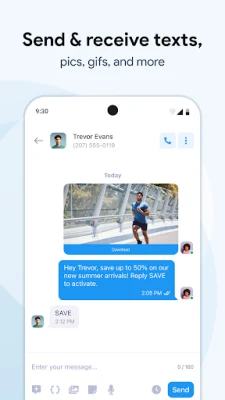
Salesmsg is a mobile extension of a cloud‑based messaging platform that lets businesses communicate with leads and customers via SMS, MMS and voice. The Android app provides a portable workspace where you can send, receive and organize text conversations without needing a desktop.
Main Features
- Two‑way texting – Send and reply to SMS messages in real time, keeping the conversation flowing.
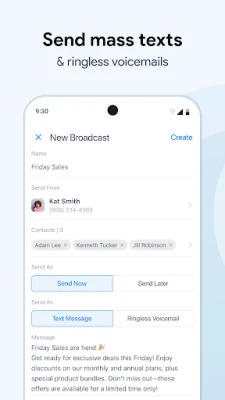
- Broadcast messaging – Create a single message and deliver it to a list of contacts as SMS, MMS or a ringless voicemail.
- Scheduling – Set a future time for messages to be sent, so reminders or promotions reach recipients at the right moment.
- Number options – Choose from local, toll‑free or text‑enabled landline numbers to match your brand identity.
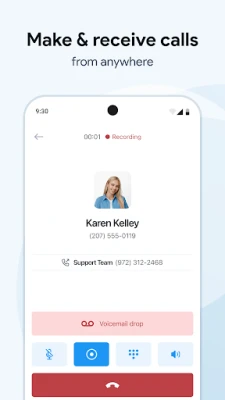
- Call forwarding & notifications – Get instant alerts for incoming calls and texts, and forward calls to a preferred device.
- Template library – Use pre‑written quick‑response templates to speed up common replies.
How It Works
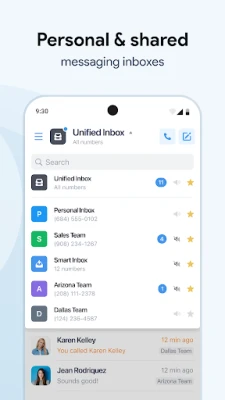
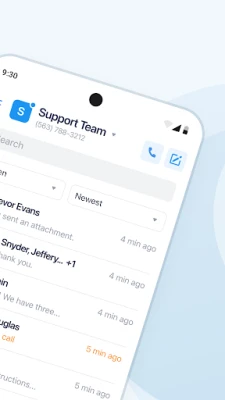
After installing the app, you log in with the credentials of your Salesmsg account. The interface shows a list of recent conversations, each labeled with the contact’s name or phone number. From there you can:
- Tap a conversation to open the chat window and type a reply.
- Start a new broadcast by selecting contacts, composing a message and choosing the delivery method (SMS, MMS or voicemail).
- Schedule messages by selecting a date and time before sending.
- Access templates via the menu to insert common phrases with a single tap.
Practical Uses
- Appointment reminders – Send scheduled SMS reminders to reduce no‑shows.
- Promotional campaigns – Reach a large audience quickly with a broadcast.
- Customer support – Handle inquiries through two‑way texting, keeping a record of each interaction.
- Lead follow‑up – Engage new leads instantly after they opt in, increasing conversion chances.
Installation Information
The app is available as a free download from the Google Play Store. Installation follows the standard Android process: tap “Install,” wait for the download to complete, then open the app and sign in.
Things to Know Before Installing
- The app requires an active Salesmsg account; the mobile client does not create a new account on its own.
- Internet connectivity (mobile data or Wi‑Fi) is needed for syncing messages and contacts.
- Message costs are determined by your Salesmsg plan, not by the Android app itself.
Who May Find It Useful?
Small‑to‑medium businesses that rely on text communication—such as salons, real‑estate agents, medical offices, and e‑commerce stores—can benefit from the on‑the‑go capabilities. Sales teams that need to follow up with leads quickly also gain efficiency by using the app.
Frequently Asked Questions
Do I need a separate phone number for texting?
Salesmsg lets you use existing local or toll‑free numbers, or you can purchase a dedicated texting number through the platform.
Can I import contacts from my phone?
Contacts are synced from your Salesmsg account, which can be populated via CSV import or integration with other CRM tools.
Is there a limit to how many messages I can send?
Message limits depend on the plan you have with Salesmsg, not on the Android app.
Is the app secure?
All data transmitted between the app and Salesmsg servers is encrypted using standard HTTPS protocols.
Rate the App
User Reviews














Popular Apps










 Games
Games Entertainment
 Communication
 E-mail
 Security
 Tools
Tools Media
Media Internet
 Finance
 Design
 Education
 IT Tools
 Travel & Local
 Android
 Windows
 Linux
Linux