
Latest Version
Latest
September 04, 2026
Zoho Corporation
BUSINESS
Android
4
Free
com.zoho.zsm
Report a Problem
More About Billing Management – Zoho
What is Billing Management – Zoho?
Billing Management – Zoho is a mobile companion to Zoho’s cloud‑based billing platform. It lets business owners and finance teams handle everyday invoicing, subscription changes and payment reminders directly from an Android device. The app is free to download and works with the same Zoho account you use for the web version, so your data stays synchronized across devices.
Main features
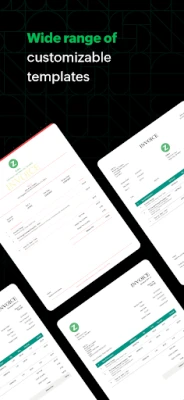
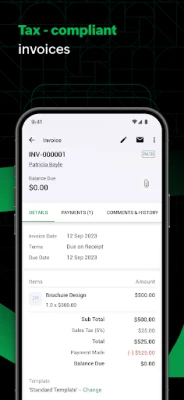
- Invoice creation – Build professional invoices with line items, taxes and discounts. Save drafts and send them via email or share a PDF.
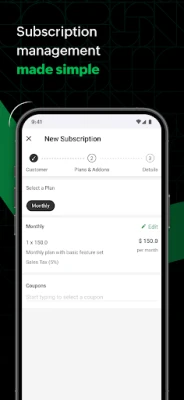
- Subscription management – View active plans, pause or cancel subscriptions, and apply upgrades or downgrades without leaving the app.
- Payment tracking – Record one‑time and recurring payments, mark invoices as paid, and see outstanding balances at a glance.
- Customer portal access – Provide customers a link to view their own invoices, make payments and check subscription status.
- Quote generation – Draft quotes that can be converted into invoices once approved, helping you move from proposal to payment quickly.
How it works
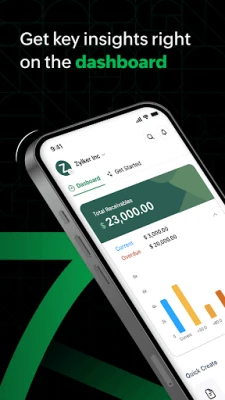
After installing the app, you sign in with your existing Zoho credentials. The dashboard then pulls the latest data from your Zoho Billing account, presenting key metrics such as total revenue, pending receivables and subscription health. From the dashboard you can tap any section to drill down – for example, opening the Invoices list lets you create a new invoice, edit an existing one, or mark an invoice as paid.
All changes are saved in real time to the cloud, so if you later log in on a desktop you will see the same information. The app also sends push notifications for payment reminders and subscription events, helping you stay on top of cash flow without constantly checking a browser.
Practical uses
- Field sales – Sales reps can generate quotes on site, convert them to invoices, and accept payments via supported methods.
- Freelancers – Track billable hours, create invoices for each client, and monitor which invoices are still unpaid.
- Subscription businesses – Manage plan changes, view churn metrics, and send automated dunning notices directly from the phone.
Installation information
The app is available through the Google Play Store. Search for "Billing Management – Zoho" or use the package name com.zoho.zsm. Because the app connects to Zoho’s cloud services, an active internet connection is required for initial setup and for syncing data.
Things to know before installing
- You need an existing Zoho Billing account; the app does not create a new account on its own.
- All data is stored in Zoho’s cloud, so privacy and security are governed by Zoho’s standard policies.
- The app does not replace the full web interface; advanced reporting and settings are still accessed through a browser.
Who may find it useful?
Small‑to‑medium enterprises, freelancers, SaaS providers and any business that issues invoices or manages recurring subscriptions can benefit from having a lightweight mobile tool to keep billing activities visible and up to date.
Frequently asked questions
Do I need a separate subscription for the Android app?
No. The app is free and works with the Zoho Billing subscription you already have.
Can I accept payments directly in the app?
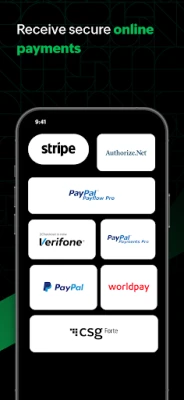
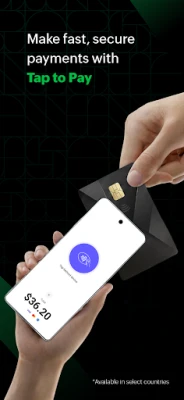
The app lets you record that a payment was received and mark invoices as paid. Actual payment processing is handled through the payment gateways you have configured in your Zoho account.
Is offline use possible?
Basic viewing of previously synced data is possible offline, but creating or updating records requires an internet connection to sync with the cloud.
Rate the App
User Reviews













Popular Apps










 Games
Games Entertainment
 Communication
 E-mail
 Security
 Tools
Tools Media
Media Internet
 Finance
 Design
 Education
 IT Tools
 Travel & Local
 Android
 Windows
 Linux
Linux