

Latest Version
September 14, 2026
Orion Dijital
BUSINESS
Android
87
Free
app.instareply.auto
Report a Problem
More About Auto Reply: Comment & DM – Instagram Automation
What is Auto Reply: Comment & DM?
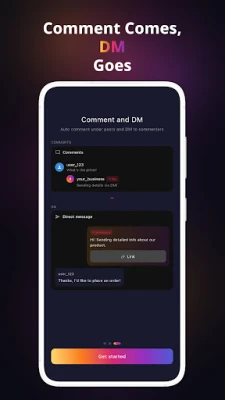
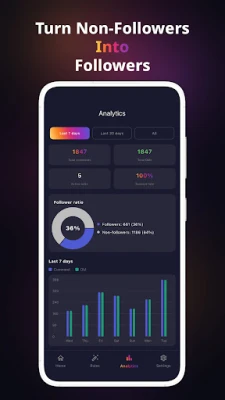
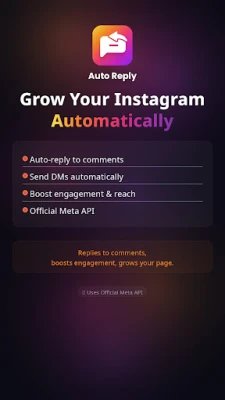
Auto Reply: Comment & DM is a free Android utility designed for Instagram Business accounts. It connects to your Instagram profile and lets you set up automatic responses for comments, direct messages (DMs) and story replies. The goal is to keep conversations flowing without you having to type a reply for every interaction.
Main features
- Automatic comment replies – Define keywords or phrases that trigger a preset response.
- Auto‑DM handling – Send a direct message automatically when a comment matches a rule, or reply to incoming DMs based on keywords.
- Story reply automation – Respond to replies on your Instagram Stories with a chosen template.
- Multiple templates per rule – Rotate several messages for the same trigger to keep replies feeling natural.
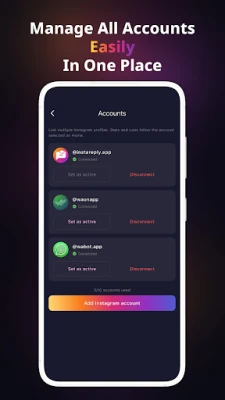
- Account management – Connect more than one Instagram Business account and configure separate rules for each.
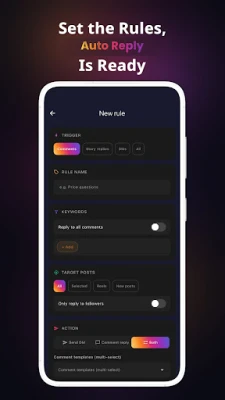
- Follower‑only mode – Limit automatic replies to users who already follow you, encouraging new followers to engage first.
How it works
The app follows a three‑step setup:
- Log in with your Instagram Business account using the official OAuth flow.
- Create one or more rules that combine a keyword (or set of keywords) with a message template.
- Activate the rule set; the app monitors incoming activity and sends the appropriate reply automatically.
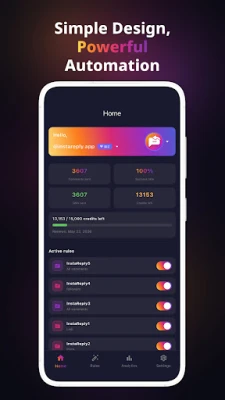
Each rule runs independently, so you can have separate responses for comments, DMs and story replies. The system respects Instagram’s rate limits, ensuring that a single user receives at most one automated reply per 24 hours.
Practical uses
Content creators, small businesses and social‑media managers often receive dozens of comments and messages each day. Auto Reply: Comment & DM can be used to:
- Provide quick answers to common questions about products, services or posting schedules.
- Direct users to a link, a FAQ page or a promotional offer without manual effort.
- Maintain a consistent brand voice by using pre‑approved templates.
- Free up time for creating new content while still showing followers that their messages are being noticed.
Installation information
Download the APK from a trusted source, then install it on a device running Android. The app requires an active internet connection to communicate with Instagram’s API. After installation, open the app, sign in with your Instagram Business credentials, and follow the on‑screen prompts to create your first automation rule.
Things to know before installing
- The app works only with Instagram Business accounts; personal accounts are not supported.
- All interactions are handled through Instagram’s official API, which means the app does not store your password.
- Automation is subject to Instagram’s policies; using excessive or spammy replies may lead to restrictions imposed by the platform.
Who may find it useful?
Anyone who manages an Instagram Business presence and wants to keep engagement high without answering each comment or DM manually. Typical users include:
- Small‑business owners who handle customer inquiries via Instagram.
- Influencers and creators who receive frequent comments on posts and stories.
- Social‑media teams looking for a lightweight tool to supplement their workflow.
Frequently asked questions
Is my Instagram password stored by the app?
No. The app uses Instagram’s OAuth login, which grants access without exposing your password.
Can I limit replies to only my followers?
Yes. The “Follower‑only mode” option ensures that automatic replies are sent only to users who already follow your account.
Will the app work on all Android devices?
The app runs on standard Android versions that support the Instagram API. Specific version requirements are not listed, but a recent Android release is recommended.
Is there a limit to how many rules I can create?
You can create multiple rules per account. The app does not impose a hard limit, though practical performance may depend on device resources.
Rate the App
User Reviews















Popular Apps










 Games
 Entertainment
 Communication
 E-mail
 Security
 Tools
 Media
 Internet
 Finance
 Design
 Education
 Android Firmwares
 Travel & Local
 Android
 Windows
 Linux