




Latest Version
Latest
August 27, 2026
Intermedia.net, Inc.
BUSINESS
Android
122
Free
com.anymeeting.meetingpro
Report a Problem
More About AnyMeeting Webinars – Join Live Webinars on Android
What is AnyMeeting Webinars?
AnyMeeting Webinars is a mobile client from Intermedia.net, Inc. that lets you participate in live webinars hosted on the AnyMeeting platform. The app is designed for attendees who need a reliable way to join sessions from a smartphone or tablet, whether they are traveling, at a coffee shop, or simply away from a desktop computer.
Main features
- One‑tap joining – Open a webinar link received via email or calendar and launch the session directly in the app.
- Network flexibility – Connect using Wi‑Fi or cellular data without additional configuration.
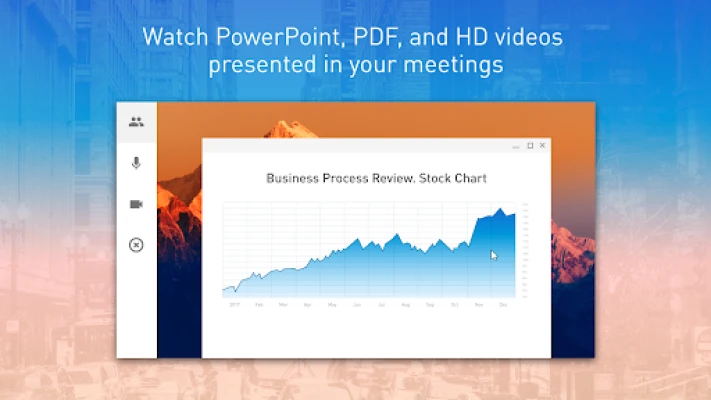
- Presentation view – Zoom in on shared slides or video streams for clearer detail.
- Interactive tools – Participate in live polls, submit questions, and react with emoji responses.
- Background audio – Keep the audio playing when the screen is off, useful for listening while multitasking.
How it works
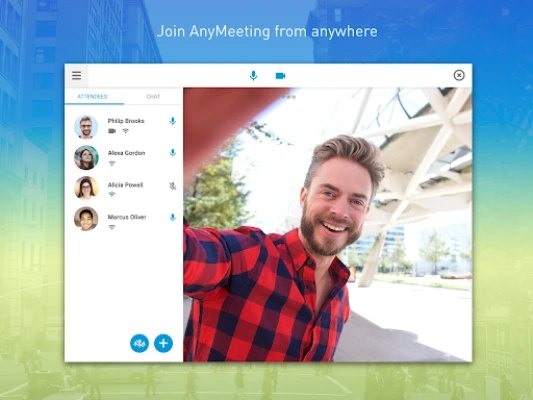
When you receive a webinar invitation, it typically contains a URL that points to the session. Tapping the link on an Android device prompts the system to open AnyMeeting Webinars. After the app launches, you may be asked to enter a name or a meeting password, depending on the host’s settings. Once inside, the interface shows the presenter’s video or slides, a chat pane, and icons for raising your hand, voting in polls, or sending emoji reactions.
Practical uses
- Professional development – Join industry webinars, training sessions, or certification courses without needing a laptop.
- Education – Students can attend virtual lectures and interact with instructors in real time.
- Corporate meetings – Remote teams can participate in town‑halls, product demos, or stakeholder briefings while traveling.
Installation information
The app is available as a free download from the Google Play Store. Search for "AnyMeeting Webinars" or use the package name com.anymeeting.meetingpro to locate the correct listing. After downloading, the app will request permission to access the device’s microphone and network; these are required for audio streaming and connecting to the webinar server.
Compatibility
AnyMeeting Webinars runs on Android devices that meet the minimum operating system requirements defined by the Play Store. Because the exact Android version is not published, users should ensure their device runs a recent version of Android (typically Android 6.0 Marshmallow or newer) to avoid compatibility issues.
Things to know before installing
- Only attendees who have been invited to a specific AnyMeeting webinar can join; the app does not provide hosting capabilities.
- Audio quality depends on network conditions; a stable Wi‑Fi connection is recommended for high‑definition video.
- The app does not store recorded sessions; any playback must be provided by the webinar host.
Who may find it useful?
Anyone who receives an AnyMeeting webinar invitation and prefers to join from a mobile device will benefit from this app. This includes professionals attending remote training, educators delivering live classes, and participants in virtual conferences.
Frequently asked questions
Do I need an AnyMeeting account?
No. The app is intended for attendees only. You only need the invitation link and any required password supplied by the host.
Can I share my screen from the mobile app?
Screen sharing is a host‑only feature in the current version of the mobile client; attendees can view content but cannot broadcast their own screen.
Is the app safe to use?
The app follows standard Android security practices and requests only the permissions necessary for audio and network access. As with any app, download it from the official Google Play Store to ensure you receive a legitimate version.
Rate the App
User Reviews















Popular Apps










 Games
 Entertainment
 Communication
 E-mail
 Security
 Tools
 Media
 Internet
 Finance
 Design
 Education
 Android Firmwares
 Travel & Local
 Android
 Windows
 Linux