
Latest Version
Latest
September 02, 2026
Amazon Mobile LLC
BUSINESS
Android
7
Free
com.amazon.sellermobile.android
Report a Problem
More About Amazon Seller – Manage Your Amazon Business on Android
What is Amazon Seller?
Amazon Seller is the official mobile companion for sellers who use Amazon’s marketplace. Developed by Amazon Mobile LLC, the app lets you stay connected to your Seller Central account without needing a computer.
Main capabilities
- Order management – Receive notifications for new orders, view pending shipments, confirm dispatches and process returns directly from the device.
- Inventory overview – See real‑time stock levels for both merchant‑fulfilled and Fulfilled by Amazon (FBA) items, and adjust quantities when needed.
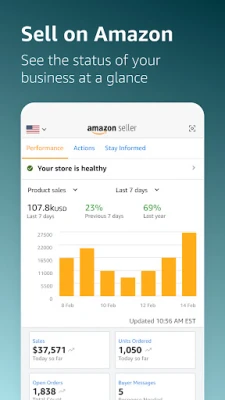
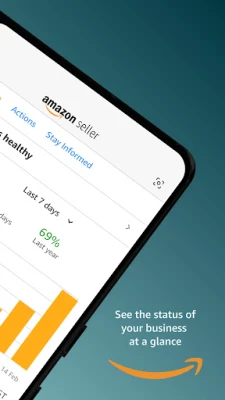
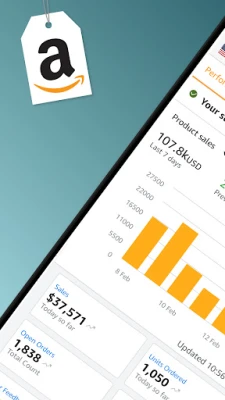
- Sales insights – Browse product‑level sales data, monitor traffic trends and track conversion rates over time.
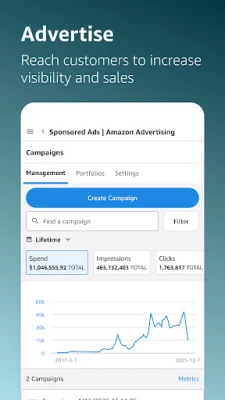
- Advertising control – Review performance of Sponsored Products campaigns, check impressions and sales, and make budget or keyword adjustments.
- Customer communication – Use built‑in templates to reply quickly to buyer messages.
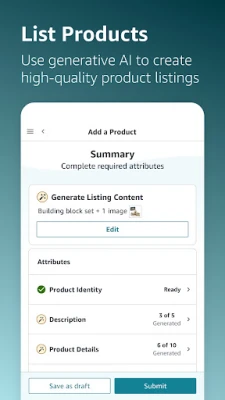
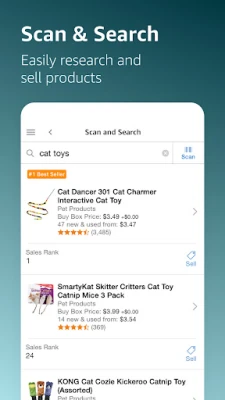
- Listing tools – Capture product photos, edit them and add them to new or existing listings.
How it works
After installing the app, you sign in with the same credentials you use for Seller Central on the web. The interface mirrors the main sections of the desktop portal, presenting a streamlined view optimized for a small screen. Data is refreshed automatically, and you can pull to refresh for the latest numbers.
Practical uses
- Confirm shipments while away from the office to keep delivery timelines on track.
- Check inventory levels before a sales event or promotion.
- Adjust ad spend in response to real‑time performance data.
- Respond to buyer inquiries promptly, improving seller rating.
Installation information
The app is available as a free download from the Google Play Store. Search for "Amazon Seller" or use the package name com.amazon.sellermobile.android to locate it. Installation follows the standard Android process.
Things to know before installing
- You need an active Amazon seller account to use the app.
- All actions performed in the app affect your live Seller Central account, so review changes carefully.
- Internet connectivity is required for data sync; offline access is limited to previously loaded information.
Who may find it useful?
Any Amazon marketplace seller who wants to monitor and manage their business while away from a computer will benefit. This includes small‑business owners, private‑label brands, and larger enterprises that need real‑time visibility.
Frequently asked questions
Do I need a separate Amazon account for the app?
No. Use the same credentials you already use for Seller Central.
Can I create new product listings from the app?
Yes, you can add new offers and upload photos directly from your device.
Is the app compatible with all Android versions?
The Play Store lists the minimum Android version required; the app will not install on devices that do not meet that requirement.
Rate the App
User Reviews













Popular Apps










 Games
Games Entertainment
 Communication
 E-mail
 Security
 Tools
Tools Media
Media Internet
 Finance
 Design
 Education
 IT Tools
 Travel & Local
 Android
 Windows
 Linux
Linux