
Latest Version
Latest
September 01, 2026
HTH Communications
BUSINESS
Android
8
Free
com.hugoteam.airtalk_wireless
Report a Problem
More About AirTalk Wireless – Manage Your Lifeline Service
What is AirTalk Wireless?
AirTalk Wireless is a free Android application developed by HTH Communications. It is designed to give users a simple way to apply for Lifeline‑eligible phone service, monitor their usage, and manage their account without needing to visit a website or call support.
Main features
- Apply for a free phone and plan – The app guides eligible users through the application process in a few steps.
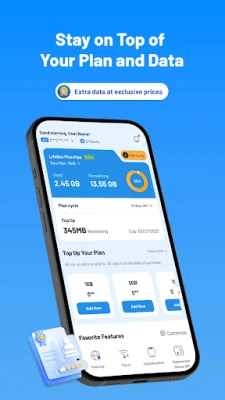
- Usage overview – View current data, talk minutes, and text counts at a glance.
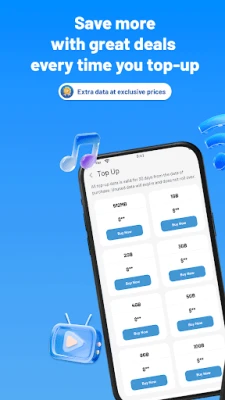
- Buy extra data – If you need more data than the included allowance, you can purchase additional 5G data directly in the app.
- International calling – Activate international calls instantly when you need them.
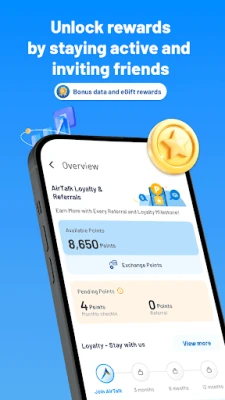
- Referral program – Share an invite link with friends and receive rewards when they join.
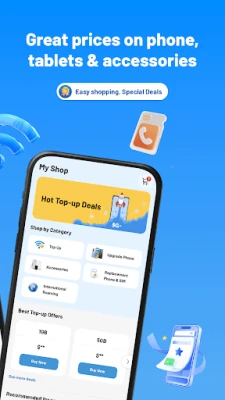
- Device shop – Browse compatible smartphones, tablets, and accessories and see any exclusive upgrade offers.
How it works
After installing the app, you create an account using basic personal information. The app checks Lifeline eligibility based on publicly available criteria. Once approved, you can select a device, confirm your free plan, and start using the service. All account actions – from checking balance to adding data – are performed inside the app, keeping everything in one place.
Practical uses
- Stay connected without a credit check or long‑term contract.
- Monitor data consumption to avoid unexpected overages.
- Easily add extra data when traveling or during high‑usage periods.
- Invite friends and family to join the program, earning credits for each successful referral.
Installation information
Search for AirTalk Wireless in the Google Play Store, tap Install, and wait for the download to complete. The app requires an Android device with sufficient storage for the installation package. No additional configuration is needed beyond creating an account.
Things to know before installing
- Eligibility for the free phone and plan is determined by Lifeline guidelines; not every user will qualify.
- The app provides a free tier, but purchasing extra data or accessories will incur charges.
- All communications are handled through the app’s secure servers; standard data‑privacy practices apply.
Who may find it useful?
Anyone who qualifies for the U.S. Lifeline program, students on a tight budget, or anyone looking for a straightforward way to manage a no‑cost mobile plan will benefit from AirTalk Wireless. The app’s clean interface also appeals to users who prefer handling everything on their phone rather than navigating multiple web pages.
Frequently asked questions
Do I need a credit check?
No. The Lifeline program does not require a credit check; eligibility is based on income or participation in qualifying government assistance programs.
Can I keep my existing number?
If you are already a Lifeline participant, you can port your existing number to AirTalk Wireless during the setup process.
Is there a contract?
The service is offered without a long‑term contract. You can continue using the free plan as long as you remain eligible.
How do I add more data?
Open the app, go to the Data section, and select the amount of extra 5G data you need. Purchases are processed through the app’s payment gateway.
Rate the App
User Reviews















Popular Apps










 Games
Games Entertainment
 Communication
 E-mail
 Security
 Tools
Tools Media
Media Internet
 Finance
 Design
 Education
 IT Tools
 Travel & Local
 Android
 Windows
 Linux
Linux