

Latest Version
September 03, 2026
Agence Mobile
HEALTH AND FITNESS
Android
6
Free
com.biotwin.twinmeapp
Report a Problem
More About TwinMe – Personal Health Dashboard
What is TwinMe?
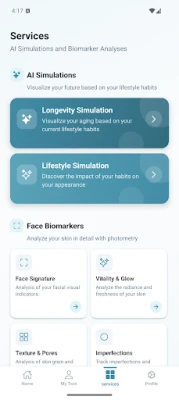
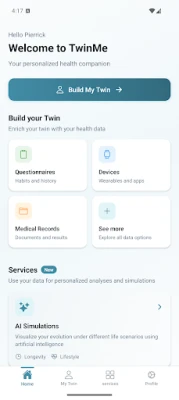
TwinMe is a free Android application designed to act as a central hub for your wellness information. By linking the health and fitness apps or devices you already use, TwinMe presents a unified view of activity, body metrics, sleep, nutrition and more. The goal is to help you see patterns and make informed choices without juggling several separate apps.
Main Features
- Data aggregation – Connect a range of fitness trackers, smartwatches and health services to pull in steps, workouts, heart rate, sleep stages and other metrics.
- Customizable dashboard – Choose which data points appear on the main screen and arrange them to match your priorities.
- Trend visualization – Graphs and charts show how your numbers evolve over days, weeks or months, highlighting progress or areas that need attention.
- Privacy‑focused design – All information is encrypted during transfer and storage; you retain full control over which sources are linked.
- No medical claims – TwinMe is intended for wellness tracking only and does not replace professional medical advice.
How It Works
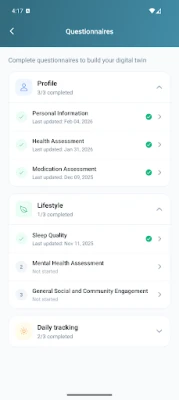
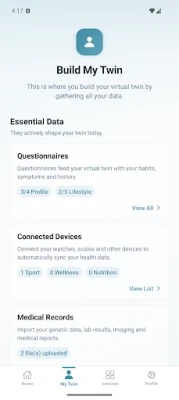
After installing TwinMe, you create a simple account and are guided through a device‑connection wizard. The app supports popular health platforms such as Google Health Connect and can import data from a variety of third‑party services. Once linked, TwinMe periodically syncs the latest readings and updates the dashboard automatically.
Practical Uses
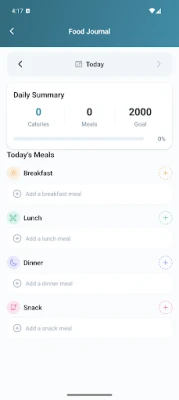
- Monitor daily step count alongside calorie intake to balance activity and nutrition.
- Track sleep quality trends and see how changes in bedtime routine affect rest.
- Observe heart‑rate variability over time to gauge recovery after workouts.
- Compare body‑composition metrics from smart scales with fitness goals.
Installation Information
The app is available for free on the Google Play Store. Search for TwinMe or use the package name com.biotwin.twinmeapp to locate it. Installation follows the standard Android process: tap Install, grant any required permissions during the first launch, and then sign in or create a new account.
Things to Know Before Installing
- TwinMe requires an internet connection for initial account creation and for syncing data from cloud‑based services.
- The app stores health data locally on the device and in encrypted form on its servers; review the privacy policy for details on data handling.
- Compatibility depends on the Android version supported by the app; check the Play Store listing for the minimum OS requirement.
Who May Find TwinMe Useful?
Anyone who uses multiple health‑related apps or wearables and wants a single place to view the combined information will benefit from TwinMe. It is especially helpful for people who track fitness goals, monitor sleep, or manage nutrition alongside regular activity.
Frequently Asked Questions
Is TwinMe a medical device?
No. TwinMe is a wellness tracking tool and does not provide medical diagnoses or treatment recommendations.
Can I disconnect a device after linking it?
Yes. The app includes options to remove or pause synchronization with any connected source at any time.
Is my data shared with third parties?
According to the app’s privacy approach, personal health data is not sold or shared with advertisers. It remains encrypted and accessible only to you.
Do I need a Google account to use TwinMe?
A Google account is not mandatory, but it can simplify sign‑in and enable integration with Google Health Connect if you choose to use that service.
Rate the App
User Reviews














Popular Apps










 Games
Games Entertainment
 Communication
 E-mail
 Security
 Tools
Tools Media
Media Internet
 Finance
 Design
 Education
 IT Tools
 Travel & Local
 Android
 Windows
 Linux
Linux