

Latest Version
Latest
September 11, 2026
BetterMe Limited
HEALTH AND FITNESS
Android
129
Free
com.gen.workoutme
Report a Problem
More About BetterMe Well‑Being Coach – Personal Fitness & Wellness Companion
What is BetterMe Well‑Being Coach?
BetterMe Well‑Being Coach is a free Android app from BetterMe Limited that brings together exercise planning, nutrition tracking and habit‑building tools in a single place. It is designed for people who want to improve their fitness, manage their diet or simply stay more active without needing a complex suite of separate apps.
Main features
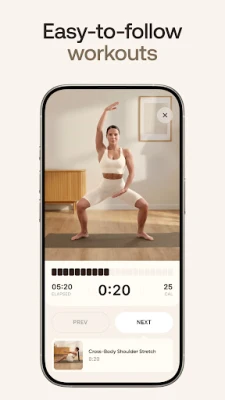
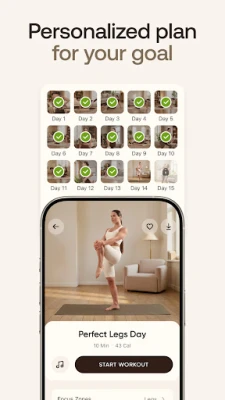
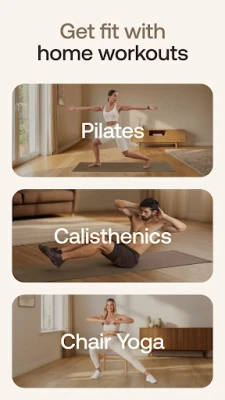
- Workout library – A range of guided sessions that cover strength, cardio, flexibility and low‑impact activities. Users can choose routines that match their current fitness level and the equipment they have at home.
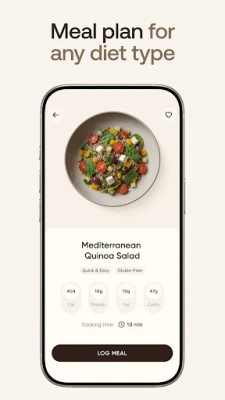
- Nutrition logging – A simple calorie counter that lets you record meals and snacks. The interface supports manual entry and basic portion selection.
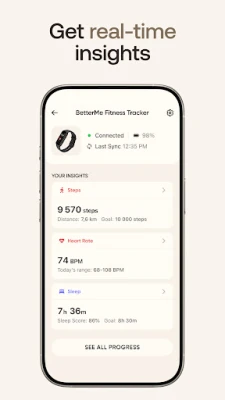
- Progress tracking – Visual charts for weight, steps and sleep allow you to see trends over time. The app also records completed workouts so you can monitor consistency.
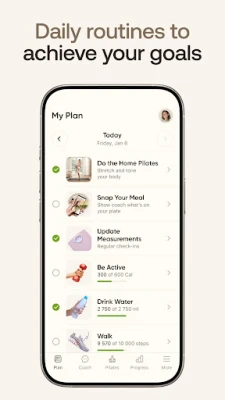
- Goal setting – You can set personal targets such as weight loss, muscle gain or daily step counts, and the app provides reminders to keep you on track.
- Integration options – When compatible devices are paired, data such as heart rate or sleep can be imported automatically.
How it works
After installing the app, you create a profile and answer a few questions about your current activity level, dietary habits and objectives. Based on those answers, BetterMe suggests a starter plan that includes daily workout suggestions and a basic meal‑tracking template. As you log workouts and meals, the app updates your progress charts and offers tips to help you stay within your chosen calorie range or meet your step goal.
Practical uses
- Someone new to exercise can follow short, equipment‑free sessions to build confidence.
- Individuals following a specific diet can use the food log to keep an eye on calorie intake.
- Busy professionals can set quick daily reminders for short walks or stretch breaks.
- Anyone interested in seeing how sleep patterns affect energy levels can review the sleep‑tracking summary.
Installation information
The app is available through the Google Play Store. Search for BetterMe Well‑Being Coach or use the package name com.gen.workoutme. Installation follows the standard Android process: tap Install, grant any requested permissions, and launch the app from your home screen.
Things to know before installing
- The core functionality is free; optional premium coaching or advanced plans may be offered as in‑app purchases.
- Because the app tracks personal health data, it may request access to sensors such as step counters or location for activity logging.
- BetterMe is positioned as a wellness tool, not a medical device. Users with health concerns should consult a professional before starting new exercise or diet regimes.
Who may find it useful?
Anyone looking for a single app to combine basic workout guidance with simple nutrition tracking will benefit. It is especially suitable for beginners, people who prefer home‑based routines, and users who want a free solution before deciding on a paid coaching service.
Frequently asked questions
Do I need a fitness tracker to use the app?
No. The app works with manual entry, but connecting a compatible device can enrich the data you see.
Is there a subscription required?
The basic features are free. Additional coaching or premium content may be offered through optional subscriptions.
Can I export my data?
Export options are limited to standard Android backup mechanisms; the app does not provide a dedicated export file.
Rate the App
User Reviews














Popular Apps










 Games
Games Entertainment
 Communication
 E-mail
 Security
 Tools
Tools Media
Media Internet
 Finance
 Design
 Education
 Android Firmwares
 Travel & Local
 Android
 Windows
 Linux
Linux