Latest Version
Latest
September 08, 2026
Veridian Healthcare LLC
HEALTH AND FITNESS
Android
115
Free
com.zewa.myhealthconnected
Report a Problem
More About MyHealthConnected – Personal Health Tracker
What is MyHealthConnected?
MyHealthConnected is a free Android app from Veridian Healthcare LLC designed to bring everyday health measurements together in a single, easy‑to‑read dashboard. The app stores readings from compatible Zewa devices and presents them as graphs and tables, so you can spot patterns without manual calculations.
Main features
- Automatic data capture – When paired with a Zewa blood pressure monitor, scale, or activity tracker, measurements are saved to the app without extra steps.
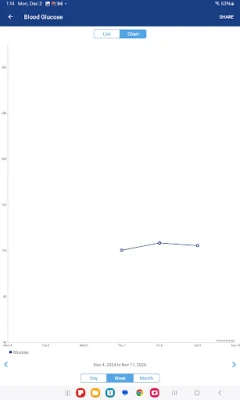
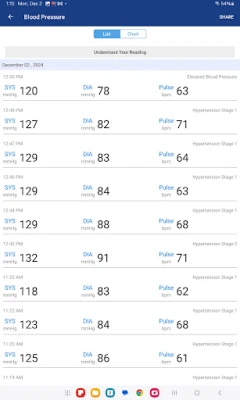
- Trend visualization – Blood pressure, weight, BMI, body‑fat percentage, steps, distance, calories and sleep duration are displayed in line and bar charts that can be filtered by day, week or month.
- Organised history – All entries are stored locally and can be sorted or exported for personal records or to share with a healthcare professional.
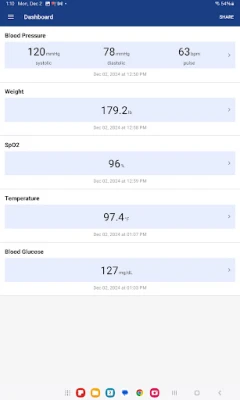
- Simple health overview – A single screen summarises the most recent values, giving a quick snapshot of your current status.
How it works
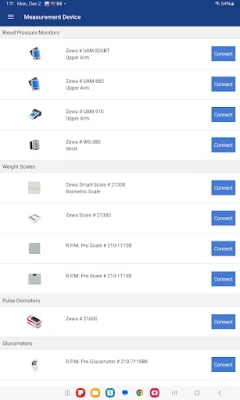
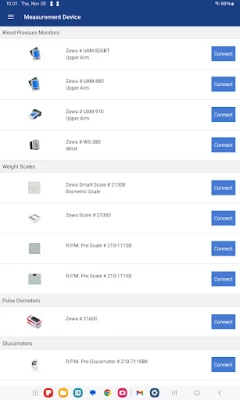
After installing the app, you create a personal profile and pair any supported Zewa device via Bluetooth. Once paired, the device sends readings directly to MyHealthConnected, where they are timestamped and added to the appropriate category. The app does not require an internet connection to record data, though a connection can be used to back up your history or sync with other health platforms.
Practical uses
- Track hypertension management by reviewing blood pressure trends over weeks or months.
- Monitor weight loss or gain, and see how BMI and body‑fat percentage evolve.
- Assess daily activity levels, including steps taken, distance walked, and calories burned.
- Review sleep duration to identify patterns that may affect overall wellbeing.
Who may find it useful?
Anyone who wants a consolidated view of basic health metrics can benefit from MyHealthConnected. It is particularly helpful for:
- People managing chronic conditions such as hypertension.
- Individuals following a fitness or weight‑management plan.
- Users who already own Zewa health devices and prefer an integrated Android solution.
Things to know before installing
- The app works with Zewa blood pressure monitors, scales and activity trackers; other brands are not automatically supported.
- MyHealthConnected is not a medical device and does not replace professional medical advice.
- All data is stored on the device unless you choose to back it up manually.
Frequently asked questions
Do I need an internet connection?
No. The core functions—recording and visualising measurements—operate offline. An internet connection is only needed for optional backup or export features.
Can I share my data with a doctor?
Yes. The app allows you to export your history as a CSV file, which can be emailed or printed for a healthcare professional.
Is the app compatible with all Android phones?
MyHealthConnected requires Android version 5.0 (Lollipop) or higher and Bluetooth support for device pairing. Specific version requirements are listed in the Play Store listing.
Rate the App
User Reviews








Popular Apps










 Games
Games Entertainment
 Communication
 E-mail
 Security
 Tools
Tools Media
Media Internet
 Finance
 Design
 Education
 Android Firmwares
 Travel & Local
 Android
 Windows
 Linux
Linux