

Latest Version
Latest
September 08, 2026
caixiaoqing
HEALTH AND FITNESS
Android
153
Free
com.keephealthpro.android
Report a Problem
More About Keep Health – Smartwatch Companion for Calls, Messages & Fitness
What is Keep Health?
Keep Health is a free Android utility that bridges your smartphone with compatible smartwatches. By syncing the two devices, the app forwards essential notifications—such as incoming calls and text messages—to the watch, while also displaying key health metrics recorded by the wearable.
Main Features
- Call notifications: When a call arrives, Keep Health pushes the caller ID to the smartwatch, letting you see who is calling without pulling out your phone.
- Message alerts: Text message content is mirrored on the watch, so you can read the full message and its details directly from your wrist.
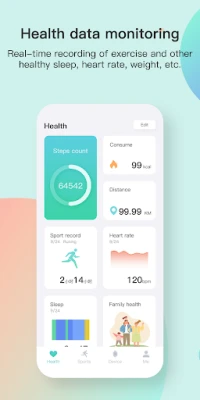
- Fitness data display: Steps, heart‑rate, sleep patterns and exercise history captured by the watch are shown within the app for quick review.
- Phone finder: Using the bracelet’s search function, you can locate a paired phone from the watch, with an optional audio cue to help you locate it.
How It Works
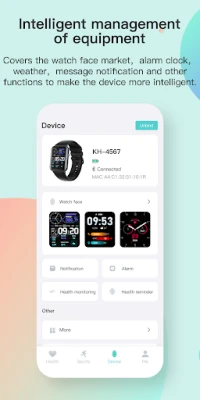
After installing Keep Health, you pair your Android device with a supported smartwatch (currently the Q15Pro‑80B7). The app runs a background service that monitors incoming calls and SMS messages. When a relevant event occurs, the service creates a notification that is transmitted over Bluetooth to the watch. The same connection also pulls health data recorded by the watch’s sensors and presents it in the app’s dashboard.
Practical Uses
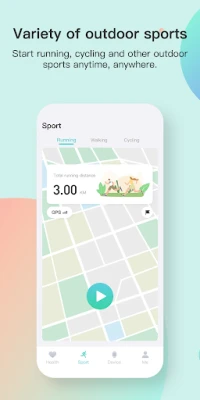
- Stay hands‑free during workouts – see call and text alerts without stopping your activity.
- Quickly check daily step count or heart‑rate trends without unlocking your phone.
- Locate a misplaced phone in a noisy environment by triggering the audio alert from the watch.
Installation Information
Download Keep Health from the Appitika store and install it like any other Android app. Once installed, open the app and follow the on‑screen prompts to enable notification access and Bluetooth permissions. Pairing is completed by selecting your smartwatch from the list of nearby devices.
Things to Know Before Installing
- The app requires Bluetooth and notification‑access permissions to function correctly.
- Only the Q15Pro‑80B7 smartwatch is officially supported at this time; other devices may not receive notifications.
- Keep Health does not store personal messages or call logs on external servers; data remains on the paired devices.
Who May Find It Useful?
Anyone who relies on a smartwatch for quick glances at communication and health information will benefit from Keep Health. It is especially handy for fitness enthusiasts, commuters, and users who prefer to keep their phone out of sight during meetings or workouts.
Frequently Asked Questions
Can I use Keep Health with other smartwatch brands?
Currently the app is tested only with the Q15Pro‑80B7 model. Compatibility with other watches has not been confirmed.
Does the app consume a lot of battery?
Battery impact is minimal; the app runs only when a notification or health sync is needed and relies on the existing Bluetooth connection.
Is my personal data safe?
All data exchanged stays between the phone and the paired watch. The app does not transmit information to third‑party services.
Rate the App
User Reviews














Popular Apps










 Games
Games Entertainment
 Communication
 E-mail
 Security
 Tools
Tools Media
Media Internet
 Finance
 Design
 Education
 Android Firmwares
 Travel & Local
 Android
 Windows
 Linux
Linux