
Latest Version
Latest
September 15, 2026
Reliant Mitre
HEALTH AND FITNESS
Android
102
Free
com.benhansell.intervaltimer
Report a Problem
More About Simple Interval Timer – Flexible Timing for Workouts and Focus
What is Simple Interval Timer?
Simple Interval Timer is a lightweight Android utility that lets you create and run custom timing sequences. Whether you are structuring a high‑intensity interval training (HIIT) session, timing a pomodoro study block, or setting up intervals for a run, the app provides a clear, uncluttered interface for defining work and rest periods down to the second.
Main features
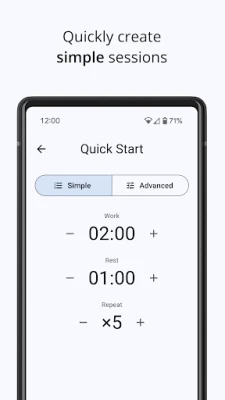
- Fully customisable intervals – Choose any duration for work and rest phases, and set the number of cycles you need.
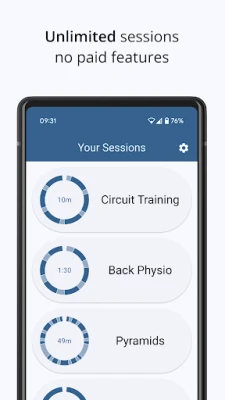
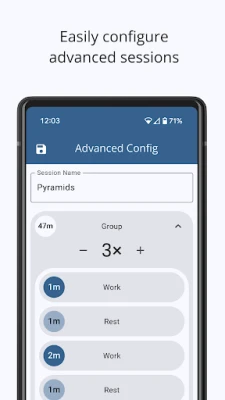
- Save presets – Create named presets for recurring routines and load them with a tap.
- Background operation – The timer continues when you switch apps or lock the screen.
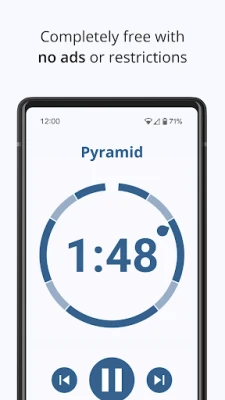
- Minimalist design – Large, easy‑to‑read numbers and simple controls keep the focus on your activity.
- Free and ad‑free – All functionality is available without payment or advertisements.
How it works
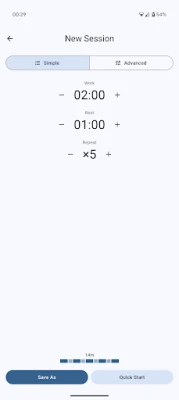
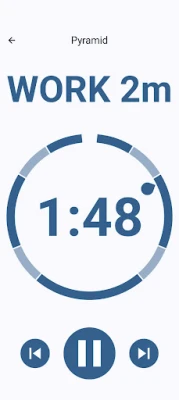
After launching the app, you are presented with fields to enter the length of the work interval, the rest interval, and the total number of repetitions. A single button starts the sequence, and the display updates in real time, showing the remaining time for the current phase and the overall progress. When a preset is saved, you can retrieve it later from the preset list, edit it, or delete it as needed.
Practical uses
The flexibility of Simple Interval Timer makes it suitable for a wide range of activities:
- Fitness: HIIT, Tabata, circuit training, weight‑lifting sets, CrossFit AMRAP or EMOM workouts.
- Cardio: Interval runs, sprint repeats, cycling intervals, rowing drills.
- Mind‑body: Yoga pose timing, meditation sessions, breathing exercises.
- Productivity: Pomodoro study blocks, focused work intervals, break reminders.
Who may find it useful?
Anyone who needs a reliable, easy‑to‑configure timer without the distraction of ads or unnecessary features. The app is particularly helpful for athletes, coaches, students, and anyone who follows a structured timing routine.
Installation information
The app is distributed as a free download from the Google Play Store. Installation follows the standard Android process: tap “Install,” grant any required permissions, and the app will appear in your app drawer.
Things to know before installing
- The app does not collect personal data beyond what is required for basic operation.
- It runs on Android devices that meet the minimum system requirements for the Play Store.
- No additional in‑app purchases are required to unlock features.
Frequently asked questions
Can I use the timer while the screen is off?
Yes. The timer continues to run in the background, and you can view the remaining time by pulling down the notification shade.
Is there a way to lock the screen to prevent accidental taps?
The app includes a simple UI lock option that disables touch input while the timer is active.
Can I export my presets?
Presets are stored locally within the app. At present there is no built‑in export function.
Rate the App
User Reviews















Popular Apps










 Games
Games Entertainment
 Communication
 E-mail
 Security
 Tools
Tools Media
Media Internet
 Finance
 Design
 Education
 Android Firmwares
 Travel & Local
 Android
 Windows
 Linux
Linux