


Latest Version
Latest
September 13, 2026
Headspace for Meditation, Mindfulness and Sleep
HEALTH AND FITNESS
Android
95
Free
com.getsomeheadspace.android
Report a Problem
More About Headspace: Sleep & Meditation – Guided Mindfulness for Everyday Calm
What is Headspace?
Headspace is a mobile app that provides a library of guided meditation sessions, sleep‑focused audio, and simple breathing exercises. It is designed for people who want to incorporate mindfulness into their daily routine, whether that means a quick mental reset during a busy workday or a longer session before bedtime.
Main Features
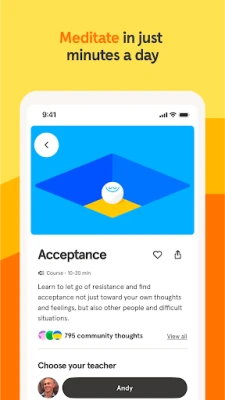
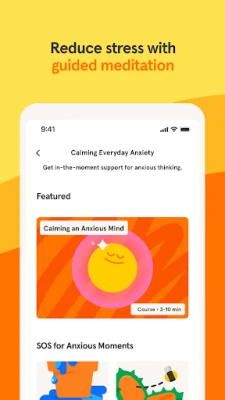
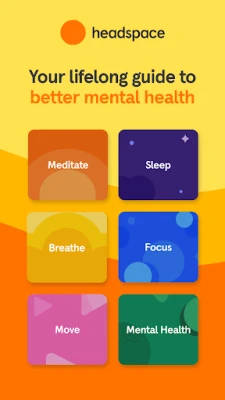
- Guided meditations – Sessions range from a few minutes to longer, more in‑depth practices covering topics such as stress reduction, focus, and emotional balance.
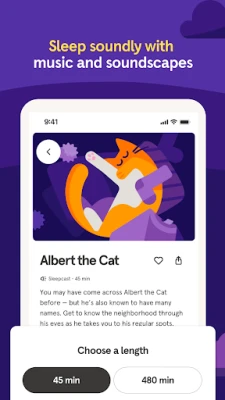
- Sleep tools – A selection of soothing soundscapes, bedtime stories and sleep‑specific meditations help users wind down and improve sleep quality.
- Breathing exercises – Short, structured breathing routines that can be used anytime to calm the nervous system.
- Progress tracking – The app records streaks and total minutes meditated, giving a visual sense of consistency.
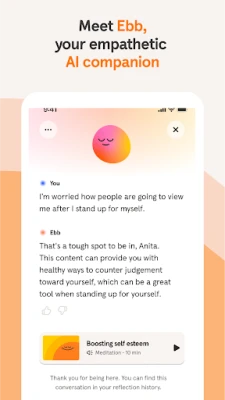
- Personalized suggestions – Based on usage patterns, the app recommends new sessions that match the user’s current mood or goals.
How It Works
After installing the app, users create a simple profile that captures their meditation experience level and personal goals (e.g., reduce anxiety, sleep better). The home screen then presents a curated list of sessions, highlighting new or popular content. Each meditation includes a brief introduction, the guided audio, and a concluding reflection. Users can set a timer, choose background sounds, or mute the voice if they prefer silent practice.
Practical Uses
- Quick stress relief – A 3‑minute “reset” session can be launched during a break to lower cortisol levels and regain focus.
- Evening routine – A bedtime meditation paired with calming music helps transition the mind from the day’s activities to sleep.
- Daily habit building – Streak notifications encourage regular practice, which research links to sustained mental‑wellness benefits.
Installation Information
The app is available for free on the Google Play Store. Installation follows the standard Android process: tap “Install,” wait for the download, and open the app to begin onboarding.
Things to Know Before Installing
- The core library of meditations is free; additional premium content may require a subscription.
- Internet connectivity is needed for the initial download of audio files, but many sessions can be saved for offline use.
- Because the app includes audio playback, using headphones or a quiet environment will enhance the experience.
Who May Find It Useful?
Anyone looking to introduce mindfulness into their routine can benefit—from beginners who have never meditated to seasoned practitioners seeking new guided content. The sleep‑focused tools are particularly helpful for users who experience occasional insomnia or who want a structured wind‑down ritual.
Frequently Asked Questions
Do I need an account?
An account is optional for basic use, but creating one enables progress syncing across devices and personalized recommendations.
Can I use Headspace without an internet connection?
Yes, after downloading a session you can listen offline. However, new content and updates require a connection.
Is there a limit to the free content?
The free tier includes a rotating selection of meditations and sleep tracks. Users who want unlimited access can explore the subscription option.
Rate the App
User Reviews















Popular Apps










 Games
Games Entertainment
 Communication
 E-mail
 Security
 Tools
Tools Media
Media Internet
 Finance
 Design
 Education
 Android Firmwares
 Travel & Local
 Android
 Windows
 Linux
Linux