

Latest Version
September 11, 2026
Pulse Devices LLC
HEALTH AND FITNESS
Android
112
Free
com.pulse.sansenmasclemaster
Report a Problem
More About Pulse Device – Control Your Muscle‑Stimulating Gear
What is Pulse Device?
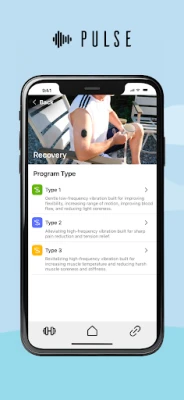
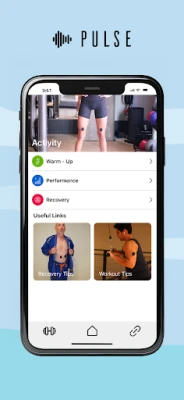
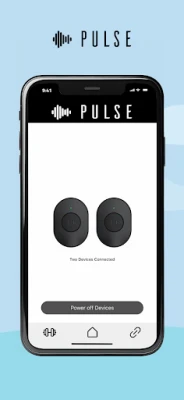
Pulse Device is a companion application for the hardware sold by Pulse Devices LLC. The app lets you manage the vibration functions of the wearable units that are placed on individual muscles during training.
Main features
- Start/stop control – Activate or pause the device with a single tap.
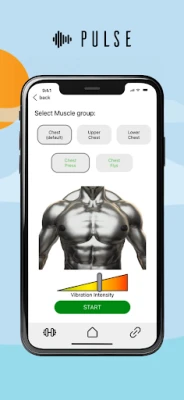
- Intensity adjustment – Choose the vibration level that feels right for your workout.
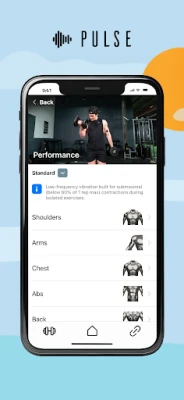
- Muscle‑selection interface – Pick the target muscle on the screen; the app syncs with the device that is attached to the same area.
- Placement diagrams – Visual guides show the recommended spot for each muscle group.
- Training resources – Access tips and short articles that explain how the device can complement specific exercises.
How it works
After attaching a Pulse unit to the desired muscle, open the app and select that muscle from the list. The app communicates with the hardware via Bluetooth (or the appropriate wireless protocol) and sends commands to start the vibration and set the intensity. You can pause the session at any time, and the intensity slider lets you fine‑tune the sensation based on how you feel during the set.
Practical uses
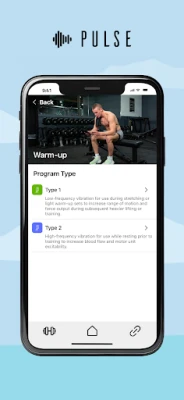
The app is designed for isolated muscle work, such as biceps curls, triceps extensions, or calf raises. By providing rhythmic stimulation, it aims to improve focus and muscle activation during light to moderate weight‑lifting sessions. Users typically employ it during warm‑up, low‑intensity sets, or recovery periods between heavier lifts.
Installation information
Download the app from the Google Play Store, then grant the required Bluetooth permission so the app can discover and pair with your Pulse hardware. No additional files are needed; the app is free to install.
Things to know before installing
- The app works only with Pulse devices; it will not control unrelated hardware.
- It is intended for users who are at least 16 years old and who are performing isolated exercises.
- Avoid using the device on injured or compromised skin, near open wounds, or during compound lifts that involve multiple muscle groups.
- If you feel light‑headed, experience discomfort, or notice any adverse reaction, stop using the device and consult a medical professional.
Who may find it useful?
Fitness enthusiasts who incorporate isolation work into their routine, physical‑therapy patients looking for gentle muscle activation, and anyone interested in adding a tactile cue to improve focus during light resistance training may benefit from the app.
Frequently asked questions
- Do I need an internet connection? No. The app communicates locally with the device via Bluetooth.
- Can I use the app with multiple devices at once? The app supports one active device per session; you can switch between devices by selecting a different muscle.
- Is there a way to save my preferred intensity settings? The app remembers the last intensity you set for each muscle, making it quick to resume a familiar level.
- What should I do if the device does not respond? Ensure Bluetooth is enabled, the device is properly attached, and that the battery is charged. Re‑pairing the device through the app’s settings often resolves connectivity issues.
Rate the App
User Reviews













Popular Apps










 Games
Games Entertainment
 Communication
 E-mail
 Security
 Tools
Tools Media
Media Internet
 Finance
 Design
 Education
 Android Firmwares
 Travel & Local
 Android
 Windows
 Linux
Linux