
Latest Version
August 27, 2026
OKINT Dijital
HEALTH AND FITNESS
Android
115
Free
com.okint.next
Report a Problem
More About Next Plus Health – Simple Health Management for Android
What is Next Plus Health?
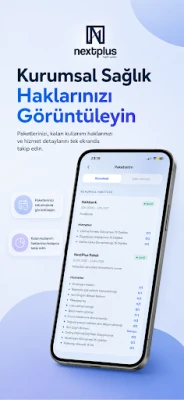
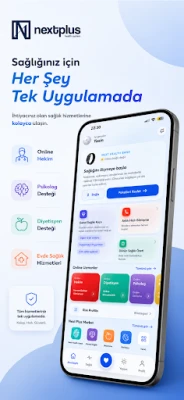
Next Plus Health is a free Android application developed by OKINT Dijital. It is designed to give users a central place to record and view basic health‑related data. The app focuses on simplicity, allowing you to store information that matters to you without the clutter of overly complex features.
Main capabilities
- Personal health records – Add notes about medical conditions, allergies, medications, or any other details you want to remember.
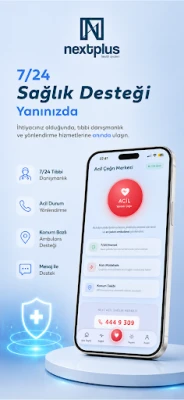
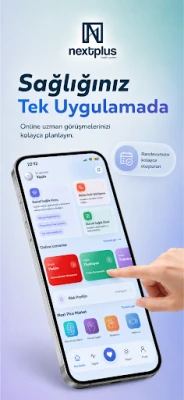
- Appointment tracking – Create reminders for doctor visits, lab tests, or therapy sessions so you never miss an appointment.
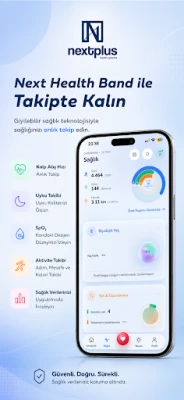
- Basic health metrics – Log measurements such as weight, blood pressure, or glucose levels for quick reference.
- Export option – When needed, you can export your entries as a plain‑text file to share with a healthcare professional.
How it works
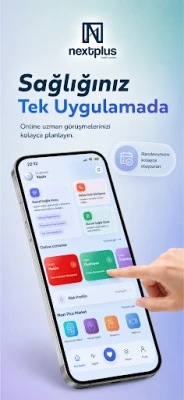
After installing the app, you are guided through a short setup where you can define the categories you want to track. The main dashboard presents a clean list of your most recent entries, and a navigation drawer gives quick access to sections like "Medications," "Appointments," and "Metrics." Adding a new record is a matter of tapping the plus button, filling in the fields, and saving. All data is stored locally on the device, giving you control over your information.
Practical uses
Whether you manage a chronic condition, keep a family health log, or simply want to stay organized, Next Plus Health can serve as a personal reference. You can:
- Review medication schedules before a pharmacy visit.
- Check recent blood pressure readings before a check‑up.
- Show a doctor a concise list of past appointments and notes.
Installation information
The app is available for free on the Appitika store. Tap the "Install" button, allow the standard Android permissions for storage access, and the app will appear on your home screen once the download completes.
Compatibility
Next Plus Health runs on Android devices that meet the minimum system requirements defined by the Google Play framework. Because the app does not rely on advanced hardware features, it works on most smartphones and tablets running recent Android versions.
Things to know before installing
- The app stores data locally; it does not automatically back up to the cloud.
- No internet connection is required for core functionality, though an update check may use data.
- Permissions are limited to storage access for saving exported files.
Who may find it useful?
Anyone who wants a straightforward way to keep health information at hand can benefit from Next Plus Health. It is especially helpful for:
- Individuals managing multiple medications.
- Parents tracking pediatric health data.
- People who prefer a manual record over automated health‑monitoring devices.
Frequently asked questions
Is my data shared with third parties?
No. All entries are saved on your device and are not transmitted unless you choose to export them yourself.
Can I sync the app across multiple devices?
Syncing is not built into the app. To use the same data on another device, you would need to export the file from one device and import it manually on the other.
Does the app require an internet connection?
Only for checking updates. Daily use works fully offline.
What should I do if I forget a password or PIN?
The app does not include a password lock feature, so there is no password to recover.
Rate the App
User Reviews










Popular Apps










 Games
 Entertainment
 Communication
 E-mail
 Security
 Tools
 Media
 Internet
 Finance
 Design
 Education
 Android Firmwares
 Travel & Local
 Android
 Windows
 Linux