
Latest Version
Latest
August 27, 2026
Cigna
HEALTH AND FITNESS
Android
134
Free
com.cigna.mobile.mycigna
Report a Problem
More About myCigna – Your Cigna Health Account on Android
What is myCigna?
myCigna is a mobile application created by Cigna that lets members view and manage key aspects of their health coverage from a smartphone. The app is designed for people who already have a Cigna health plan and want a convenient way to stay informed about their benefits, claims and pharmacy needs while on the go.
Main features
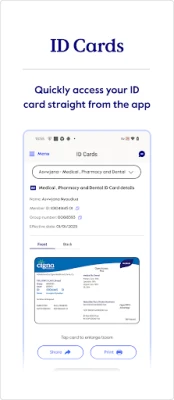
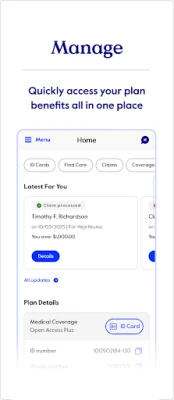
- ID cards – View the front and back of your insurance cards, and share them via email or other apps.
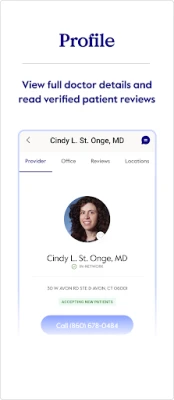
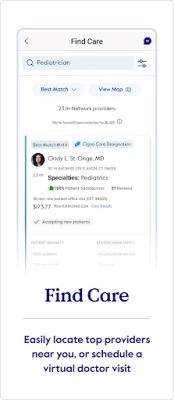
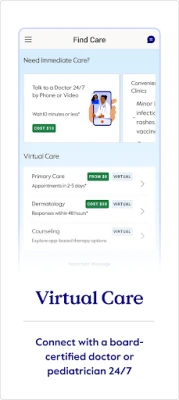
- Find care – Search for doctors, dentists, pharmacies and other facilities within Cigna’s network, with basic information about location and services.
- Claims overview – See recent and historical claim details, including dates, amounts and status.
- Account balances – Check the balance of health savings accounts, flexible spending accounts or other funds linked to your plan.
- Pharmacy tools – Review current prescriptions, request refills and update billing or shipping preferences.
- Coverage details – Look up plan benefits, deductibles, out‑of‑pocket maximums and any authorizations you may need.
- Wellness tracking – Connect health‑tracking data (such as steps or sleep) to view personalized goals and rewards, if you choose to share that information.
How it works
After downloading the app from the Google Play Store, you sign in with your Cigna member credentials. The app then pulls the information associated with your account, presenting it in separate sections that are easy to navigate. Data is refreshed regularly, so you can rely on the most recent claim status or prescription refill options without logging into a web portal.
Practical uses
- Quickly show your insurance card at a doctor’s office or pharmacy without digging through a wallet.
- Verify whether a particular provider is in‑network before scheduling an appointment.
- Monitor claim payments and identify any unexpected charges.
- Request a prescription refill while you’re at work or traveling.
- Track progress toward wellness incentives offered by your plan.
Installation information
The app is free to download. Search for "myCigna" in the Google Play Store, tap Install, and allow the requested permissions during setup. A stable internet connection is required for the initial sign‑in and for synchronizing your account data.
Things to know before installing
- You must be an active Cigna member; the app will not function for non‑members.
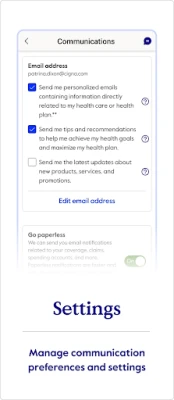
- Some features depend on the specific coverage you have, so the available tools may vary between plans.
- The app respects your privacy choices – data such as activity metrics is only accessed if you enable the integration.
Who may find it useful?
Anyone enrolled in a Cigna health plan who wants a mobile‑first way to manage insurance details will benefit from myCigna. It is especially handy for frequent travelers, busy professionals and anyone who prefers digital over paper documentation.
Frequently asked questions
Do I need an internet connection to use the app?
Yes, an internet connection is required to sign in and to keep your information up to date. Some previously loaded screens may be viewable offline, but new data will not refresh without connectivity.
Can I use the app if I have multiple Cigna plans?
The app supports multiple plans under the same member login. You can switch between them within the app’s settings.
Is my personal health information secure?
myCigna follows standard security practices for mobile health apps, including encrypted transmission of data. The app only accesses information you have permission to view.
Rate the App
User Reviews










Popular Apps










 Games
 Entertainment
 Communication
 E-mail
 Security
 Tools
 Media
 Internet
 Finance
 Design
 Education
 Android Firmwares
 Travel & Local
 Android
 Windows
 Linux