


Latest Version
Latest
August 21, 2026
WebPT Mobile
HEALTH AND FITNESS
Android
140
Free
com.keethealth.patient.app
Report a Problem
More About Keet Activate – Patient‑Focused Health Tracking
What is Keet Activate?
Keet Activate is a free Android app created by WebPT Mobile that puts patients at the center of their own care journey. It provides a simple way to log health information, receive feedback from clinicians, and keep track of daily recovery tasks.
Main features
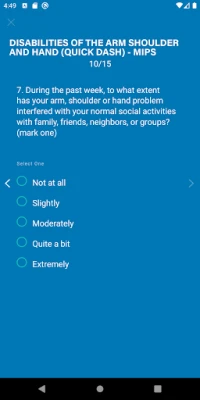
- Weekly health check‑ins – Answer a short set of questions each week to record symptoms, pain levels, or mobility progress.
- Provider messaging – Send messages directly to your health‑care team from within the app, making it easy to ask questions or share updates.
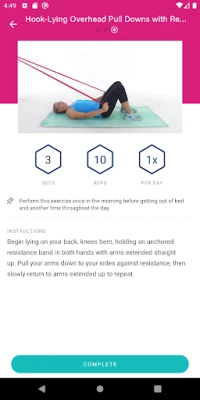
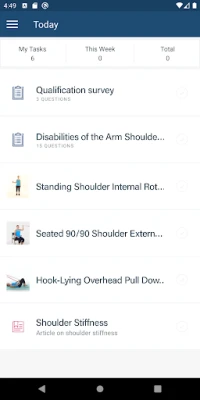
- Task checklist – Create and check off daily or weekly activities prescribed by your therapist or physician.
- Educational resources – Access brief articles and tips that explain common recovery concepts and suggest ways to stay on track.
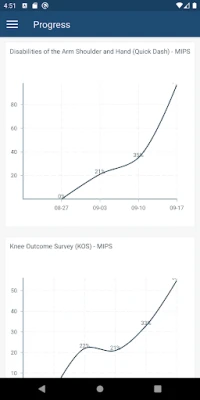
- Progress overview – View a visual summary of your responses over time, helping you see trends and discuss them with your provider.
How it works
After installing Keet Activate, you create a personal profile and link it to your health‑care provider’s account (the provider must be enrolled in the WebPT system). Each week the app prompts you with a short questionnaire tailored to your condition. Your answers are securely transmitted to the provider, who can review them and adjust your treatment plan as needed. You can also start a conversation through the built‑in messaging feature, and mark off any prescribed exercises or self‑care tasks directly in the app.
Practical uses
Keet Activate is useful for anyone undergoing physical therapy, post‑surgical rehabilitation, or chronic condition management. By documenting symptoms regularly, patients can avoid missed appointments and reduce the need for phone calls. Therapists benefit from real‑time data that informs more precise adjustments to exercise programs.
Installation information
Search for Keet Activate in the Google Play Store, then tap Install. The app requires an Android device with a version compatible with the WebPT Mobile platform; the Play Store will indicate any minimum version requirements during installation.
Things to know before installing
- The app is free to download and use.
- It is designed to work with health‑care providers who use the WebPT system; without a linked provider, some features (such as messaging) will be unavailable.
- Data entered in the app is transmitted to the provider’s secure portal; standard privacy practices apply.
Who may find it useful?
Patients who want a structured way to monitor recovery, therapists looking for a convenient patient‑reporting tool, and caregivers who need visibility into a loved one’s progress can all benefit from Keet Activate.
Frequently asked questions
Is my health information safe?
Keet Activate sends data through the encrypted channels used by WebPT Mobile. The app follows standard Android security guidelines, but you should review the privacy policy provided within the app for full details.
Do I need an internet connection?
An internet connection is required to sync your weekly responses and to send messages to your provider. Offline entries are stored locally and uploaded when a connection becomes available.
Can I use the app without a provider?
You can still record personal notes and track tasks, but messaging and data sharing features rely on an active provider link.
Rate the App
User Reviews















Popular Apps










 Games
 Entertainment
 Communication
 E-mail
 Security
 Tools
 Media
 Internet
 Finance
 Design
 Education
 Android Firmwares
 Travel & Local
 Android
 Windows
 Linux