
Latest Version
September 06, 2026
dreamspark
HEALTH AND FITNESS
Android
10
Free
cc.dreamspark.intervaltimer
Report a Problem
More About Interval Timer – Simple Workout & Training Timer
What is Interval Timer?
Interval Timer is a free Android app designed to help you keep time during a wide range of physical activities. Whether you are doing a boxing round, a calisthenics circuit, HIIT, or a Tabata session, the app provides a clear, full‑screen display that shows the remaining time for each interval.
Main features
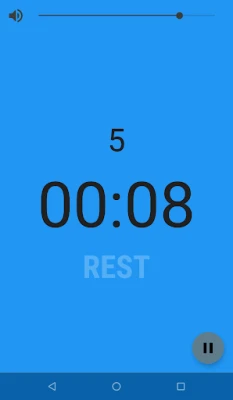
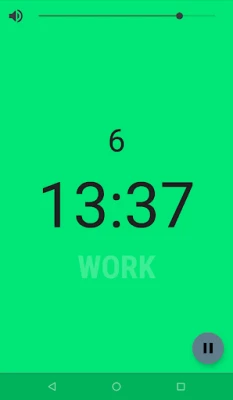
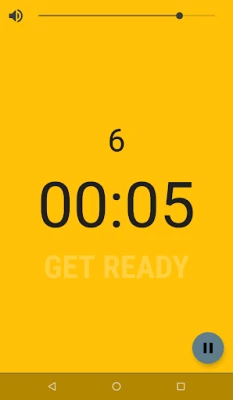
- Full‑screen color‑coded display – each phase (work, rest, pause) is shown in a distinct colour, making it easy to glance at the screen from a distance.
- Customizable intervals – define the length of work and rest periods, the number of rounds, and optional warm‑up or cool‑down phases.
- Presets – save your most frequently used configurations for quick access.
- Background operation – the timer continues running when you switch to another app or lock the screen.
- Audio and vibration cues – choose to receive a sound, a vibration, or a silent notification at the start and end of each interval.
How it works
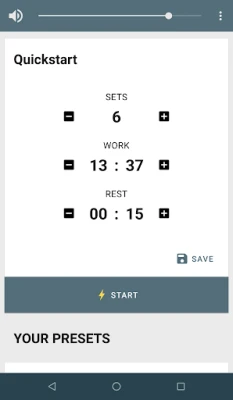
After launching the app, you are presented with a clean interface where you can set the duration of the work period, the rest period, and the total number of cycles. A simple “Start” button begins the sequence, and the screen updates in real time, counting down each interval. If you need to pause or reset, the controls are always accessible.
Practical uses
- Boxing or martial‑arts rounds – keep precise round and break times.
- Gym circuits – move smoothly from one exercise to the next without checking a watch.
- HIIT and Tabata – follow strict timing for high‑intensity intervals.
- Home workouts – use the timer with music or headphones for a distraction‑free session.
Installation information
The app is available as a free download from the Google Play Store. Installation follows the standard Android process: tap “Install,” wait for the download to complete, and then open the app from your app drawer.
Things to know before installing
- The app is ad‑supported, which means occasional banner or interstitial ads may appear.
- It requires an internet connection only to load ads; the timer itself works offline.
- No special permissions beyond network access are needed.
Who may find it useful?
Anyone who needs reliable timing for repeated activity cycles can benefit from Interval Timer. This includes athletes, fitness enthusiasts, coaches, and even teachers who run timed classroom activities.
Frequently asked questions
Can I use the timer with headphones?
Yes. Audio cues are played through the device’s speaker or connected headphones, allowing you to stay focused without looking at the screen.
Does the app work when the screen is locked?
The timer continues counting down even if you lock the device, and you will receive the selected audio or vibration alerts.
Is there a way to avoid ads?
The free version includes ads. At present the app does not offer a paid ad‑free option.
Rate the App
User Reviews















Popular Apps










 Games
Games Entertainment
 Communication
 E-mail
 Security
 Tools
Tools Media
Media Internet
 Finance
 Design
 Education
 IT Tools
 Travel & Local
 Android
 Windows
 Linux
Linux