

Latest Version
September 04, 2026
Drarox
HEALTH AND FITNESS
Android
2
Free
com.healthconnectlog.health_connect_log
Report a Problem
More About Health Connect Log – Quick One‑Tap Workout Logging
What is Health Connect Log?
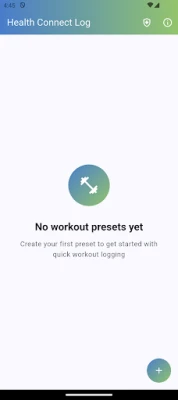
Health Connect Log is a free Android utility that lets you add a workout record after the fact, even when you didn’t have your phone or smartwatch on you. The app stores the entry locally and then pushes it to any health platform that works with Android’s Health Connect framework, such as Google Fit or Samsung Health.
Main features
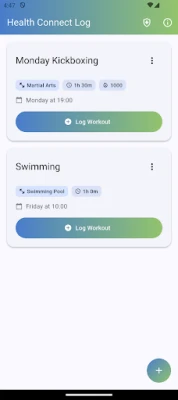
- One‑tap entry: Choose a preset and record the session with a single tap.
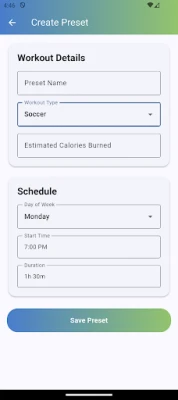
- Custom workout presets: Define recurring activities – for example, a weekday run or a regular gym class – and set default values for duration, calories, type, and preferred day.
- Flexible data fields: Adjust the details of each entry before saving, so the record matches what you actually did.
- Health Connect integration: The app communicates directly with Android’s Health Connect API, ensuring that the logged data appears in every connected health app without manual export.
- Simple Material 3 UI: A clean, modern interface that follows Google’s design guidelines, making navigation straightforward.
How it works
After installing the app, you create one or more workout presets. Each preset stores the typical parameters of that activity – for instance, a 30‑minute run at an estimated 300 kcal. When you need to log a session you missed, you open Health Connect Log, tap the appropriate preset, optionally tweak the values, and confirm. The app then writes the entry to Health Connect, where it is automatically available to any linked health service.
Practical uses
- Team sports or group classes where carrying a phone is inconvenient.
- Outdoor activities like swimming or hiking where a smartwatch may be removed.
- Busy days when you forget to start a tracking session but want the workout reflected in your health history.
Installation information
The app is distributed as a free download from the Google Play Store. No purchase is required, and there are no in‑app ads or premium upgrades. Installation follows the standard Android process: tap “Install,” grant the requested permissions for Health Connect, and launch the app.
Compatibility and requirements
Health Connect Log relies on the Health Connect API, which is available on Android devices running the appropriate version of the operating system. If Health Connect is not already installed, the app will prompt you to add it from the Play Store. Beyond that, the app does not impose additional hardware requirements.
Things to know before installing
- You will need to allow the app to access Health Connect in order to write workout data.
- The app does not collect personal data beyond what is necessary for syncing with Health Connect.
- All workout entries are stored locally until they are successfully synced; there is no cloud backup provided by the app itself.
Who may find it useful?
Anyone who uses Android health tracking apps and occasionally misses the chance to record a workout in real time. This includes athletes, fitness enthusiasts, casual exercisers, and people who prefer a minimal‑click solution for retroactive logging.
Frequently asked questions
Do I need a Google account?
No. The app works with any health platform that integrates through Health Connect, regardless of the account you use for those platforms.
Can I edit a logged workout later?
Yes. After an entry is created, you can open Health Connect, locate the workout in the connected health app, and edit it there. The changes will be reflected across all synced services.
Is the app open source?
Yes. The source code is publicly available, allowing users to review the implementation or contribute improvements.
Rate the App
User Reviews














Popular Apps










 Games
Games Entertainment
 Communication
 E-mail
 Security
 Tools
Tools Media
Media Internet
 Finance
 Design
 Education
 IT Tools
 Travel & Local
 Android
 Windows
 Linux
Linux