

Latest Version
September 07, 2026
Google LLC
HEALTH AND FITNESS
Android
6
Free
com.fitbit.FitbitMobile
Report a Problem
More About Google Health (Fitbit) – Your Personal Wellness Companion
What is Google Health (Fitbit)?
Google Health (Fitbit) is a free Android app developed by Google LLC that brings together data from Fitbit devices and other health sources. It serves as a central hub where you can view your daily activity, sleep patterns, and other wellness metrics, helping you understand how your habits affect your overall health.
Main Features
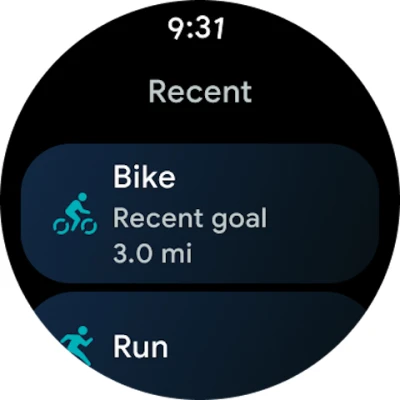
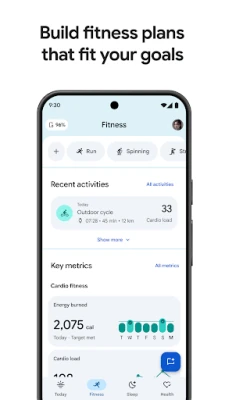
- Activity tracking – View steps, distance, calories burned and active minutes recorded by your Fitbit device.
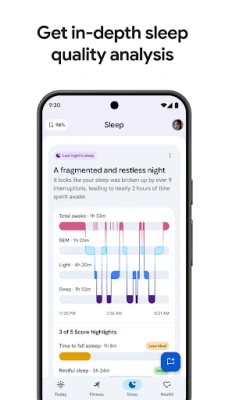
- Sleep overview – See sleep duration, stages and trends over time.
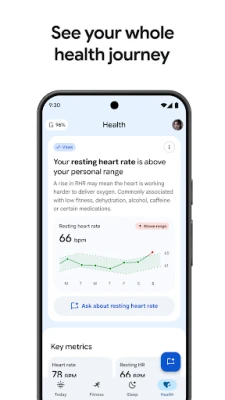
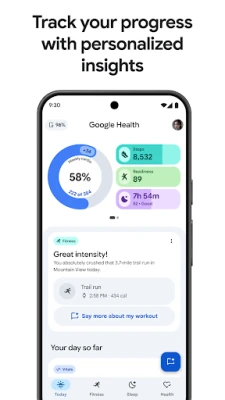
- Health dashboard – A single screen that summarizes key metrics such as heart rate, activity rings and sleep score.
- Data integration – Sync information from Fitbit wearables, Pixel Watch and compatible health apps.
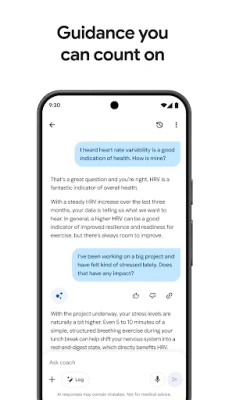
- Personal insights – Receive notifications that highlight patterns or changes in your data.
How It Works
After installing the app, you sign in with your Google account and connect your Fitbit device. The app pulls data automatically from the device and stores it securely in your Google account. You can explore the dashboard to see daily summaries, drill down into detailed charts, and set simple goals such as a step target or a sleep duration.
Practical Uses
- Daily motivation – Quick glance at activity rings encourages you to move more throughout the day.
- Sleep improvement – Review nightly sleep scores to identify factors that affect rest.
- Goal tracking – Set personal milestones for steps, distance or active minutes and monitor progress.
- Health awareness – Combine activity and sleep data to see how lifestyle choices influence overall wellness.
Installation Information
The app is available for free on the Google Play Store. Search for "Google Health (Fitbit)" or use the package name com.fitbit.FitbitMobile to locate it. Tap Install and follow the on‑screen prompts to grant the necessary permissions for Bluetooth and health data synchronization.
Things to Know Before Installing
- The app requires a compatible Fitbit device for full functionality.
- An active Google account is needed to store and sync your health data.
- Permissions include access to Bluetooth, location (for device pairing) and health data; these are standard for fitness apps.
Who May Find It Useful?
Anyone who uses a Fitbit tracker and wants a consolidated view of their health metrics on Android will benefit. The app is also helpful for users who prefer Google’s ecosystem for data storage and who appreciate a simple, no‑cost solution for daily wellness monitoring.
Frequently Asked Questions
Do I need a Google account?
Yes, a Google account is required to sync and back up your health data.
Can I use the app without a Fitbit device?
The core dashboard works, but most activity and sleep data are populated from a paired Fitbit device.
Is my data private?
Google’s standard privacy policies apply. Data is stored in your Google account and is not shared without your consent.
Is the app compatible with all Android versions?
Specific Android version requirements are not listed, but the app is distributed through the Play Store and will indicate any minimum OS version during installation.
Rate the App
User Reviews














Popular Apps










 Games
Games Entertainment
 Communication
 E-mail
 Security
 Tools
Tools Media
Media Internet
 Finance
 Design
 Education
 IT Tools
 Travel & Local
 Android
 Windows
 Linux
Linux