


Latest Version
September 01, 2026
TeamUp Sports
HEALTH AND FITNESS
Android
7
Free
com.goteamup.app.empowerfitness
Report a Problem
More About Empower Fitness – Your Personal Workout Companion
What is Empower Fitness?
Empower Fitness is a free Android app created by TeamUp Sports. It is designed for people who attend fitness clubs or studios and want a simple way to manage class bookings, monitor their workout progress, and stay in touch with club staff and fellow members.
Main Features
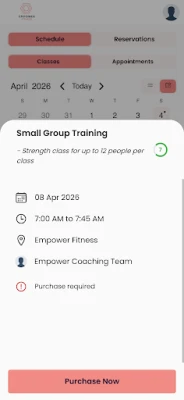
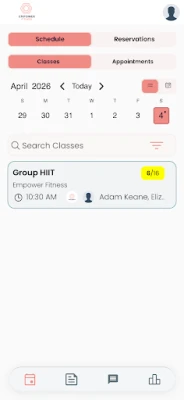
- Class booking made easy – Browse the schedule of your club’s classes and reserve a spot with just a few taps.
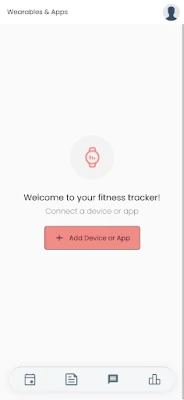
- Progress tracking – Log each workout session and view a personal history of your activity.
- Direct communication – Send messages to club staff for questions, cancellations or special requests.
- Community interaction – View a list of other members, join group chats, and share updates about club events.
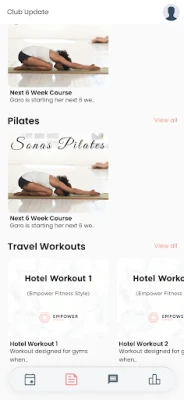
- Club news and offers – Receive announcements, promotions and upcoming events directly within the app.
How It Works
After installing the app, you create an account linked to your fitness club. The app syncs with the club’s scheduling system, showing real‑time availability for each class. When you book a class, you receive a confirmation and a reminder before the session starts.
Each time you complete a workout, you can record details such as type, duration and any notes you want to keep. The app aggregates this data so you can see trends over weeks or months, helping you stay motivated.
Practical Uses
- Never miss a class – Quick booking and push notifications keep your schedule on track.
- Track consistency – Review your workout log to identify patterns and set personal goals.
- Stay informed – Club announcements appear in a dedicated news feed, so you’re always aware of new programs or special offers.
- Ask questions instantly – Use the built‑in messaging to contact staff about equipment, class changes or membership details.
Installation Information
Search for “Empower Fitness” in the Google Play Store, then tap Install. The download size and required Android version are not specified, so ensure your device has sufficient storage and runs a recent version of Android for the best experience.
Things to Know Before Installing
- The app is free to download and use.
- It requires an account linked to a participating fitness club; not all clubs may be supported.
- All data entered in the app stays within the app; there is no indication that it is shared with third parties.
Who May Find It Useful?
Anyone who regularly attends group fitness classes, wants to keep a personal record of workouts, or prefers digital communication with club staff will benefit from Empower Fitness. It is also handy for newcomers looking to explore class options before committing.
Frequently Asked Questions
Do I need a Google account to use the app?
The app requires an account created through the app itself, which may be linked to an email address. A separate Google account is not mandatory.
Can I cancel a class reservation?
Yes, reservations can be cancelled from within the app, typically subject to the club’s cancellation policy.
Is my workout data private?
According to the provided information, the app uses health data only internally and does not share it with external parties.
What if my club is not listed?
Contact the club or the developer, TeamUp Sports, to inquire about adding the club’s schedule to the app.
Rate the App
User Reviews












Popular Apps










 Games
Games Entertainment
 Communication
 E-mail
 Security
 Tools
Tools Media
Media Internet
 Finance
 Design
 Education
 IT Tools
 Travel & Local
 Android
 Windows
 Linux
Linux