
Latest Version
September 05, 2026
Davag
HEALTH AND FITNESS
Android
123
Free
com.aguirre.pulsebasic
Report a Problem
More About Beeper – Simple Precision Interval Timer
What is Beeper?
Beeper is a lightweight Android app that lets you set recurring time intervals and receive clear feedback when each interval ends. It focuses on accuracy and minimalism, so you can stay in the flow of your activity without fiddling with complex menus.
Main Features
- High‑precision timing – the timer corrects for drift to keep intervals consistent.
- Dual feedback – a short beep is paired with a brief screen flash and a subtle animation, making it easy to notice the cue even if you’re not looking directly at the phone.
- Adjustable intervals – choose any length between 5 and 60 seconds.
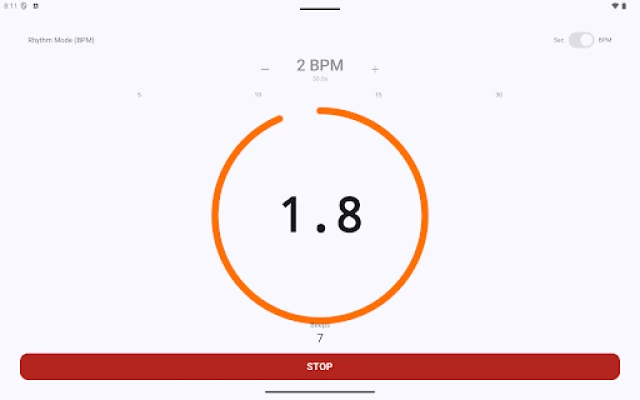
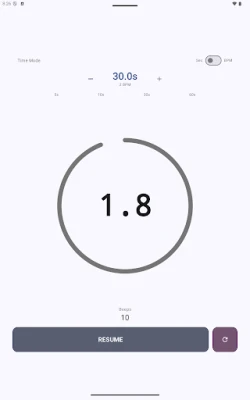
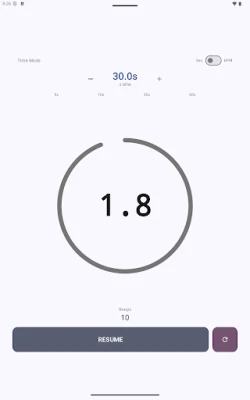
- Progress indicator – a circular ring shows the remaining time, and a counter updates with each beep.
- Screen‑on during runs – the display stays awake while the timer is active, preventing accidental pauses.
- Material Design 3 – the interface follows modern Android design guidelines and adapts to your system colors.
How It Works
After launching Beeper, set the desired interval length using the simple slider or numeric input. Press the start button, and the app begins counting down. When the interval reaches zero, you’ll hear a brief tone, see the screen flash, and watch the progress ring pulse. The timer then automatically restarts the next interval, continuing until you stop it.
Practical Uses
- High‑intensity interval training (HIIT) or Tabata workouts.
- Boxing, martial arts, or any sport that uses timed rounds.
- Meditation, breathing exercises, or yoga sequences.
- Pomodoro‑style study sessions.
- Stretching routines that require consistent timing.
Installation Information
The app is offered for free on the Appitika store. Simply tap the install button, grant any standard permissions required for keeping the screen awake, and launch Beeper from your app drawer.
Things to Know Before Installing
- The app does not contain advertisements or tracking components.
- It runs on Android devices that support Material Design 3; most devices running recent Android versions will be compatible.
- No additional configuration is needed after installation.
Who May Find It Useful?
Anyone who needs reliable, repeatable timing without distraction – from fitness enthusiasts and athletes to students, meditators, and hobbyists – will benefit from Beeper’s straightforward approach.
Frequently Asked Questions
Can I change the beep sound?
Beeper uses a single built‑in tone. The app does not currently offer custom sound options.
Will the timer keep accurate time over long sessions?
Yes. The built‑in drift correction helps maintain interval consistency even during extended use.
Is there a way to pause the timer?
You can pause and resume at any point using the on‑screen controls.
Rate the App
User Reviews













Popular Apps










 Games
 Entertainment
 Communication
 E-mail
 Security
 Tools
 Media
 Internet
 Finance
 Design
 Education
 Android Firmwares
 Travel & Local
 Android
 Windows
 Linux