

Latest Version
August 25, 2026
Google LLC
Entertainment
Android
143
Free
com.google.android.apps.youtube.kids
Report a Problem
More About YouTube Kids – Safe Video App for Children
What is YouTube Kids?
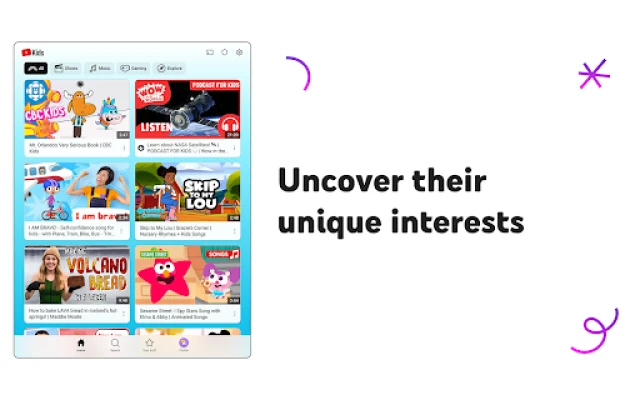
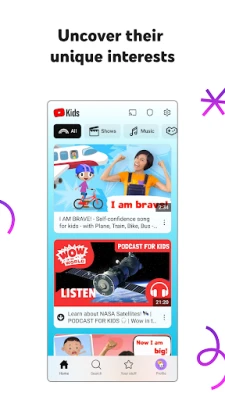
YouTube Kids is a free Android app from Google LLC that provides a curated video experience for children. The interface is simplified for young users, and the content library focuses on entertainment, education and creativity that parents consider appropriate.
Main Features
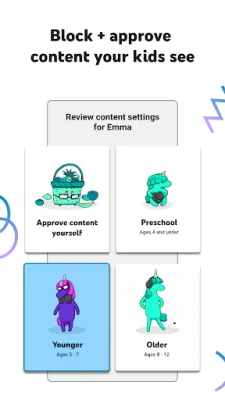
- Age‑based browsing modes: Preschool, Younger and Older modes tailor the video selection to different developmental stages.
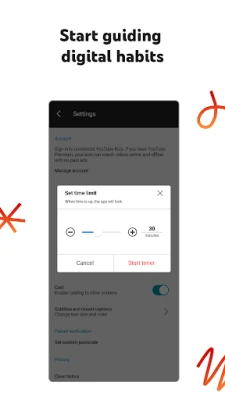
- Parental controls: Parents can set screen‑time limits, approve specific channels, and block content that doesn’t meet their standards.
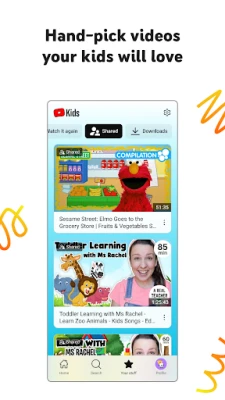
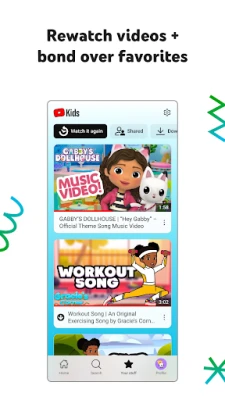
- Watch it Again: A dedicated tab lets families quickly revisit favorite videos.
- Search filtering: In the older mode, search is available but results are filtered through the same family‑friendly criteria.
How It Works
When the app is opened for the first time, a brief parental‑setup process asks for a PIN and lets the adult choose an appropriate browsing mode for each child profile. The app then pulls videos from YouTube that match the selected criteria, applying automated filters and human review to keep the feed suitable.
Parents can later adjust settings, add or remove approved channels, and review flagged content. The timer feature pauses playback when the set screen‑time limit is reached, encouraging a balanced offline‑online routine.
Practical Uses
- Educational videos such as alphabet songs, basic math lessons or science experiments for preschoolers.
- Animated series, music videos and simple crafts for younger children.
- Music, gaming highlights and age‑appropriate tutorials for older kids who are ready for broader content.
Installation Information
The app is available through the Google Play Store. Search for "YouTube Kids" or use the package name com.google.android.apps.youtube.kids. Tap Install, grant the requested permissions during setup, and follow the on‑screen parental configuration.
Compatibility
YouTube Kids runs on Android devices that meet the minimum system requirements defined by Google. Specific version numbers are not disclosed here, but the Play Store will indicate if a device is compatible before installation.
Things to Know Before Installing
- The app requires an internet connection to stream videos.
- Parental setup is essential for a safe experience; without it, the default mode may show a broader range of content.
- While the platform uses automated filters, occasional inappropriate material can appear; the flagging tool lets parents report such videos for review.
Who May Find It Useful?
Parents looking for a child‑friendly video environment, educators who want a simple way to share instructional clips, and caregivers seeking a controlled entertainment option for kids of various ages will benefit from YouTube Kids.
Frequently Asked Questions
Is YouTube Kids free?
Yes, the app can be downloaded and used without charge. Some videos may contain ads that are designed to be appropriate for children.
Can I limit the amount of time my child spends in the app?
Yes, the built‑in timer lets you set daily limits. When the limit is reached, the app pauses playback until the timer is reset.
How do I add or remove channels?
Within the parental controls, you can browse the list of available channels, approve those you trust, and block any you prefer not to show.
What happens if a video is inappropriate?
You can flag the video directly from the player. The flag is sent to YouTube’s review team for evaluation.
Rate the App
User Reviews













Popular Apps










 Games
 Entertainment
 Communication
 E-mail
 Security
 Tools
 Media
 Internet
 Finance
 Design
 Education
 Android Firmwares
 Travel & Local
 Android
 Windows
 Linux