

Latest Version
September 13, 2026
Stoyan Vuchev
Entertainment
Android
19
Free
com.stoyanvuchev.magicmessage
Report a Problem
More About Magic Message – Create Animated GIF Doodles
What is Magic Message?
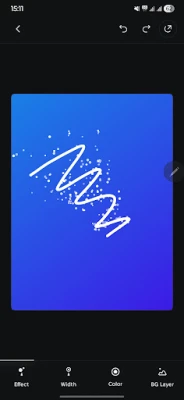
Magic Message is a free Android app that lets you turn hand‑drawn sketches into short animated GIFs. The focus is on quick, expressive creation – you draw, add a few visual effects, and the app animates each stroke in real time.
Main Features
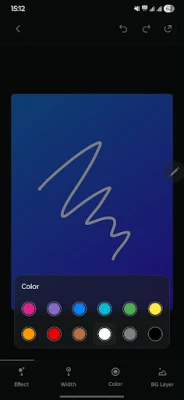
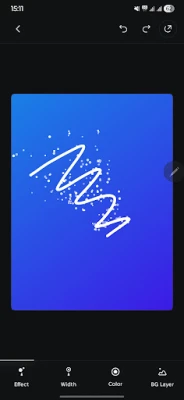
- Responsive canvas: Smooth drawing with adjustable brush size and a palette of vibrant colors.
- Live brush effects: Choose from particle‑based effects such as bubbles or sparkles that appear as you draw.
- Undo / redo: Step back or forward through your strokes without losing progress.
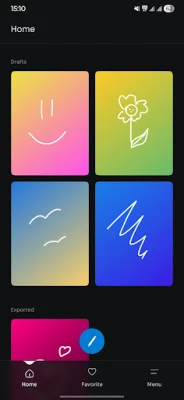
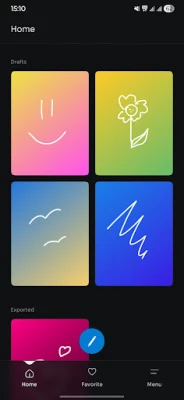
- Automatic drafts: Work is saved automatically, so you can pause and resume later.
- GIF export: Save any creation as an animated GIF file that can be used in messaging apps or social platforms.
- In‑app gallery: Browse and manage all of your saved animations from a single place.
- Instant sharing: Send GIFs directly to contacts or copy them to the clipboard for quick pasting.
How It Works
When you open Magic Message, you are presented with a blank canvas. Select a brush size and color, then start drawing. As you move your finger, the app adds the chosen particle effect to each line segment, creating a subtle animation that plays back once the drawing is finished. You can tap the undo or redo buttons at any time to refine your work. When you are satisfied, tap the export button to generate a GIF file, which is stored in the app’s gallery and also appears in your device’s media folder.
Practical Uses
- Personalized greetings – send a hand‑drawn birthday or holiday message that moves.
- Quick visual explanations – illustrate a concept with a short animated sketch.
- Social media fun – share a whimsical doodle that stands out in a feed.
- Creative practice – experiment with brush dynamics and particle effects without needing a full‑featured animation suite.
Who May Find It Useful?
Anyone who enjoys casual drawing and wants a simple way to add motion to their artwork will appreciate Magic Message. It is especially handy for:
- Students looking for a fast way to create visual notes.
- Friends and family who want to send a quick, personalized animation.
- Creators who need a lightweight tool for quick GIF ideas.
Things to Know Before Installing
- The app is free to download and use; no in‑app purchases are mentioned.
- It does not require an internet connection for core drawing and exporting functions.
- Saved GIFs are stored locally on the device; you control where they are shared.
Frequently Asked Questions
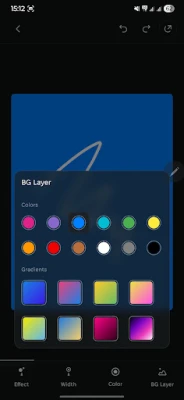
- Can I change the background color of my GIF? Yes, the canvas background can be set to a solid color before you start drawing.
- Is there a limit to the length of the animated GIF? The app creates a short loop based on the duration of your drawing session; longer sessions produce longer loops.
- Do I need an account to use Magic Message? No, the app works without registration.
Rate the App
User Reviews












Popular Apps










 Games
Games Entertainment
 Communication
 E-mail
 Security
 Tools
Tools Media
Media Internet
 Finance
 Design
 Education
 IT Tools
 Travel & Local
 Android
 Windows
 Linux
Linux