


Latest Version
Latest
September 12, 2026
Kiddoware - Parental Controls App Provider
Entertainment
Android
3
Free
com.kiddoware.kidsplace
Report a Problem
More About Kids Place – Parental Controls for Android
What is Kids Place?
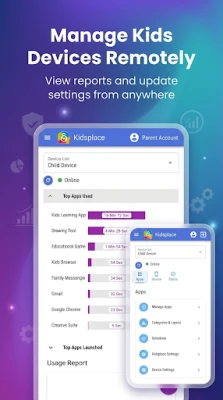
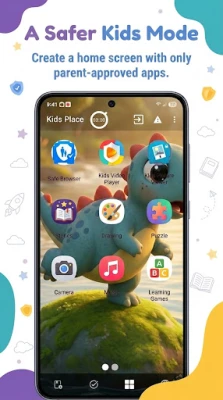
Kids Place is a launcher‑style application designed to give parents a simple way to turn an Android phone or tablet into a child‑friendly space. When activated, the device shows only the apps and content that you have explicitly approved, helping children explore digital media without stumbling onto unwanted features.
Main features
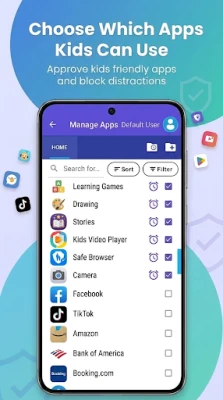
- Kid‑only launcher – A dedicated home screen that displays only the apps you select.
- App blocking – Prevent access to any application that is not on the approved list.
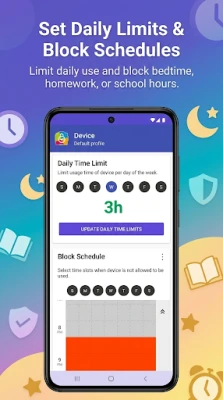
- Screen‑time limits – Set daily usage caps for the whole device or for individual apps.
- Purchase protection – Block in‑app purchases and new app installations from the Play Store.
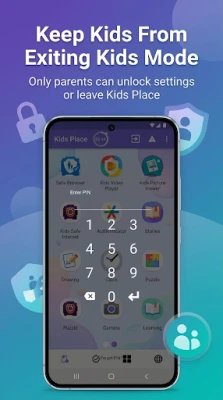
- PIN‑protected exit – Parents must enter a PIN to leave Kids Place, keeping children inside the controlled environment.
How it works
After installing Kids Place, you configure a PIN and choose which apps should be visible inside the launcher. The app uses the package names of the selected applications to determine what is allowed; it does not read the content inside those apps. When a child tries to open an unapproved app, the request is blocked and the device remains in Kids Place. Screen‑time limits are enforced by counting usage time and automatically returning to the launcher when the limit is reached.
Practical uses
Parents often need a quick way to hand a device to a child for a short period—whether it’s a ride in the car, a waiting room, or bedtime. Kids Place provides a ready‑made sandbox that limits distractions and prevents accidental purchases. It can also be useful in educational settings where a teacher wants to restrict a tablet to specific learning apps.
Installation information
Kids Place is available as a free download from the Google Play Store. After downloading, launch the app, set a secure PIN, and follow the on‑screen prompts to select approved apps. The initial setup typically takes only a few minutes.
Things to know before installing
- The app may request optional permissions such as Device Administrator or Accessibility Service to strengthen its lock‑out capabilities. These permissions are not required for basic functionality but can improve security.
- Kids Place replaces the default home screen only while it is active. Exiting the launcher requires the PIN you set during configuration.
- Because the app relies on package names, any new app you want to allow must be added manually after installation.
Who may find it useful?
Any parent or guardian who wants to give a child limited, supervised access to an Android device will benefit from Kids Place. It is also helpful for caregivers, teachers, or anyone responsible for managing device usage in a shared environment.
Frequently asked questions
Can Kids Place prevent a child from uninstalling the app?
If you enable the optional Device Administrator permission, the app becomes harder to remove without the PIN, adding an extra layer of protection.
Does Kids Place block ads inside approved apps?
No. The app only controls which applications can be opened; it does not modify the behavior of apps that are allowed.
Is there a way to set different rules for multiple children?
The free version provides a single set of controls. More advanced profile management is available through an optional paid upgrade.
Rate the App
User Reviews














Popular Apps










 Games
Games Entertainment
 Communication
 E-mail
 Security
 Tools
Tools Media
Media Internet
 Finance
 Design
 Education
 IT Tools
 Travel & Local
 Android
 Windows
 Linux
Linux