
Latest Version
Latest
September 03, 2026
Microsoft Corporation
Entertainment
Android
8
Free
com.microsoft.xboxone.smartglass.beta
Report a Problem
More About Xbox beta – Microsoft’s companion app for Android
What is Xbox beta?
The Xbox beta app is Microsoft’s Android companion for the Xbox gaming platform. It lets you stay connected to your console, friends, and game library while you’re away from your TV.
Main features
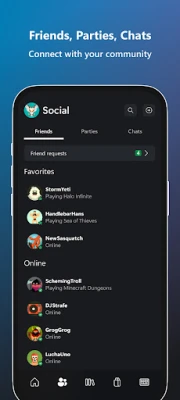
- Friends and party chat – Send voice or text messages to friends on Xbox consoles, PC, or mobile.
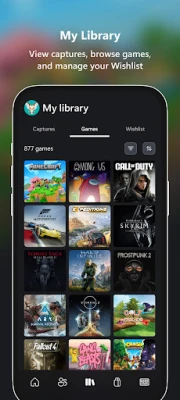
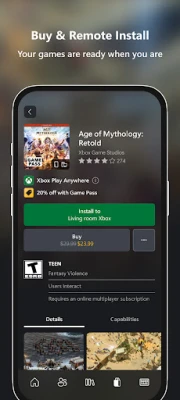
- Remote game management – Queue games for download or install them directly to your console from your phone.
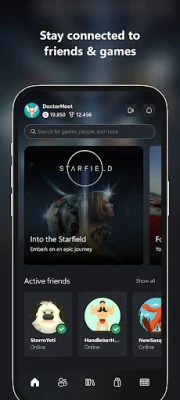
- Achievements and notifications – View recent achievements, game invites, and other alerts in real time.
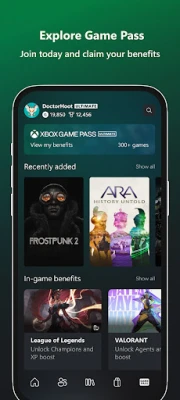
- Game Pass overview – Browse the Game Pass catalog, see recommendations, and keep track of new releases.
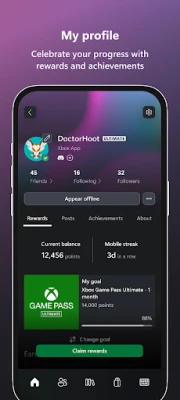
- Rewards tracking – Check your Xbox Rewards balance and redeem points when available.
How it works
After signing in with your Microsoft account, the app syncs with your Xbox profile. It pulls data from the Xbox network, so you can see your friends list, recent activity, and pending downloads. Actions you take—such as starting a remote install—are sent to your console over the internet.
Practical uses
- Coordinate multiplayer sessions while on the go.
- Start a game download before you get home, so it’s ready to play.
- Check achievement progress without turning on your console.
- Stay informed about new Game Pass titles and upcoming releases.
Installation information
The app is offered as a free download from the Google Play Store. Search for "Xbox beta" or use the package name com.microsoft.xboxone.smartglass.beta to locate it. Installation follows the standard Android process.
Things to know before installing
- You need a Microsoft/Xbox account to sign in.
- An active internet connection is required for most features.
- The app works best with a stable Wi‑Fi or cellular connection, especially for remote installs.
Who may find it useful?
Anyone who owns an Xbox console or subscribes to Game Pass and wants quick access to friends, chat, and game management from their Android device will benefit from the Xbox beta app.
Frequently asked questions
Do I need an Xbox console to use the app?
No, but many features—such as remote installs and achievement syncing—require a linked console.
Is the app free?
Yes, the Xbox beta app is free to download and use.
Can I purchase games through the app?
The app provides access to the Xbox Store, allowing you to buy games without leaving the application.
Rate the App
User Reviews












Popular Apps










 Games
Games Entertainment
 Communication
 E-mail
 Security
 Tools
Tools Media
Media Internet
 Finance
 Design
 Education
 IT Tools
 Travel & Local
 Android
 Windows
 Linux
Linux