

Latest Version
Latest
September 08, 2026
VK LLC
Entertainment
Android
9
Free
com.vk.vkvideo
Report a Problem
More About VK Video: movies, cartoons, TV
What is VK Video?
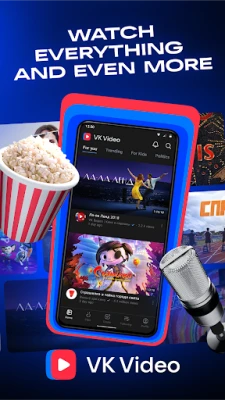
VK Video is a free Android application from VK LLC that brings a broad catalogue of video content to your mobile device. The app aggregates movies, animated series, TV shows and live broadcasts, allowing you to watch them directly on your phone or tablet.
Main features
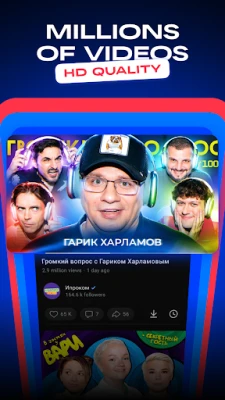
- Wide content range – includes recent film releases, classic series, children’s cartoons and live sports streams.
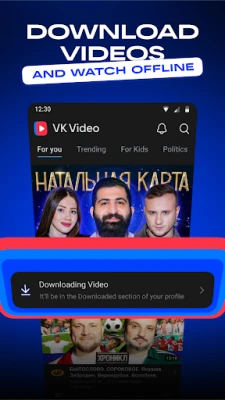
- Offline playback – you can download selected titles to watch later without an internet connection.
- Background mode – audio continues to play when you switch apps or lock the screen, useful for podcasts or music videos.
- Subtitles support – subtitles can be turned on for silent viewing or to follow foreign‑language content.
- Smart search – the search function tolerates typos and suggests related titles.
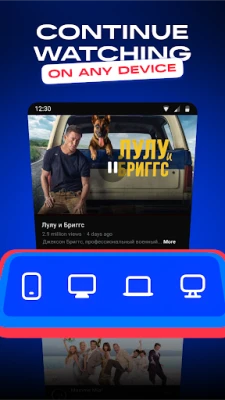
- Cross‑device continuity – start a video on your phone and resume it on a compatible TV or computer using the same VK account.
How it works
After installing the app, you create or sign in with a VK account. The home screen presents a personalized feed that updates daily with new releases and recommendations based on your viewing habits. You can browse by genre, age rating or popularity, and use the search bar to find specific titles. Selecting a video opens a player with standard controls for play, pause, skip and volume. If you enable download, the file is stored in the app’s private storage and can be accessed from the “Offline” section.
Practical uses
- Travel: download movies or cartoons before a long trip and enjoy them without using mobile data.
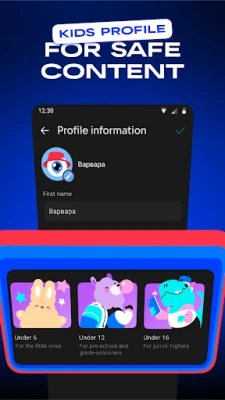
- Kids: provide a safe offline library of animated content for children, with parental controls available in the settings.
- Sports fans: follow live broadcasts of matches and switch to background mode to keep listening while doing other tasks.
- Language learners: watch foreign films with subtitles to improve listening skills.
Installation information
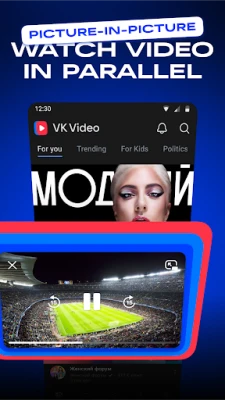
The app is available through the Google Play Store. Search for the package name com.vk.vkvideo or the title “VK Video: movies, cartoons, TV”. Tap “Install” and wait for the download to complete. Initial launch may request permission to access storage for offline downloads and to display over other apps for picture‑in‑picture mode.
Things to know before installing
- The app requires an internet connection for streaming and for initial content discovery.
- Downloaded videos occupy device storage; manage them regularly to avoid running out of space.
- Content availability can vary by region due to licensing restrictions.
Who may find VK Video useful?
Anyone who wants a single hub for movies, series and cartoons on Android will benefit. It is especially handy for families with children, frequent travelers, and users who prefer to keep their entertainment within the VK ecosystem.
Frequently asked questions
Is the app completely free?
Yes, VK Video can be downloaded and used without a purchase. Some premium content may require a separate subscription or purchase within the app.
Can I watch live TV channels?
The app includes live streams of selected TV channels and sports events, subject to regional availability.
How do I delete downloaded videos?
Open the “Offline” library, tap the three‑dot menu next to a title, and choose “Delete”.
Does the app support picture‑in‑picture mode?
When supported by your device, you can enable picture‑in‑picture from the player controls to keep video visible while using other apps.
Rate the App
User Reviews














Popular Apps










 Games
Games Entertainment
 Communication
 E-mail
 Security
 Tools
Tools Media
Media Internet
 Finance
 Design
 Education
 IT Tools
 Travel & Local
 Android
 Windows
 Linux
Linux