

Latest Version
Latest
September 12, 2026
University of Houston
Education
Android
2
Free
edu.uhmobile
Report a Problem
More About UH Go – University of Houston Mobile Companion
What is UH Go?
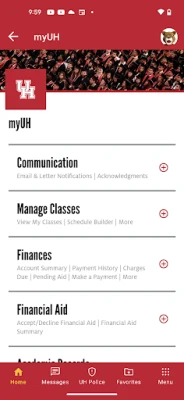
UH Go is a mobile application created by the University of Houston for students, faculty, staff, and alumni. It serves as a single place to reach essential university resources while you’re on campus or on the go.
Main features
- Academic tools – Quickly view your schedule, add or drop courses, and keep track of important deadlines.
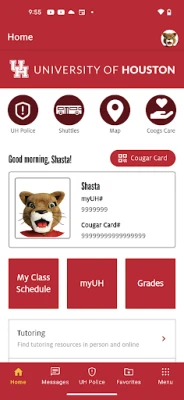
- Digital Cougar Card – Access your campus ID, view balances, and manage Cougar Cash or ShastaBUCKS directly from your phone.
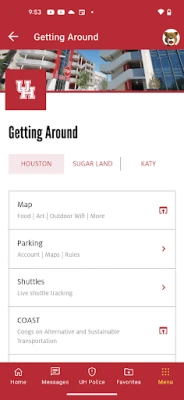
- Shuttle tracking – See real‑time locations of campus shuttles to plan your trips between buildings.
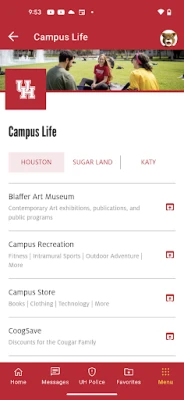
- Campus navigation – Interactive maps help you locate classrooms, offices, parking, and dining locations.
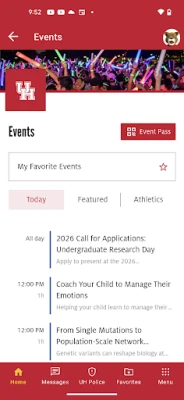
- Event finder – Browse upcoming university events, lectures, and student organization activities.
- Athletics updates – Follow UH athletic teams, check scores, and receive game‑day notifications.
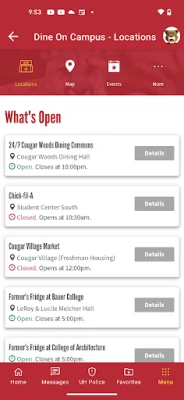
- Dining information – View daily menus, check meal plan balances, and pay for meals through the app.
- Emergency assistance – One‑tap access to campus safety resources and emergency contacts.
- Alumni connection – Stay linked with the Coog family, receive news, and discover alumni opportunities.
How it works
After installing UH Go, you sign in with your university credentials. The app then syncs with the university’s backend systems, pulling data such as class schedules, card balances, and shuttle locations. Most features work offline once data is cached, but real‑time services like shuttle tracking require an internet connection.
Practical uses
Whether you’re a freshman finding your first class, a commuter checking shuttle times, or an alumnus wanting to stay informed, UH Go streamlines everyday tasks. It reduces the need to carry a physical ID, lets you pay for meals without a wallet, and keeps you aware of campus alerts.
Installation information
The app is distributed as a free download through the Google Play Store. Search for “UH Go” or use the package name edu.uhmobile to locate it. Installation follows the standard Android process: tap “Install,” grant any required permissions, and launch the app.
Things to know before installing
- Because the app accesses personal university accounts, you’ll need a valid UH username and password.
- Some features, such as real‑time shuttle locations, rely on an active internet connection.
- Permissions are limited to those needed for account authentication, location services for navigation, and notifications.
Who may find UH Go useful?
Current students, faculty, staff, and alumni of the University of Houston can benefit from the app. It is especially handy for anyone who wants quick access to campus services without navigating multiple web portals.
Frequently asked questions
Do I need a UH account to use the app?
Yes. The app requires your university credentials to personalize content and enable secure features.
Can I use UH Go on any Android device?
The app is built for Android smartphones and tablets that meet the Play Store’s minimum requirements. Specific version details are listed on the store page.
Is my personal information safe?
The app follows university security standards. It only requests permissions necessary for its core functions.
Rate the App
User Reviews















Popular Apps










 Games
Games Entertainment
 Communication
 E-mail
 Security
 Tools
Tools Media
Media Internet
 Finance
 Design
 Education
 IT Tools
 Travel & Local
 Android
 Windows
 Linux
Linux