


Latest Version
Latest
September 18, 2026
Ling Learn Languages
Education
Android
115
Free
com.simyasolutions.ling.universal
Report a Problem
More About Ling – Language Learning
What is Ling?
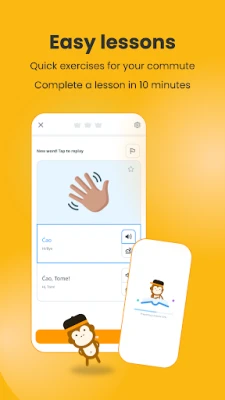
Ling is a free Android app designed to help learners of any level develop speaking, listening, reading and writing skills in a wide range of languages. The app focuses on short, interactive lessons that fit into a busy schedule, making language practice a daily habit.
Main features
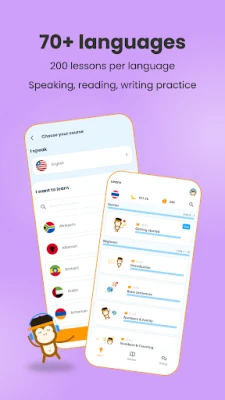
- Broad language catalogue – more than 70 languages, including many that are rarely covered by mainstream apps.
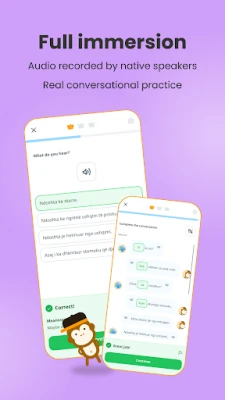
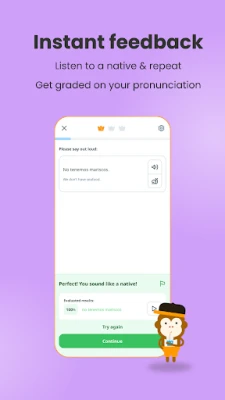
- Native‑speaker audio – each lesson includes recordings from fluent speakers, helping users hear authentic pronunciation.
- Progressive lesson structure – lessons are organized into thematic units that build vocabulary, grammar and conversational ability step by step.
- Gamified motivation – points, streak tracking and leaderboards encourage regular practice.
- Cultural notes – short explanations give context about customs, idioms and usage.
How it works
After installing Ling, users select a language and start with the introductory unit. Lessons are presented as a mix of multiple‑choice prompts, fill‑in‑the‑blank exercises and short speaking tasks. Audio clips play automatically, and users can replay them as needed. Completing a lesson awards points and updates the user’s streak, which is displayed on the home screen.
Practical uses
- Travelers preparing for a short trip can focus on essential phrases and pronunciation.
- Expats and heritage speakers can deepen their knowledge of less‑common languages.
- Students can supplement classroom study with extra practice on vocabulary and listening.
Who may find Ling useful?
Anyone interested in picking up a new language, especially those looking for languages that are not widely supported elsewhere. The app is suitable for beginners who need a solid foundation as well as intermediate learners aiming to expand their conversational skills.
Installation information
Search for Ling – Language Learning in the Google Play Store, tap Install, and launch the app once the download completes. The app requires a standard Android device with internet access for downloading lesson content and audio files.
Things to know before installing
- The app is free to download and use; some optional in‑app purchases may be offered for additional content.
- Lesson data is stored locally after download, allowing offline practice for previously loaded units.
- Because the app includes audio files, a data connection is needed for the initial download of lessons.
Frequently asked questions
- Do I need an internet connection to study? A connection is required to download new lessons, but once a lesson is cached you can review it offline.
- Can I track my progress across devices? Progress is saved locally; using the same Google account on multiple devices may sync data if the feature is enabled.
- Are there any ads? The free version may display non‑intrusive ads; an ad‑free experience can be obtained through optional purchase.
Rate the App
User Reviews















Popular Apps










 Games
Games Entertainment
 Communication
 E-mail
 Security
 Tools
Tools Media
Media Internet
 Finance
 Design
 Education
 Android Firmwares
 Travel & Local
 Android
 Windows
 Linux
Linux