

Latest Version
Latest
September 17, 2026
Noor Path
Education
Android
78
Free
me.mahmudulhasan.salat_app
Report a Problem
More About NamazStart – Simple Guide for Daily Prayers
What is NamazStart?
NamazStart is a free Android application created by developer Noor Path. It is designed to help Muslims learn and perform the five daily prayers (Salah) with confidence. The app focuses on clarity and ease of use, making it a practical companion for anyone who wants to improve their prayer routine.
Main Features
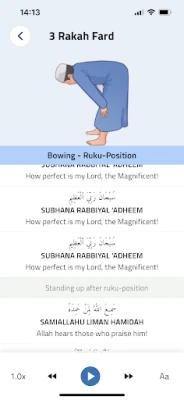
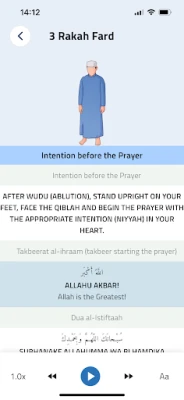
- Step‑by‑step prayer instructions – Each of the five daily prayers is broken down into individual actions, with concise text explanations.
- Visual aids for wudu – Simple illustrations show the proper sequence for ablution, helping users perform wudu correctly before prayer.
- Audio support – Short audio clips of common recitations are available for users who prefer to listen while praying.
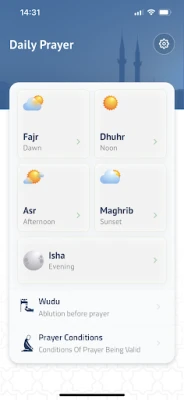
- Prayer‑time overview – A basic list of the five daily prayer times is provided, allowing users to see the order of prayers at a glance.
- Library of supplications – A collection of common Islamic duʿās is included for post‑prayer reflection.
How It Works
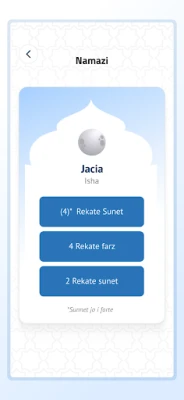
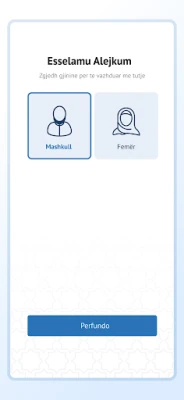
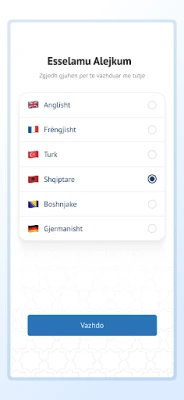
When you open NamazStart, you are presented with a clean home screen that lists the five daily prayers. Selecting a prayer opens a dedicated page where each step is displayed in sequential order. Tapping a step expands a short description and, where applicable, shows an illustration or plays an audio snippet. The interface is designed for quick navigation, so you can move through the steps without distraction.
Practical Uses
- Learning – Newcomers to Islam or those new to the prayer routine can follow the guided steps to build a solid foundation.
- Refreshment – Experienced practitioners can use the app as a quick reference to verify the correct order of actions.
- Travel – The offline nature of the content means you can rely on the app even without an internet connection.
Installation Information
NamazStart is available for free on the Google Play Store. Search for the package name me.mahmudulhasan.salat_app or the app title, then tap “Install.” The download size is modest, and the app does not require additional permissions beyond basic storage access for optional audio files.
Compatibility
The app runs on Android devices that meet the standard system requirements for modern Play Store apps. Specific version numbers are not listed, but the lightweight design ensures it works on a wide range of smartphones and tablets.
Things to Know Before Installing
- The app is free and does not contain in‑app purchases.
- All content is stored locally, so you can use it without a data connection after installation.
- There are no ads or external links within the app.
Who May Find It Useful?
NamazStart is suitable for:
- Children and teenagers learning prayer for the first time.
- Adults who want a concise, no‑frills reference.
- Muslims traveling to areas with limited internet access.
Frequently Asked Questions
Do I need an internet connection to use NamazStart?
No. All instructional text, images, and audio files are bundled with the app, allowing offline use.
Is the app safe to install?
The app is distributed through the official Google Play Store and follows standard Android security guidelines.
Can I customize the audio recitations?
The app includes a set of default audio clips. At present, there is no built‑in option to add custom recordings.
Will the app receive updates?
Updates are managed by the developer, Noor Path, through the Play Store. Users will be notified when a new version becomes available.
Rate the App
User Reviews















Popular Apps










 Games
 Entertainment
 Communication
 E-mail
 Security
 Tools
 Media
 Internet
 Finance
 Design
 Education
 Android Firmwares
 Travel & Local
 Android
 Windows
 Linux