Latest Version
September 17, 2026
SQSTECH
Education
Android
85
Free
com.sqsapps.class_room_management
Report a Problem
More About Classroom Management by SQSTECH – Simple Tools for Teachers
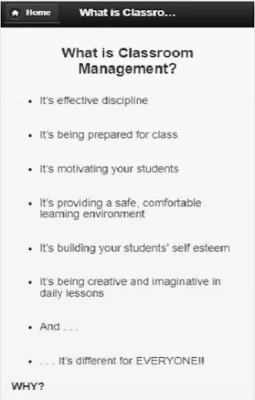
What is Classroom Management?
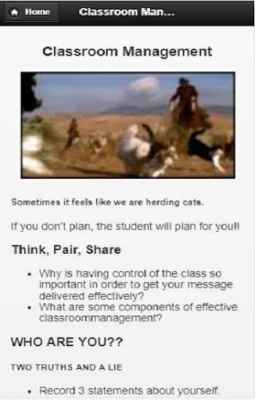
Classroom Management is a lightweight Android utility designed for teachers who want a convenient way to organise classroom policies, record incidents and share expectations with students. The app provides a digital notebook for everyday classroom tasks, helping educators keep focus on teaching rather than paperwork.
Main Features
- Rule Builder – Create a list of classroom rules, assign brief explanations and reorder them as needed.
- Behavior Log – Record positive or corrective notes for individual students, with optional timestamps.
- Incident Templates – Choose from common scenarios (late arrival, disruption, incomplete work) to speed up logging.
- Break & Transition Planner – Set up short‑break routines or transition cues that can be displayed on a classroom screen.
- Export Options – Export logs as CSV files for further analysis or sharing with colleagues.
How It Works
After installing the app, teachers are guided through a brief setup wizard where they can enter the class name and optionally import an existing list of rules. The main dashboard shows three tabs: Rules, Log, and Planner. Adding a new rule or log entry requires only a few taps; the app automatically saves changes locally.
Practical Uses
- Establishing clear expectations at the start of the school year.
- Documenting behavior trends for parent‑teacher conferences.
- Quickly noting disruptions during a lesson without leaving the classroom.
- Planning short breaks or mindfulness moments to maintain student focus.
Installation Information
The app is distributed as a free download from the Appitika store. No additional purchases are required. Installation follows the standard Android process: tap “Install,” grant any requested permissions, and launch the app from the home screen.
Things to Know Before Installing
- The app stores data locally on the device; regular backups are recommended if you need to keep records long‑term.
- It does not integrate with external school management systems, so data must be exported manually if needed.
- All features are available without a subscription or in‑app purchases.
Who May Find It Useful?
Primary school teachers, middle‑school educators, and any classroom‑based instructor who wants a simple, offline tool for managing rules and behavior will benefit from Classroom Management. The app’s minimal interface also makes it suitable for substitute teachers who need quick access to classroom policies.
Frequently Asked Questions
Can I share the rule list with students?
Yes. The app allows you to export the rule list as a text file that can be printed or displayed on a classroom screen.
Is my data private?
All entries are stored locally on your device. The app does not transmit data to external servers.
What Android versions are supported?
The app runs on standard Android devices that support the Google Play Services framework. Specific version numbers are not listed, but it works on most devices released in the past five years.
Rate the App
User Reviews














Popular Apps










 Games
Games Entertainment
 Communication
 E-mail
 Security
 Tools
Tools Media
Media Internet
 Finance
 Design
 Education
 Android Firmwares
 Travel & Local
 Android
 Windows
 Linux
Linux