

Latest Version
September 06, 2026
Twitch Interactive, Inc.
Entertainment
Android
7
Free
tv.twitch.android.app
Report a Problem
More About Twitch: Live Streaming – Watch and Broadcast Games, Music, Talk Shows
What is Twitch?
Twitch is a platform for live video streaming that brings together creators and viewers around a wide range of interests. The Android app lets you watch streams, join chat rooms, and go live from your device.
Main Features
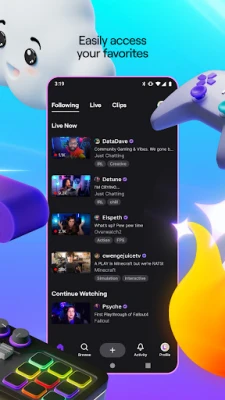
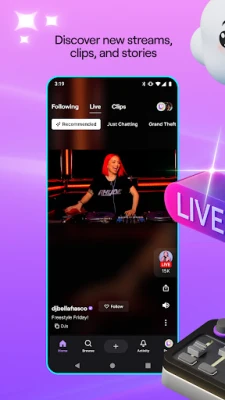
- Live viewing – Access thousands of channels streaming games, music, sports, creative arts, and more.
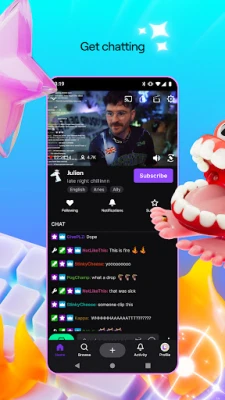
- Interactive chat – Participate in real‑time conversations with other viewers and streamers.
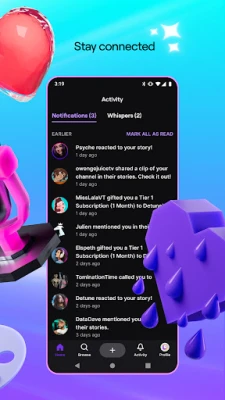
- Follow and subscribe – Keep track of favorite channels and receive notifications when they go live.
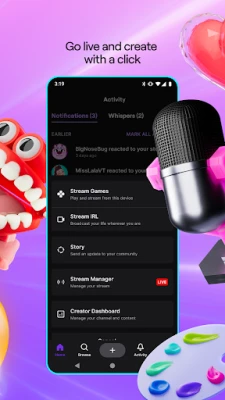
- Broadcast from mobile – Start a live stream directly from your phone or tablet without needing a separate encoder.
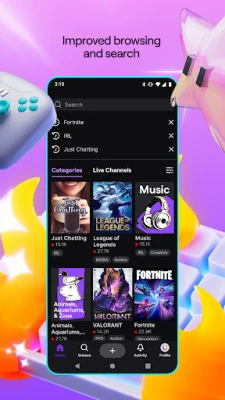
- Personalized recommendations – The app suggests streams based on your viewing habits.
- Dark mode – A dark theme reduces eye strain during night‑time viewing.
How It Works
After installing the app, you create a Twitch account or sign in with an existing one. The home screen shows a curated feed of live channels. Tapping a thumbnail opens the stream, where you can watch video, read chat, and interact with emotes. To broadcast, you tap the “Go Live” button, configure a title and category, and start streaming using your device’s camera and microphone.
Practical Uses
- Follow esports tournaments and watch competitive gameplay in real time.
- Discover emerging musicians and attend virtual concerts.
- Learn new skills by watching creative or “just chatting” streams.
- Engage with niche communities that share specific hobbies or interests.
- Share your own gameplay, art, or talk shows with a global audience.
Installation Information
The app is available for free from the Google Play Store. Search for "Twitch: Live Streaming" or use the package name tv.twitch.android.app to locate it. Installation follows the standard Android process: tap Install, grant required permissions, and launch the app.
Things to Know Before Installing
- The app may request access to your camera, microphone, and storage for broadcasting and saving clips.
- Live streams can contain a wide range of content; parental controls are available within the app settings.
- Data usage can be high during streaming; consider using Wi‑Fi or monitoring your mobile data plan.
Who May Find It Useful?
Gamers, musicians, artists, podcasters, and anyone who enjoys watching live content or wants to share their own broadcasts will benefit from Twitch. The app also serves communities that gather around shared interests, from hobbyists to professional creators.
Frequently Asked Questions
Do I need a Twitch account to watch streams?
No. You can browse and watch most streams without an account, but signing in lets you follow channels and participate in chat.
Can I stream without a PC?
Yes. The mobile app includes a built‑in broadcasting feature that works with your device’s camera and microphone.
Is the app free?
The app can be downloaded at no cost. Some features, such as channel subscriptions, may involve optional payments.
How do I enable dark mode?
Open the app’s Settings, locate the Appearance section, and select Dark theme.
Rate the App
User Reviews













Popular Apps










 Games
Games Entertainment
 Communication
 E-mail
 Security
 Tools
Tools Media
Media Internet
 Finance
 Design
 Education
 IT Tools
 Travel & Local
 Android
 Windows
 Linux
Linux